How to Finance a Whole-Home UniFi Network and Eliminate Dead Zones for Good
If you want to finance home wifi network improvements, you are not alone. Many homeowners know they need a better setup, but they hesitate because the upfront cost feels unclear. The good news is that UniFi network financing and smart project planning can make a whole home wifi upgrade realistic without cutting corners. In this guide, we’ll explain what a whole-home UniFi network typically costs, which financing options people use (BNPL, personal loans, and HELOCs), and how to eliminate wifi dead zones for the long term.
This article is informational and written in a trustworthy, non-promotional tone. It includes real-world technician scenarios, common installation errors tied to TIA/EIA structured cabling best practices, and clear corrective steps so you can avoid expensive rework.
Finance Home WiFi Network Planning: Start With the Real Problem (Not the Router)
Most “dead zone” problems are not caused by a single bad router. Instead, they come from a mismatch between your home’s layout and your WiFi design. Therefore, before you finance anything, define what you are trying to fix.
Eliminate WiFi Dead Zones by Identifying the Root Cause
- Thick walls (block, concrete, plaster, brick)
- Long homes with rooms far from the ISP entry point
- Multi-story layouts with weak vertical coverage
- Metal-backed insulation, mirrors, and dense appliances
- Outdoor coverage needs (pool, patio, detached garage)
Corrective step: write down the top 3 problem areas and the devices that fail there (TV streaming, Zoom calls, gaming, smart home devices). This becomes your “success criteria.”
Real-world technician scenario: “They bought a new router every year”
We see this often. A homeowner replaces the router, but the dead zone stays. The real issue is placement and lack of wired backhaul. The corrective step is to design coverage and add cabling where needed, not keep swapping routers.
UniFi Network Financing: What a Whole-Home UniFi System Typically Includes
UniFi is not “one device.” It is a system. Therefore, a whole-home UniFi design usually includes a gateway, switching, access points, and sometimes cameras or door access later.
Whole Home WiFi Upgrade Components (Common UniFi Stack)
- Gateway / Router: UniFi Cloud Gateway models or UniFi Dream Machine line (depending on needs)
- Switching: PoE switch to power access points cleanly
- Access Points: ceiling or wall-mounted APs placed for coverage and roaming
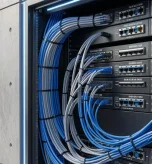
- Structured Cabling: Cat6/Cat6A runs for wired backhaul (the “secret weapon”)
- Optional: UPS battery backup, rack, surge protection
Corrective step: if a quote includes multiple APs but no cabling plan, ask how the APs will be backhauled. Wireless mesh can work, but wired backhaul is usually more stable.
Finance Home WiFi Network Costs: Hardware Budget Ranges (Realistic 2026 Numbers)
Costs vary based on home size, wall materials, and outdoor needs. However, you can estimate a realistic range. Therefore, use these as planning numbers, not a promise.
Whole Home WiFi Upgrade Hardware Cost Ranges
- Small home / condo (1–2 APs): often $400–$1,200 in hardware
- Average home (2–4 APs + PoE switch): often $900–$2,500 in hardware
- Large home (4–8 APs + switching + UPS): often $2,000–$6,000+ in hardware
These ranges assume you are using quality equipment and not cutting corners. Also, they do not include labor, cabling, or drywall repair.
Eliminate WiFi Dead Zones Cost Driver: Structured Cabling and Labor
In many homes, cabling and labor are the largest cost line. However, they are also what makes the system reliable. Therefore, if you are financing, do not ignore the cabling portion.
Internal linking suggestion: Link to your “Complete UniFi Access Point Installation Tutorial” and “Maximize WiFi Coverage” guides to support this section.
UniFi Network Financing Options: BNPL, Personal Loans, and HELOCs (Pros and Cons)
There are a few common ways homeowners finance a network upgrade. Therefore, here is a plain-language breakdown.
Finance Home WiFi Network With BNPL (Buy Now, Pay Later)
BNPL is often used for hardware purchases. It can be convenient. However, you must watch the terms and late fees.
- Best for: smaller upgrades, hardware-only purchases
- Pros: fast approval, short payoff windows, sometimes 0% promos
- Cons: can be expensive if you miss payments, may not cover labor
Corrective step: match BNPL term length to the project timeline. Do not finance hardware for 12 months if you will replace it in 2 years.
UniFi Network Financing With Personal Loans
Personal loans can cover both labor and materials. Therefore, they are often used for full “whole home wifi upgrade” projects.
- Best for: full installs including cabling and labor
- Pros: fixed payments, can bundle the whole project
- Cons: interest costs, approval depends on credit
Corrective step: ask your installer for a phased plan so you do not borrow more than you need upfront.
Finance Home WiFi Network With a HELOC (Home Equity Line of Credit)
A HELOC can be used for larger home improvements. It may offer lower rates than unsecured loans. However, it uses your home as collateral. Therefore, it should be used carefully.
- Best for: larger projects, multi-phase upgrades, bundled home improvements
- Pros: potentially lower rates, flexible draw
- Cons: variable rates, closing costs, collateral risk
Corrective step: if you use a HELOC, keep the WiFi project scope clear and avoid “scope creep” that increases the balance.
Whole Home WiFi Upgrade Strategy: Phase the Project to Control Cost
Financing is easier when the project is structured. Therefore, many homeowners phase upgrades instead of doing everything at once.
Eliminate WiFi Dead Zones With a Phase 1 “Foundation”
- Install the gateway and core switch
- Run the most important cable drops (office, living room, main AP)
- Install 1–2 APs to stabilize the worst areas
UniFi Network Financing Phase 2 “Expansion”
- Add APs for bedrooms, upstairs, and outdoor zones
- Expand switching if needed
- Add UPS and surge protection for stability
Finance Home WiFi Network Phase 3 “Nice-to-Haves”
- UniFi Protect cameras
- Door access or smart home segmentation
- Advanced monitoring and alerts
Corrective step: ask for a design that works in Phase 1, not a design that only works after Phase 3.
Eliminate WiFi Dead Zones: Installation Mistakes That Waste Your Financing Budget
Financing does not fix a bad install. Therefore, it is important to avoid common mistakes that create rework.
Whole Home WiFi Upgrade Mistake: Using Mesh as a Substitute for Cabling
Wireless mesh can be helpful. However, it is not the same as wired backhaul. If the mesh node is placed in a weak area, it repeats a weak signal. As a result, performance stays weak.
Corrective step: use wired backhaul for key APs whenever possible, especially for offices and streaming zones.
Finance Home WiFi Network Mistake: Bad AP Placement
APs placed in closets, behind TVs, or inside cabinets lose performance fast. Therefore, placement should be central and open.
Corrective step: mount APs in open areas and validate coverage after install.
TIA/EIA Cabling Errors That Cause “Random WiFi Drops”
TIA/EIA structured cabling practices emphasize proper terminations, labeling, and testing. In homes, cabling is often treated casually. However, poor terminations can cause link flaps that feel like WiFi issues.
- Untested cable runs
- Loose keystone terminations
- No labeling (future troubleshooting becomes slow)
- Improper bend radius or crushed cables
Corrective step: require basic cable testing and labeling for every run. Keep a simple network diagram for future work.
Real-world technician scenario: “The WiFi was great, then it started dropping”
A homeowner reports random drops. The AP is fine. The issue is a marginal termination that fails under load. The corrective step is to re-terminate and test the run, then re-check performance.
UniFi Network Financing and Long-Term Value: What You Get Beyond Coverage
A whole-home UniFi network is not only about speed. It is about control and stability. Therefore, the long-term value often shows up in daily life.
Whole Home WiFi Upgrade Benefits
- Better roaming between rooms
- More stable video calls and streaming
- Cleaner guest network separation
- Better visibility into which devices are using bandwidth
- Scalability for cameras, smart home, and future needs
Internal linking suggestion: Link to your “Secure Home Network” guide and “Guest Network Security Best Practices” article to support this section.
Conclusion: Finance Home WiFi Network Upgrades With a Plan, Not a Guess
To finance home wifi network improvements wisely, start with a simple plan: define the dead zones, understand the hardware and cabling costs, and choose a financing option that matches your budget. With the right design, UniFi network financing can make a whole home wifi upgrade achievable, and it can help you eliminate wifi dead zones for good.
The key is to avoid rushed installs. Good placement, wired backhaul, and TIA/EIA-style cabling discipline are what make the results last.
Schedule Your Free Whole-Home UniFi Financing & Dead Zone Review
Contact UniFi Nerds for a comprehensive home WiFi assessment. We’re available 24/7 to explain finance home wifi network options, UniFi network financing approaches, and a phased whole home wifi upgrade plan to eliminate WiFi dead zones long-term.
Call: 833-469-6373 or 516-606-3774 | Text: 516-606-3774 or 772-200-2600
Email: hello@unifinerds.com | Visit: unifinerds.com
Free consultations • Phased implementation • Budget-friendly • Whole-home coverage • 24/7 support