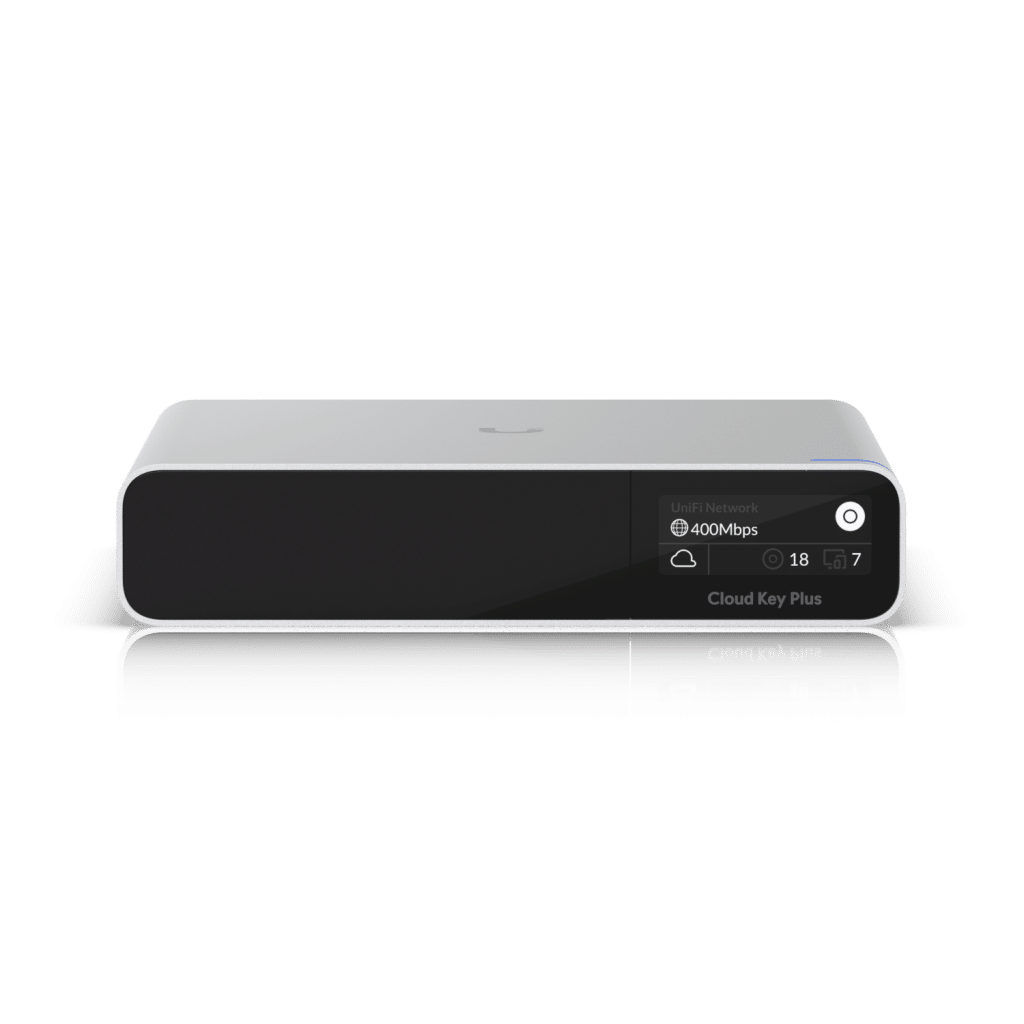
What is the UniFi Cloud Key? It is a compact, dedicated hardware controller made by Ubiquiti that gives you centralized management of your entire UniFi network from a single interface. Whether you’re running a small home setup or a multi-site commercial deployment, the Ubiquiti Cloud Key stores your UniFi Network application locally, keeps your data on-premise, and lets you access everything remotely through the UniFi portal. In this guide, we cover what a Cloud Key does, how it compares to other controller options, and who benefits most from using one.
What Is the Ubiquiti Cloud Key and How Does It Work?
The Ubiquiti Cloud Key is a purpose-built, always-on hardware controller that runs the UniFi Network application locally on your premises. Unlike running the software on a general-purpose PC or virtual machine, a Cloud Key is dedicated to one job — keeping your network controller online 24/7 without depending on another device staying powered. It connects to your network over Ethernet, receives power via PoE, and stores all configuration data, event logs, and backups internally. Because of that, it gives you a stable, predictable controller that does not compete for resources with anything else on your network.
What Is a Cloud Key Used For? Core Features Explained
A Cloud Key is used to manage all UniFi network devices — access points, switches, and security gateways — from a single, centralized dashboard. The UniFi Cloud Key includes several features that simplify day-to-day administration. For example, it supports remote access and multi-site management, which is especially helpful for businesses with more than one location.
- Remote access: Manage your network remotely through the UniFi cloud interface.
- User-friendly interface: Use a simple dashboard to monitor and manage devices.
- Automatic updates: Stay current with updates that improve features and security.
- Multi-site management: Manage multiple sites from one interface.
Remote access is often the biggest advantage. Therefore, IT staff can respond faster to issues, even after hours. At the same time, centralized visibility makes it easier to spot trends like recurring outages or overloaded access points.
Benefits of Using the UniFi Cloud Key
Choosing a UniFi Cloud Key can improve how you manage your network. In other words, it reduces complexity while keeping control in one place. Here are the most common benefits.
- Centralized management: Manage all your UniFi devices from a single dashboard.
- Enhanced security: Central management adds structure, visibility, and better control over changes.
- Cost-effective: Reduces the need for multiple hardware controllers.
- Scalability: Add devices as your network grows without rebuilding your management stack.
With centralized management, the UniFi Cloud Key simplifies oversight of performance and connected devices. Because of that, it’s a strong fit for businesses that depend on efficient UniFi wireless networking.
Technical Specifications
The UniFi Cloud Key includes hardware designed to support stable controller performance. While exact specs can vary by model, the core components below explain what matters most for real-world use.
- Processor: Quad-core processing for responsive management tasks.
- Memory: Sufficient RAM to handle multiple devices and background services.
- Storage: Internal storage for logs, backups, and configuration data.
- Power over Ethernet (PoE): Simplifies installation by delivering power and data over one cable.
Because the controller handles logs, alerts, and configuration changes, reliable storage and stable power matter. Consequently, many admins prefer PoE to reduce cable clutter and improve uptime.
UniFi Key vs. Other Ubiquiti Controllers: Which Do You Need?
Not every deployment needs a Cloud Key. Ubiquiti offers several controller options, and the right choice depends on your network size, budget, and whether you also run UniFi Protect cameras.
- Cloud Key Gen2: Best for smaller installs managing access points and switches only. No camera storage included.
- Cloud Key Gen2 Plus: Adds a built-in 1TB hard drive for UniFi Protect surveillance footage. The better choice if you run cameras on the same site.
- UniFi Dream Machine / Dream Machine Pro: An all-in-one device that combines a router, firewall, and controller. Better suited for sites without an existing gateway.
- Software controller (PC, NAS, or VM): Free but requires a device that stays powered continuously. Less reliable than dedicated hardware for production environments.
For most small-to-mid commercial deployments already using a separate firewall or router, the Cloud Key Gen2 Plus is the recommended starting point. If you’re unsure which option fits your environment, the UniFi Nerds can walk you through it during a free consultation.
How to Set Up Your UniFi Key
Setting up a UniFi Cloud Key is usually quick. Still, it’s worth taking a few minutes to do it cleanly so the controller stays stable long-term.
- Connect the Cloud Key to your network using an Ethernet cable.
- Power the device using PoE or the included adapter (depending on your model).
- Open the UniFi Controller interface and adopt the Cloud Key.
- Follow the on-screen steps to finish setup, updates, and basic configuration.
After setup, the UniFi Cloud Key runs in the background and supports ongoing monitoring. In addition, it can help speed up troubleshooting by keeping device status, event logs, and alerts in one place. A clean physical installation also depends on proper structured cabling services — especially in commercial environments where cable routing and PoE runs need to meet code.
Real-World Applications
The UniFi Cloud Key works in many environments. For instance, it can support a single-site office, or it can help manage multiple locations when configured for multi-site use. Before deployment in a commercial space, a professional WiFi site survey ensures optimal placement and coverage for every access point the Cloud Key will manage.
- Small businesses: Great for managing a single-site UniFi network.
- Educational institutions: Useful for managing networks across campuses.
- Large corporations: Supports multi-site management for distributed networks.
No matter the organization size, centralized management reduces guesswork. As a result, teams can standardize settings, improve visibility, and respond faster to issues. For complex deployments, pairing the Cloud Key with a full UniFi network design and installation ensures every device is planned, placed, and configured correctly from day one.
Conclusion
In conclusion, the UniFi Cloud Key is a practical tool for network management. It improves accessibility, supports centralized control, and simplifies ongoing administration. In addition, it helps make managing UniFi networks more consistent and efficient.
If you want to optimize your network and get the most from your UniFi Cloud Key, we can help. Book a free consultation with the UniFi Nerds today! Visit our calendar to schedule your session.
Frequently Asked Questions About the UniFi Key
What is the UniFi Cloud Key?
The UniFi Cloud Key is a small, dedicated hardware controller made by Ubiquiti. It runs the UniFi Network application locally on your premises, letting you manage all UniFi access points, switches, and gateways from one interface. Unlike a software-only solution, the Cloud Key stores your network data on the device itself — no cloud subscription required for local access.
What is the Ubiquiti Key and how is it different from other controllers?
The Ubiquiti Cloud Key is Ubiquiti’s dedicated on-premise controller option. It differs from software-based controllers because it is purpose-built, always-on hardware. Compared to the UniFi Dream Machine, the Cloud Key is a standalone controller without a built-in router or firewall — a better fit for environments that already have a separate gateway.
What is a Cloud Key used for?
A Cloud Key is used to manage UniFi devices — access points, switches, and gateways — from a single dashboard. Common uses include configuring SSIDs, managing VLANs, monitoring device health, viewing analytics, and enabling remote access without being on-site.
Do I still need a Cloud Key if I use UniFi’s cloud portal?
Yes, for most professional deployments. The UniFi cloud portal provides remote access, but the UniFi Network application still needs to run locally to process configuration and store data. The Cloud Key fills that role — simpler and more reliable than running it on a PC or VM that must stay powered on continuously.
Which UniFi Cloud Key model should I choose?
The Cloud Key Gen2 suits smaller installs managing access points and switches. The Cloud Key Gen2 Plus adds a built-in 1TB drive for UniFi Protect camera storage. For large enterprise deployments, a UniFi OS Console may be a better fit. Not sure? Contact UniFi Nerds for a free consultation.