How to Set Up a UniFi Network (and When to Hire Help)
Setting up a UniFi network can dramatically improve WiFi coverage, network performance, and overall reliability. Whether you’re planning a UniFi home network setup or deploying a larger business environment, proper planning and configuration are essential.
Many users search for how to setup UniFi network environments because UniFi offers powerful networking hardware and centralized management tools. However, successful UniFi network setup requires more than simply connecting devices. You must carefully plan hardware placement, security settings, and UniFi network configuration to achieve optimal results.
This guide explains how to set up a UniFi network and highlights when professional assistance may provide additional value.
What Is Included in a UniFi Network Setup?
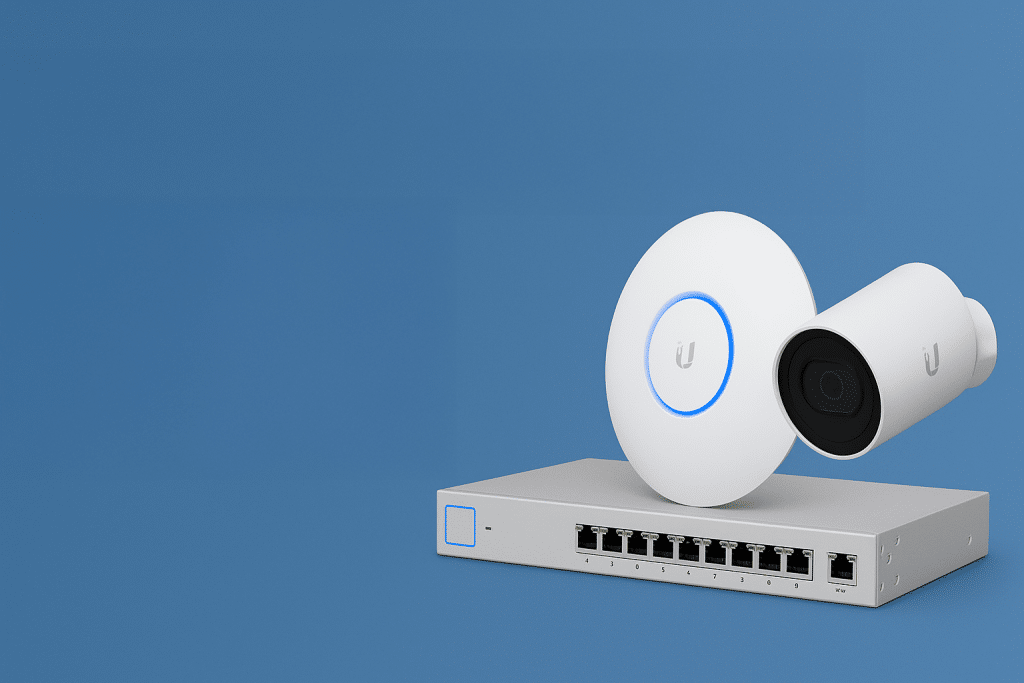
A typical UniFi network setup includes several key components working together:
• UniFi Gateway or Router
• UniFi Switches
• UniFi Access Points
• UniFi Network Controller
• Optional Security Cameras and Access Control Devices
During the installation of UniFi equipment, each device must be configured correctly to ensure reliable communication and optimal performance across the network.
Why Professionals Like UniFi Nerds Matter
A professional team like the UniFi Nerds helps you avoid common mistakes. We know how to design the network before the equipment goes on the wall. We also know how to tune it after it is online. That includes channel planning, roaming behavior, and settings that improve stability.
We also focus on security from day one. A proper UniFi deployment often includes firewall rules, VLANs, and locked-down access. That helps protect your business from common threats. It also keeps guest traffic separate from business systems. If you need more coverage, we can add advanced security measures based on your environment.
Need more performance? We can also handle deeper configuration work that most DIY installs miss. Here are a few examples:
- Network segmentation for staff, guests, and IoT devices
- WiFi optimization for dense offices and multi-tenant buildings
- Secure remote access and VPN planning
- Monitoring and alerting for outages and device failures
UniFi Network Configuration Best Practices
A successful UniFi network configuration involves more than connecting hardware. Administrators should carefully plan:
• Wireless channel assignments
• VLAN segmentation
• Security policies
• Guest network access
• IP addressing
• Firmware management
Proper configuration improves network performance, strengthens security, and reduces troubleshooting issues later.
How to Setup UniFi Network Devices
When learning how to setup UniFi network hardware, most deployments follow these steps:
- Install the gateway and switches.
- Connect and adopt UniFi access points.
- Configure wireless networks and security settings.
- Create VLANs if needed.
- Test connectivity and roaming performance.
- Monitor and optimize the network through the UniFi Controller.
Following a structured deployment process helps ensure a successful UniFi network install.
The Benefits of a Properly Set Up UniFi Network
A well-configured UniFi network is faster, more stable, and easier to manage. It also scales as you add devices. That matters in both homes and businesses.
In a business, a stable network improves productivity. Devices stay connected. Video calls run smoother. Cloud apps respond faster. Teams can work without constant interruptions.
At home, UniFi is a great fit for smart devices. Cameras, thermostats, doorbells, and streaming devices all compete for airtime. A properly designed network keeps everything running smoothly.
Why DIY Configuration Gets Complicated
The UniFi interface gives you a lot of control. That is a good thing, but it can overwhelm beginners. Small mistakes can create big problems. You might end up with roaming issues, weak coverage, or random dropouts.
Troubleshooting is also harder than most people expect. When something breaks, you have to isolate the cause. It could be cabling, interference, placement, settings, or firmware. The bigger the network, the more time this takes. More devices also means more points of failure.
FAQs
How do I set up a UniFi network?
To set up a UniFi network, install your gateway, switches, and access points, adopt devices through the UniFi Controller, configure wireless settings, and optimize network performance.
What is included in a UniFi home network setup?
A UniFi home network setup typically includes a router or gateway, one or more access points, a switch if needed, and the UniFi Controller for management.
What is involved in a UniFi network installation?
A UniFi network install includes hardware deployment, device adoption, network configuration, wireless optimization, and security setup.
What is UniFi network configuration?
UniFi network configuration refers to managing wireless settings, VLANs, IP addressing, security policies, firmware updates, and network optimization.
Is professional installation of UniFi worth it?
Professional installation of UniFi equipment can help avoid configuration errors, improve wireless coverage, and ensure long-term network stability.
Leave It to the Pros
If you want UniFi to run at its best, the setup needs more than plugging in hardware. You need a plan, clean configuration, and the right security. That is how you get stable WiFi and predictable performance.
The UniFi Nerds can help with the initial setup and ongoing support. We will make sure your network is stable, fast, and secure.
Schedule your consultation here: Book Now. You can also learn more about professional UniFi network setup help.