What Is UniFi Access and What Does a UniFi AP Actually Do?
A UniFi access point does one thing exceptionally well: it broadcasts a wireless signal and bridges that traffic to your wired network. A single PoE Ethernet cable handles both power and data. Every UniFi AP connects to the UniFi Controller for management. You can host the Controller on a Cloud Key, Dream Machine, or local server. Alternatively, use Ubiquiti’s cloud portal at ui.com. That centralized model is what separates UniFi access from consumer WiFi. In one dashboard, you can see and configure every AP, every SSID, and every client setting.
In addition, every access point includes these core capabilities:
- Scalability: UniFi APs scale from a single home AP to hundreds of devices across multiple sites. Specifically, all devices share the same controller with no additional licensing fees.
- Centralized management: Admins adopt every device into the UniFi Controller. As a result, they get one dashboard for configuration, monitoring, and firmware updates across the entire network.
- High throughput: Technologies like MU-MIMO, OFDMA, and beamforming deliver faster data transfer and better performance. These features are especially valuable in high-density client environments.
- VLAN and guest networking: Configure isolated guest SSIDs, IoT networks, and department-specific wireless segments — all from the same AP, without additional hardware.
- Seamless roaming: UniFi APs support fast BSS Transition (802.11r) so mobile clients move between access points without dropping connections.
- Power over Ethernet (PoE): Every UniFi AP draws power through its Ethernet cable. You need no separate power adapters or extra outlets at each mount location.
Taken together, these features make UniFi access points effective for environments ranging from single-family homes to large enterprise campuses. The platform grows with your network rather than requiring replacement as demands increase.
Benefits of Using UniFi Access Points Over Consumer WiFi
Organizations and homeowners choose UniFi access over consumer alternatives for measurable, practical reasons — not just brand preference. Here is what the difference looks like in daily operation:
- Improved coverage: UniFi APs target predictable, consistent coverage rather than maximum advertised range. Properly placed and configured, they eliminate dead zones through engineering rather than luck. A professional WiFi site survey maps coverage before installation. Consequently, there are no surprises after the job is done.
- Enhanced performance under load: Consumer routers degrade significantly as more clients connect. UniFi APs, however, handle large numbers of concurrent clients efficiently. This matters in offices, classrooms, or any space where dozens of devices connect at once.
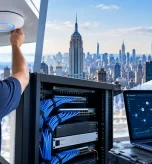
- Flexible deployment: Install UniFi APs on ceilings, walls, or outdoors to fit your exact coverage requirements. Outdoor-rated models handle weather exposure without additional enclosures. They also blend into environments without the bulk of consumer hardware.
- Network segmentation: UniFi access supports multiple SSIDs from a single AP. Each maps to a separate VLAN, isolating guests, IoT devices, and staff without extra hardware. Consumer routers offer this in name only.
- Competitive pricing for the performance tier: UniFi APs deliver enterprise-grade capabilities. Yet their price points fall well below traditional enterprise vendors, making professional wireless accessible for SMBs and mid-market organizations.
How to Set Up a UniFi Access Point: What the Process Looks Like
Setting up a UniFi access point is straightforward when you follow the correct sequence.Here is the step-by-step process from hardware connection to active wireless network:
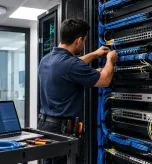
- Connect the AP via Ethernet. Run a Cat6 or Cat6A cable from a PoE-capable switch port to the AP mount location. The AP draws power directly from the switch — no separate power supply needed for most models. Proper structured cabling to each AP is the foundation of a reliable installation.
- Access the UniFi Controller. Open a browser and log into your UniFi Controller. It can run on a Cloud Key, Dream Machine, or the ui.com cloud portal. If you do not have a controller yet, download the UniFi Network application from Ubiquiti’s website.
- Adopt the access point. The controller automatically discovers new APs on the network. Select the pending device and click Adopt to bring it under management.
- Configure wireless settings. Set your SSID, security protocol (WPA2 or WPA3), band steering, and transmit power. Also assign VLANs for any guest or IoT networks.
- Validate coverage. After provisioning, check client RSSI values in the controller. Confirm signal levels meet the -67 dBm threshold for reliable performance across the coverage area.
This process works identically for a single home AP or fifty APs across a commercial campus. The UniFi Controller handles every device in the same workflow. That consistency is a core reason to choose UniFi access over fragmented consumer solutions.
UniFi Access Used For? Real-World Applications
UniFi access points appear in a wide range of environments. Each use case draws on the same platform features — centralized management, VLAN support, seamless roaming, and scalability. The difference lies in how those features apply to each environment:
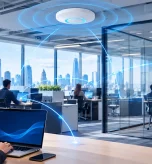
- Commercial offices: UniFi APs support high traffic from employees, conference rooms, and guests on separate SSIDs. The controller provides per-client visibility so IT teams can diagnose issues without walking the floor.
- Retail chains: Multi-site deployments use a single UniFi Controller to manage APs across every store location. Policy changes, for example, roll out simultaneously to every site. That single-pane management is one of the most valuable aspects of UniFi access at scale. See how the UniFi Nerds handled a 15-location retail chain rollout.
- Educational institutions: Schools and universities use UniFi APs for reliable wireless across classrooms, libraries, and outdoor areas. Role-based network access separates student, staff, and admin traffic.
- Hospitality: Hotels and resorts deploy UniFi access points in guest rooms, lobbies, and event spaces. Guest network isolation and bandwidth management come built in. See the 500-room hotel deployment the UniFi Nerds completed.
- Warehouses and industrial facilities: In particular, high-bay environments require careful RF planning to overcome metal racking and long aisles. UniFi APs with directional antenna options serve these spaces where standard ceiling mounts fall short.
- Homes: Homeowners use UniFi access to replace unreliable consumer mesh systems. A controller-based setup delivers visibility, stability, and network segmentation for smart home devices.
Getting the Most from UniFi Access: Professional Design and Installation
Understanding access is the starting point — getting it implemented correctly is where real performance gains happen. A UniFi access point needs a proper coverage plan, certified cabling, and correct controller configuration. Without these, it will underperform regardless of the hardware tier. Therefore, the UniFi Nerds design every deployment around validated RF data and certified cabling. Each controller configuration reflects the specific operational requirements of the space.
Whether you need one AP or a full UniFi network design and implementation for a large commercial environment, the process starts with a free conversation. Book a consultation with the UniFi Nerds today. Our experts will show you how access points can transform your wireless experience. Contact us here.
Frequently Asked Questions: What Is UniFi Access?
What is UniFi Access?
UniFi Access refers to two related things in the Ubiquiti ecosystem. First, it describes the UniFi wireless networking platform. This includes UniFi access points, the UniFi Controller, and the broader infrastructure stack that delivers managed WiFi. Second, UniFi Access is also Ubiquiti’s physical door access control product line — readers, hubs, and credentials for building entry. In a WiFi context, however, most people refer to the wireless platform and its access points when they ask this question.
What is the difference between a access point and a router?
A UniFi access point handles only wireless radio functions. It connects WiFi devices to the network. However, it does not route traffic between networks or provide DHCP on its own. A router (or gateway) handles internet connection, DHCP, NAT, and firewall functions. In a UniFi deployment, the router and access points are separate devices. Each handles its specific role well. As a result, performance is better than a single device doing everything at once.
How many devices can a access point handle?
The answer depends on the model. Entry-level APs like the UniFi U6 Lite support around 300 concurrent clients. High-density models like the U6 Pro or U6 Enterprise handle 350+. In real-world deployments, however, 30–50 active clients per AP is a practical target for solid per-client performance. High- density environments like conference rooms or auditoriums require more APs at tighter spacing. In other words, do not rely on one AP to serve hundreds of active clients simultaneously.
Do I need a controller to use a access point?
Yes — a UniFi access point needs a UniFi Controller for configuration and management. The controller can run on a Cloud Key, Dream Machine, or Dream Router. Alternatively, install the UniFi Network application on a local PC or NAS. Ubiquiti also offers a cloud-hosted option at ui.com. For most professional deployments, we recommend dedicated controller hardware like the Cloud Key Gen2 or Dream Machine Pro. These deliver the best reliability and ease of management.