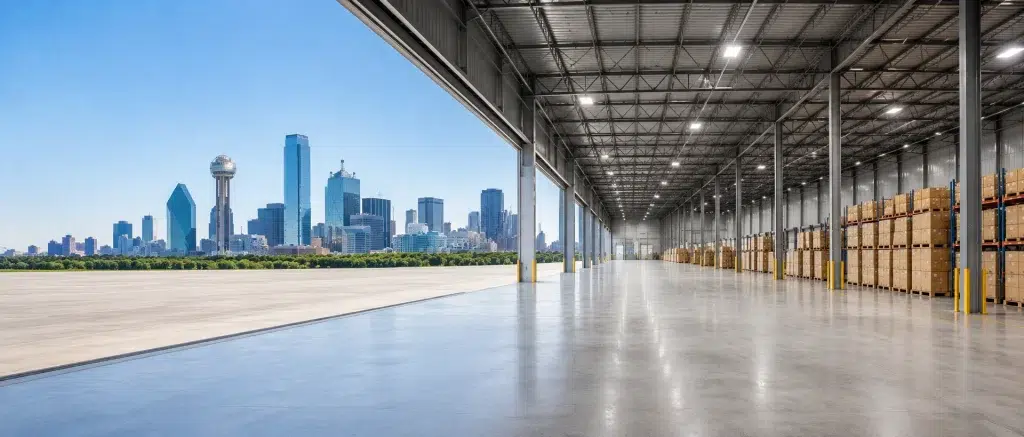
Warehouse WiFi Dallas operators need has to cover a lot of ground, literally. DFW is one of the top industrial markets in the country. The Alliance corridor alone holds tens of millions of square feet of distribution space, and South Dallas and Arlington keep adding more every year.
A network that works fine in a small office fails fast in a facility this size. High-bay racking, forklifts, and hundreds of handheld scanners all compete for signal across buildings that were never designed with wireless in mind. This guide covers what a real DFW warehouse network needs.
Why DFW Is a Different Kind of Warehouse Market
The Alliance corridor along I-35W has become one of the busiest logistics hubs in the country. Amazon, FedEx, and dozens of third-party logistics companies all run major operations there. South Dallas and Arlington add even more distribution space to the mix.
Scale Changes Everything: A facility in the Alliance corridor might run 500,000 square feet or more under one roof. Industrial network installation Fort Worth teams handle at this scale needs dozens of access points working together, not a handful scattered around.
Texas Heat Adds Its Own Challenge: Outdoor and rooftop equipment in DFW deals with serious summer heat. Access points and switches need proper ventilation and heat-rated hardware, especially in non-climate-controlled sections of a facility.
Common WiFi Problems in DFW Distribution Centers
Most facilities we walk into across the metro share the same handful of problems. They usually trace back to a network that was never designed for the building’s current size or use.
Dead Zones in High-Bay Storage: Tall racking common in Alliance corridor facilities blocks signal between aisles. Coverage that looks fine on a floor plan often fails once product fills the shelves.
RF Interference from Equipment: Conveyor motors, forklift chargers, and industrial lighting all generate RF noise. That noise degrades signal quality even when access point placement looks correct on paper. Our RF interference guide breaks down how we identify and fix this.
Roaming Failures on the Floor: Scanners and forklift tablets moving through a 500,000-square-foot facility need seamless handoffs between access points. Without proper configuration, devices drop connection every time they cross a coverage boundary.
High-Bay Design for Alliance Corridor Facilities
High ceilings and dense racking need a different design approach than a standard office or retail space. Alliance corridor logistics wifi deployments have to account for both.
Ceiling Height Changes Antenna Choice: Access points mounted 30 feet up need different antenna patterns than ones mounted at 10 feet. Getting this wrong means weak signal reaching the floor even with plenty of access points installed.
Racking Height Affects Placement: Signal has to reach both ground-level pickers and workers on upper racking levels. That usually means a mix of ceiling-mounted and rack-mounted access points working together. Our high-bay warehouse WiFi design guide covers this in more detail.
Long Aisle Runs Need Directional Coverage: Some Alliance corridor buildings run aisles several hundred feet long. Directional antennas often outperform standard omnidirectional models in these layouts.
Supporting Scanners, Forklifts & Automation
A distribution center wifi dfw operators depend on carries more than basic internet traffic. It runs the systems that keep product moving.
Handheld Scanners: Low latency matters more than raw speed for scanning. A network that hesitates even half a second per scan adds up fast across thousands of daily scans.
Forklift-Mounted Tablets: These devices move constantly and need reliable roaming across the entire facility, not just near the office or shipping area.
Automation and Conveyor Systems: DFW facilities increasingly run automated sorting and conveyor systems that need their own segmented, reliable network path separate from general WiFi traffic.
Why a Warehouse WiFi Site Survey Matters in Texas
Guessing at access point placement doesn’t work in a building the size of most Alliance corridor facilities. A proper site survey maps how signal actually behaves in your specific space.
Every Building Is Different: A cold storage facility in South Dallas behaves nothing like a dry goods warehouse in Arlington. Racking height, wall material, and equipment density all change the design.
Skipping It Gets Expensive: A network designed without a survey often needs costly rework once product fills the shelves and reveals the gaps. A site survey catches that before installation, not after.
How UniFi Nerds Supports DFW Warehouses
We work with distribution centers and industrial parks across the DFW metro, from the Alliance corridor down through South Dallas and out to Arlington. Warehouse network Texas facilities need looks different from a standard office build, and we design for that difference from day one.
Our Process: Every project starts with a real site survey, not a square-footage estimate. From there, we design a network around your racking, ceiling height, and device mix. Our Dallas UniFi installation team handles the full build from survey through final testing.
If you already have a network struggling with dead zones or roaming issues, our Dallas UniFi support team can audit and repair it. For a broader look at warehouse networking, our warehouse wireless networking guide covers the fundamentals in more depth.
Frequently Asked Questions About Warehouse WiFi in DFW
What makes warehouse WiFi in Dallas different from a standard office network?
Warehouses have taller ceilings, denser building materials, and constantly moving devices. Office networks are designed for fixed desks and much smaller square footage.
Do Alliance corridor facilities need a different design than smaller DFW warehouses?
Often, yes. Larger Alliance corridor facilities typically need more access points and a mix of ceiling and rack-mounted hardware to cover high-bay storage properly.
How does Texas heat affect warehouse network equipment?
Outdoor and rooftop equipment needs proper ventilation and heat-rated hardware. Non-climate-controlled sections of a facility need this consideration built into the design.
Can UniFi handle a 500,000-square-foot distribution center?
Yes, with the right number of access points and a design based on an actual site survey. Facilities this size typically need dozens of access points working together.
How long does a warehouse WiFi site survey take for a large DFW facility?
Large facilities typically take a full day or more, depending on square footage and layout complexity. Multi-building campuses take longer since each structure needs its own assessment.
Final Thoughts on Warehouse WiFi in Dallas-Fort Worth
Warehouse WiFi Dallas facilities need has to match the scale of the region. Alliance corridor buildings, South Dallas distribution centers, and Arlington industrial parks all demand a network designed around real racking, real device density, and real heat conditions.
If your DFW facility deals with dead zones, roaming failures, or a network that’s outgrown what it was built for, a proper site survey is the place to start.
Ready to Book a Warehouse WiFi Site Survey in DFW?
We’ll walk your facility, map coverage against your racking, ceiling height, and equipment layout, and scope the right access points and cabling for a clean, tested warehouse network.
Call: 833-469-6373 or 516-606-3774
Text: 516-606-3774 or 772-200-2600
Email: hello@unifinerds.com | Visit: unifinerds.com
Free consultations • Phased implementation • Budget-friendly • Expert support