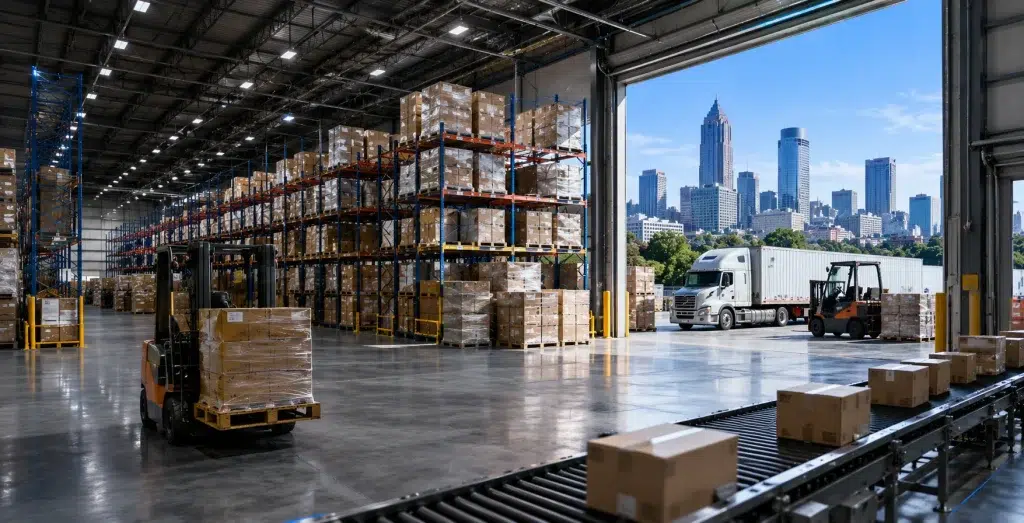
If you run a warehouse near Fulton Industrial Boulevard, the I-85 corridor, or the cargo side of Hartsfield-Jackson, you already know this problem. A handheld scanner drops connection in aisle 14. A forklift-mounted tablet freezes at the far dock door. VoIP calls cut out whenever steel racking sits between the caller and the nearest access point. Warehouse WiFi Atlanta operators need isn’t what a home router delivers. It isn’t what a small office setup delivers either.
Atlanta has become one of the busiest logistics hubs in the country. It sits at the intersection of major interstates. It also sits close to one of the world’s busiest airports. That location keeps warehouse space filling up fast. Growth brings more square footage, taller racking, and denser device counts. It also strains networks built for a much smaller operation. This guide covers why that matters. It covers what typically goes wrong. And it shows what a properly designed UniFi network looks like inside a working warehouse.
Why Warehouse WiFi Matters in Atlanta
Atlanta’s logistics footprint keeps growing. Fulton Industrial Boulevard holds one of the largest concentrations of warehouse space in the Southeast. The I-85 corridor has filled in too. Fulfillment centers, manufacturing plants, and third-party logistics operations have moved in over the past decade. Add the freight activity around Hartsfield-Jackson. Together, these areas form a region where warehouse operations drive how goods move through the Southeast.
None of that runs on paper anymore. Inventory management, order picking, dock scheduling, and quality control all depend on devices that stay connected. Those devices move across buildings built for storage, not for radio signal. Steel racking, concrete tilt-up walls, and metal roofing all interfere with WiFi. These are problems a typical office space never has to handle.
What “Warehouse WiFi Atlanta” Really Means: When we talk about warehouse wifi atlanta facilities need, we mean a network that reaches every corner of the building. Most warehouse buildings block signals instead of passing them. That’s a different engineering problem than office WiFi. It needs a different approach from day one.
Common Connectivity Problems in Atlanta Distribution Centers
Most warehouses we walk into never planned for wireless. Someone installed a handful of consumer-grade access points years ago. The building has since doubled in size. Or it filled up with racking that wasn’t there when the network went in. A few patterns show up again and again.
Dead Zones Near the Dock Doors: This is one of the most common complaints we hear. It’s usually the first thing a warehouse manager mentions. Installers mount access points centrally in the building. The areas closest to the loading docks end up furthest from a usable signal. That’s often the busiest part of the whole operation.
Signal Loss Through Racking: Tall steel shelving can act almost like a shield in certain configurations. A signal that looks fine on paper can drop to nothing once product fills the shelves. Full pallets block the line of sight between an access point and a device three aisles over.
Roaming Failures: Forklift-mounted tablets and handheld scanners move constantly. If access points aren’t configured to hand devices off smoothly, you get stutters, dropped sessions, and re-authentication delays. Those delays slow down picking and put workers behind on their numbers.
Interference and an Underpowered Network: Motors, conveyor systems, and certain LED high-bay lighting all create RF noise. Consumer equipment can’t filter that noise out. And wireless is only as good as what it connects to. An aging switch stack creates a bottleneck. So does a single internet circuit trying to carry WiFi, VoIP, cameras, and cloud-based WMS traffic all at once. It happens no matter how good the access points are. Our warehouse WiFi dead zones guide covers these patterns in more detail.
Benefits of UniFi WiFi for Warehouses
UniFi, made by Ubiquiti, has become one of the most practical platforms for warehouse deployments. There are specific reasons it works well here, not just because it’s popular.
Built for Large, Open Spaces: UniFi’s high-density and long-range access points punch through the kind of open, obstruction-heavy square footage a warehouse presents. That’s a different design goal than the shorter, wall-segmented layout of a typical office.
Centralized Management at Scale: A distribution center might run twenty, forty, or eighty access points across one campus. Managing each one individually isn’t realistic. UniFi’s controller software shows the entire network from one dashboard: every access point, every connected client, every health metric. That visibility catches problems before a picker ends up standing in an aisle with a frozen scanner.
Room to Grow: UniFi scales with the business. A 100,000-square-foot facility today might be 250,000 square feet in three years. That’s common in a market like Atlanta, where industrial space keeps getting absorbed. Adding capacity later doesn’t mean ripping out the network and starting over.
Handles Mixed Device Loads: A modern warehouse network carries scanners, tablets, VoIP handsets, security cameras, and printers. Increasingly, it carries automation equipment too. All of them compete for airtime. UniFi’s traffic management and band-steering features keep that mix running without one device type starving another.
Why a Warehouse WiFi Site Survey Is Essential
Here’s something we tell every warehouse client before we quote a project: guessing at access point placement doesn’t work. Not in a building this size. A proper warehouse WiFi site survey separates a network that performs from one that looks fine on a spec sheet and fails on the floor.
What a Survey Actually Involves: A technician walks the facility with signal-testing equipment. They map out where racking, mezzanines, offices, and equipment sit. Then they measure how RF signal behaves in that specific space, not a theoretical one. Every warehouse is different. A building with 30-foot ceilings and narrow aisles needs a different access point strategy than a single-story cross-dock facility with open floor space.
Why Skipping It Backfires: Skipping the survey leads to the classic warehouse complaint. WiFi works fine near the office. Then it disappears the moment someone walks toward receiving. This matters even more in Atlanta. Much of the local industrial stock got retrofitted for modern logistics use. Nobody planned wireless coverage into these buildings at all.
Best Practices for Warehouse WiFi Design
Good warehouse WiFi design follows a handful of principles. These hold true across nearly every logistics facility network we work on in the Atlanta area.
Design Around Full Racking: Access points planned while a warehouse sits empty almost always underperform once product fills the shelves. Signal behaves differently around full pallets than around open air.
Plan for Vertical Coverage: Mezzanines, pick modules, and multi-level racking all need their own consideration. A single layer of access points mounted at ceiling height won’t reliably reach a scanner three levels up on a pick module.
Build in Roaming Overlap: Devices moving on forklifts or in the hands of pickers need enough overlap between coverage zones. That way they never hit a true dead spot while crossing the floor.
Separate Traffic With VLANs: Security cameras, VoIP phones, warehouse management systems, and guest or contractor access should each sit on their own network segment. This keeps things organized and limits how far a problem on one system can spread.
Build for Growth: A network sized exactly for current headcount and device count often becomes outdated within eighteen months in a fast-growing operation. Our warehouse WiFi design guide covers how these principles translate into an actual access point layout.
Choosing the Right Access Points for Atlanta Warehouses
Not every UniFi access point belongs in an Atlanta warehouse. This is where well-meaning IT generalists often get it wrong. Hardware that works great in an office ceiling isn’t necessarily right for a 30-foot warehouse ceiling with steel racking underneath it.
Matching Hardware to the Space: Open floor space with high ceilings calls for long-range or high-power access points designed for that throw distance. Dense picking areas with many devices operating close together often do better with high-density models built to handle many simultaneous connections.
Outdoor and Dock Coverage: Outdoor-rated access points cover loading docks, yard areas, and covered but open-air sections of a facility. Standard indoor equipment can’t handle temperature swings or weather exposure. Outdoor-rated hardware can.
Mounting Height and Angle: Mounting height and orientation matter as much as the model itself. An access point aimed straight down from 30 feet up behaves very differently than one angled to cover a specific aisle run.
Supporting Barcode Scanners, VoIP & IoT Devices
A modern distribution center network in Atlanta runs several types of traffic at once, and each has different requirements.
Barcode Scanners: Scanners need low latency and reliable roaming above almost everything else. A scanner that takes an extra half-second to reconnect after crossing between access points doesn’t sound like much. Multiply that across hundreds of scans a shift, though, and it adds up.
VoIP Phones: VoIP is sensitive to jitter and packet loss in a way that email or web browsing isn’t. A network that handles general use fine can still produce choppy calls. That happens when voice traffic doesn’t get priority through quality-of-service settings.
Security Cameras: Cameras need consistent bandwidth, especially in facilities running higher-resolution footage for loss prevention or compliance. Network congestion during peak shipping hours shouldn’t cause dropped frames or lagging feeds.
Forklift Tablets and IoT Sensors: Forklift-mounted tablets combine the roaming demands of a handheld scanner with a heavier data load. Warehouses are also adding IoT sensors for temperature monitoring, equipment tracking, and automation. Each one needs its own reliable, segmented path onto the network.
How UniFi Nerds Helps Atlanta Warehouses
We work specifically with warehouses, distribution centers, and manufacturing facilities across the Atlanta area. That includes Fulton Industrial Boulevard, the I-85 corridor, and the logistics operations near the airport. Designing wireless for a 200,000-square-foot cross-dock facility is a different discipline than setting up WiFi for a retail storefront or an office suite.
Our Process: We start with a proper site survey, not a guess based on square footage. From there, we build a design around your specific layout, racking, and device mix. Then we handle installation and configuration, so the network supports scanners, VoIP, cameras, and automation from day one. For new builds or full network replacements, our Atlanta UniFi installation team handles everything from the initial survey through final testing and documentation.
Support for Existing Networks: If you already have a UniFi network in Atlanta struggling with dead zones or unreliable roaming, our Atlanta UniFi support team can help. We audit and repair the existing setup instead of starting from scratch. For businesses running distribution centers in more than one state, our multi-location structured cabling approach standardizes infrastructure across every facility.
Frequently Asked Questions About Warehouse WiFi in Atlanta
How much does warehouse WiFi installation cost in Atlanta?
It depends on square footage, ceiling height, and how many access points the building needs for full coverage. A site survey is really the only accurate way to scope a project. Two buildings the same size can need very different equipment counts.
How long does a warehouse WiFi site survey take?
Most surveys for a single building take a few hours to a full day, depending on size and layout complexity. Multi-building campuses take longer, since each structure needs its own assessment.
Can UniFi handle a warehouse with metal racking and high ceilings?
Yes, with the right access point models and correct placement. High-density and long-range UniFi hardware is built for large open spaces. A proper design accounts for how metal racking affects signal.
Do you need separate WiFi networks for scanners, cameras, and office WiFi?
Generally, yes. Segmenting traffic with VLANs keeps each system running cleanly. It also limits how a problem on one segment affects the others.
What causes dead zones near loading docks?
Usually it’s distance from centrally-placed access points combined with metal roll-up doors and steel framing that block or reflect signal. Dock areas often need dedicated coverage instead of relying on access points meant for the building’s interior.
Will my existing network handle more scanners and tablets as we grow?
It depends on the original design. A network built with headroom handles growth fine. One sized exactly for the original device count often needs additional access points or core upgrades as the operation scales.
Do outdoor loading dock and yard areas need separate access points?
Yes, typically. Yard management, dock scheduling, and any device use outside the building envelope need outdoor-rated equipment.
How is warehouse WiFi different from office WiFi?
Warehouses have taller ceilings, denser building materials, moving equipment, and devices in constant motion across large distances. Office networks are usually built around fixed desks and much smaller square footage. The design approach doesn’t transfer over.
Final Thoughts on Warehouse WiFi in Atlanta
Warehouse WiFi Atlanta businesses rely on isn’t something you bolt on after the fact and expect good results from. The buildings are large, the materials interfere with signal, and the devices on the floor don’t sit still. A network built specifically for that environment keeps scanners connected, calls clear, and cameras recording without gaps. That starts with a real site survey and a design based on how the space actually gets used.
If your Atlanta facility deals with dead zones, dropped connections, or a network that’s outgrown what it was built for, it’s time for a site survey. We’ll walk the building with you and show you exactly what’s going on.
Want a Clear Atlanta Warehouse WiFi Plan Before You Commit?
We’ll walk your facility, map coverage against your racking and dock layout, and scope the right access points, cabling, and camera pre-wire so you get a clean, labeled, tested warehouse network with no last-minute surprises.
Call: 833-469-6373 or 516-606-3774
Text: 516-606-3774 or 772-200-2600
Email: hello@unifinerds.com | Visit: unifinerds.com
Free consultations • Phased implementation • Budget-friendly • Expert support