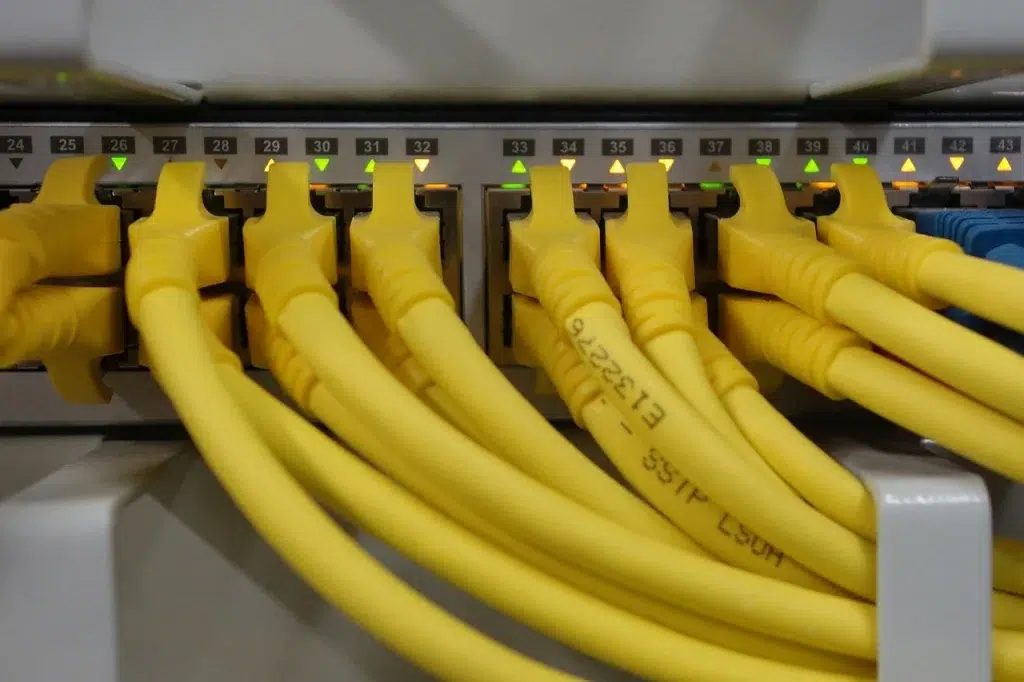
Structured Cabling Installation Best Practices: Standards, Labeling, Testing
You can buy great switches, great access points, and a fast ISP circuit. However, if the cabling behind the walls is sloppy, your network will still feel unreliable. That’s why structured cabling installation matters more than most businesses realize. In commercial environments, the difference between a stable network and constant “mystery outages” often comes down to commercial network cabling workmanship, clean cat6a installation practices, consistent cable labeling standards, and verified cable certification testing.
Target audience: IT managers, facilities managers, commercial property managers, office buildout teams, MSPs, and business owners planning a new office, renovation, network refresh, or multi-site rollout who need cabling that is supportable, scalable, and compliant.
What “structured cabling installation” means (and why it prevents downtime)
Structured cabling is a standardized way to design and install network cabling so it stays organized and predictable. Therefore, troubleshooting becomes faster and expansions become easier.
Core parts of a structured cabling system
- Work area: wall jacks and faceplates at desks, POS stations, cameras, and AP locations
- Horizontal cabling: the cable run from the jack back to the closet
- Telecom room (IDF/MDF): racks, patch panels, switches, and cable management
- Backbone cabling: links between closets (often fiber in larger buildings)
- Documentation: labeling, port maps, and test results
Real-world scenario: A business moves into a renovated office. Six months later, they add cameras and more APs. If the original cabling was installed with proper labeling and testing, expansion is straightforward. If it was not, the team spends hours tracing cables and guessing which port goes where.
Expert Insight: The goal of structured cabling is not just “a cable that works today.” It is a system that stays supportable for years. Clean labeling and certification testing are what make the system operationally valuable.
Standards that guide commercial network cabling
Professional commercial network cabling follows established standards so performance is predictable and safety requirements are met. In addition, standards reduce risk when multiple vendors touch the environment over time.
Common standards and guidance you’ll hear in the field
- ANSI/TIA-568: structured cabling performance and topology guidance
- ANSI/TIA-569: pathways and spaces (conduit, trays, telecom rooms)
- ANSI/TIA-606: administration and labeling (how to label and document)
- ANSI/TIA-607: grounding and bonding for telecom systems
- NEC (National Electrical Code): safety rules for low-voltage cabling practices
You do not need to memorize these standards. However, you should expect your cabling partner to install in a way that aligns with them and can be documented.
Structured cabling installation best practices (field-proven)
These are the practical rules that prevent failures, reduce support tickets, and keep your closets clean.
1) Start with a plan, not a pile of cable
Good cabling begins with a simple design: where jacks go, how many, and how they route back to the closet. Therefore, you avoid last-minute changes that create messy pathways and unlabeled runs.
- Map work areas: desks, conference rooms, printers, POS, cameras, APs
- Plan spare capacity (extra drops) for growth
- Confirm closet locations, rack layout, and power/UPS needs
2) Protect cable performance during installation
Cable can be damaged during pulling, bending, or over-tightening. As a result, it may “link up” but perform poorly under load.
- Avoid sharp bends and crushing the cable
- Do not over-tighten zip ties (use proper cable management)
- Keep separation from high-voltage lines where required
- Use proper supports (J-hooks, tray, conduit) instead of laying cable on ceiling tiles
3) Keep the closet clean and serviceable
The closet is where future troubleshooting happens. Therefore, the rack layout matters as much as the cable pull.
- Use patch panels and horizontal/vertical cable managers
- Maintain clean service loops (not tangled bundles)
- Keep patch cords neat and appropriately sized
- Label patch panels and switch ports consistently
Tips: What to ask for on every cabling job
- “Show me the labeling format before you start.”
- “Confirm you will provide certification test results for every run.”
- “Provide a port map that matches patch panel ports to room/jack locations.”
Cat6A installation: what makes it different (and why it’s easy to mess up)
Cat6A installation is popular because it supports higher bandwidth and is more future-friendly for many offices. However, Cat6A is thicker and less forgiving than Cat6. Therefore, workmanship matters more.
Common Cat6A installation challenges
- Tighter pathways and conduit fill limitations
- More sensitivity to bend radius and pulling tension
- More crowded racks if cable management is not planned
- Higher chance of “it links but fails certification” if handled poorly
Real-world scenario: An office upgrades to 10GbE-ready cabling but uses tight bundles and aggressive tie-downs. The network works at 1Gbps initially, but intermittent errors appear under load. Certification testing later reveals multiple runs failing due to installation stress.
Expert Insight: Cat6A is a great upgrade when installed correctly. The biggest risk is treating it like Cat5e. If the installer does not respect bend radius, pathway planning, and termination quality, you lose the benefit you paid for.
Cable labeling standards: how to label so support is fast
Cable labeling standards are not about being “organized for fun.” They are about speed. When something breaks, you want to identify the correct cable and port in minutes, not hours.
What good labeling includes
- Unique ID per cable/run (no duplicates)
- Location info (floor/room/desk or device location)
- Termination info (patch panel and port number)
- Consistency across all sites and closets
A simple labeling format that scales
- [Site]-[Floor]-[Room]-[Jack]-[PanelPort]
- Example: NYC01-12-CONF-A-PP1-24
In addition, labels should exist in three places: the cable ends, the patch panel, and the documentation/port map.
Common Mistakes: Labeling problems that cause expensive downtime
Handwritten labels that fade. They become unreadable after a year of heat and dust.
Labels only on one end. Support teams still have to trace the cable.
No port map. Even labeled cables are slow to use without a matching document.
Inconsistent naming per closet. Multi-closet buildings become a guessing game.
Cable certification testing: what it is and why it matters
Cable certification testing verifies that a cable run meets performance requirements for its category (such as Cat6A). This is different from a basic continuity test. Therefore, certification is what proves the cabling can handle real network load.
Certification vs basic testing (simple explanation)
- Basic test: “Do the wires connect?”
- Certification test: “Does this run meet the performance standard for speed and reliability?”
What certification testing typically checks
- Wiremap correctness (no split pairs)
- Length and propagation delay
- Signal loss and noise-related measurements
- Performance against the cable category standard
Real-world scenario: A company experiences random VoIP drops and slow file transfers. The cables “pass” a basic tester. Certification testing later finds multiple runs failing due to poor terminations and excessive untwist at the jack.
Best practices checklist: how to run a cabling project the right way
If you want a clean, supportable result, use this checklist as your project baseline.
Before installation
- Confirm scope: number of drops, AP/camera locations, closet layout
- Confirm cable type: Cat6 vs Cat6A vs fiber backbone where needed
- Agree on labeling format and documentation deliverables
- Confirm testing requirements: certification results per run
During installation
- Use proper pathways and supports (tray, J-hooks, conduit)
- Maintain separation from electrical where required
- Keep bends gentle and avoid cable stress
- Terminate cleanly and consistently
After installation
- Certify every run and provide test reports
- Deliver port maps and as-built documentation
- Label patch panels, switch ports, and cable ends
- Do a walkthrough with IT/facilities to confirm expectations
Tips: How to keep cabling “clean” for years
- Use patch cords that match the rack layout (avoid long, tangled cords).
- Reserve space for growth: spare patch panel capacity and cable pathways.
- Update documentation every time you add or move a drop.
FAQ: Structured cabling installation
What is structured cabling installation?
It is a standardized approach to installing network cabling using consistent topology, patch panels, labeling, and documentation so the network is easier to support and expand.
Is Cat6A installation worth it for commercial networks?
Often, yes—especially if you want more future flexibility. However, Cat6A needs careful installation and proper certification testing to deliver the performance you expect.
What are cable labeling standards, and why are they important?
Cable labeling standards define how cables, jacks, patch panels, and ports are named and documented. Good labeling reduces downtime because support teams can identify the correct cable quickly.
What is cable certification testing?
It is a performance test that verifies a cable run meets the requirements for its category (such as Cat6A). It is more rigorous than a basic continuity test.
What deliverables should I request from a commercial cabling project?
Request certification test results for every run, a port map, labeling on both ends of each cable, and as-built documentation showing closet layouts and key pathways.
Conclusion: clean cabling is a long-term operational advantage
A good structured cabling installation is one of the best “quiet investments” a business can make. It reduces troubleshooting time, prevents performance issues, and makes expansions predictable. If you focus on standards-based commercial network cabling, careful cat6a installation, consistent cable labeling standards, and verified cable certification testing, you end up with a network foundation that supports everything you build on top of it.
Need Cabling That’s Clean, Certified, and Easy to Support?
We’ll design and install structured cabling the right way—standards-based labeling, professional terminations, and certification testing—so your network stays reliable as you grow.
Call: 833-469-6373 or 516-606-3774
Text: 516-606-3774 or 772-200-2600
Email: hello@unifinerds.com | Visit: unifinerds.com
Free consultations • Phased implementation • Budget-friendly • Expert support