
If a vendor has pitched you a WiFi 7 upgrade for your business in 2027, you’re not alone. It’s the new standard, the access points are on the shelf, and every spec sheet promises huge speed gains. Some of that is real. But a fair amount of it won’t matter for your office this year, and we’d rather tell you that now than sell you something you don’t need.
So this is the honest version. Who actually benefits from WiFi 7 today, who should wait, and what an upgrade really involves in a Manhattan office. Hint: it’s rarely just swapping the access points.
What 802.11be Actually Changes for a Business
WiFi 7, also called 802.11be, is faster on paper. More importantly, it’s steadier in crowded spaces. The headline feature is Multi-Link Operation, which lets a device use more than one band at the same time. In practice, that means fewer hiccups when a floor is packed and everyone is on video.
It also makes full use of the 6 GHz band, which is far less crowded than 2.4 and 5 GHz. In a Manhattan tower surrounded by hundreds of neighboring networks, that clean airspace is a real advantage. The catch? Only newer laptops and phones can use 6 GHz at all. Older devices stay on the same bands they use today.
Who Should Plan a WiFi 7 Upgrade for Their Business in 2027
Dense open-plan offices: lots of people, lots of devices, constant video calls. This is where WiFi 7’s stability pays off most. Firms moving or building out: if the ceilings are open and cable is being pulled anyway, the extra cost of WiFi 7 is small. Heavy file users: agencies, architects, and studios moving large files over WiFi will feel the difference. Anyone on aging WiFi 5 gear: if your access points are several generations old, skipping straight to WiFi 7 makes more sense than buying WiFi 6 today.
If one of those sounds like you, 2027 is a sensible year to do it. Our WiFi 7 installation page covers how we deploy it.
Who Should Wait
Here’s the other half, and it’s a big one. If your WiFi 6 or 6E network works fine today, you probably don’t need to touch it in 2027. A small team doing email, cloud apps, and calls won’t notice the jump. Neither will an office where most laptops are a few years old and can’t use the new features.
There’s also a smarter fix for some “slow WiFi” complaints. Often the problem is placement, interference, or a weak internet line, not the WiFi standard. In prewar buildings especially, thick walls are the usual culprit, which we cover in our guide to WiFi in old buildings with thick walls. New access points in the wrong spots will disappoint you just as much as the old ones.
The UniFi WiFi 7 Access Points, in Plain Terms
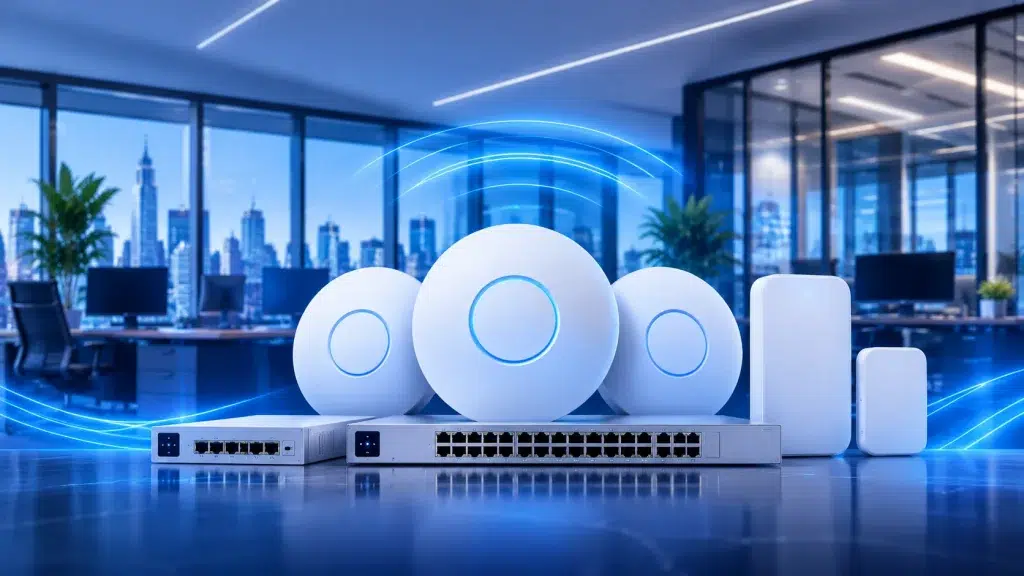
Ubiquiti now sells a full U7 family. The U7 Lite is the compact, budget-friendly option. The U7 Pro and U7 Pro Max handle most offices well, and the U7 Long-Range stretches coverage further. For very dense or high-throughput spaces, the U7 Pro XG and U7 Pro XGS add 10 GbE uplinks. There’s also a separate Enterprise 7 (E7) line for larger deployments.
Which one fits depends on your space, not the price tag. A survey tells us how many you need and where. For a closer look at the original model, see our U7 Pro WiFi 7 setup guide.
The Hidden Part of a WiFi 7 Upgrade: Cables and Switches
This is where budgets surprise people. WiFi 7 access points can push more data than a standard 1 Gbps cable port can carry. Many U7 models use 2.5 GbE uplinks, and the XG models use 10 GbE. So your switches may need upgrading too, and so might the cable running to each access point.
For 10 GbE over a full-length run, you want Cat6A. Older cabling can bottleneck a brand-new access point, which defeats the point. Our breakdown of Cat6 vs Cat6A for NYC offices explains the difference, and Cat6A future-proofing covers why new builds should start there. In short, budget for the access points, the switch ports, and the cable, not just the shiny boxes on the ceiling.
What a WiFi 7 Upgrade Costs a Business in 2027
The access points are only part of the bill. A realistic quote includes the survey, the access points, any switch upgrades, cabling work where needed, and labor. If your cabling and switches are already modern, the cost stays fairly modest. If they’re not, the infrastructure work can cost more than the WiFi itself.
That’s why we quote the whole picture upfront. For help planning next year’s numbers, see our guide on what Manhattan businesses should budget for networks in 2027 and our office network upgrade cost breakdown. You can also see how we work across the borough on our Manhattan network installation page.
WiFi 7 Upgrade for Business: FAQs
Is WiFi 7 worth it for a small office?
Usually not yet, if your current WiFi 6 or 6E network works well. Small teams rarely push a modern network hard enough to notice the difference.
Do our laptops need to support WiFi 7?
To get the new features, yes. Older devices still connect to a WiFi 7 network, but they keep the performance they already have.
Will we need new cabling?
Possibly. Many WiFi 7 access points need faster switch ports, and the 10 GbE models need Cat6A for full-length runs. We check your existing cable before recommending changes.
Which UniFi WiFi 7 access point should we buy?
It depends on your space. Most offices do well with the U7 Pro or Pro Max, while very dense spaces may need the XG models. A survey settles it.
Final Thoughts
WiFi 7 is a genuine step forward. It’s just not an emergency. The right question isn’t “is it better?” but “will my office feel the difference this year?” If you’re crowded, growing, or rebuilding, the answer is probably yes. If your network works and your team is happy, it’s fine to wait and spend that money elsewhere. Either way, start with a survey, check the cabling, and make the call with real data.
Ask Us If WiFi 7 Is Worth It for You
Not sure whether your Manhattan office should upgrade in 2027? We’ll check your space, devices and cabling, then tell you honestly whether to upgrade now or wait.
Call: 833-469-6373 or 516-606-3774
Text: 516-606-3774 or 772-200-2600
Email: hello@unifinerds.com | Visit: unifinerds.com
Free consultations • Phased implementation • Budget-friendly • Expert support