
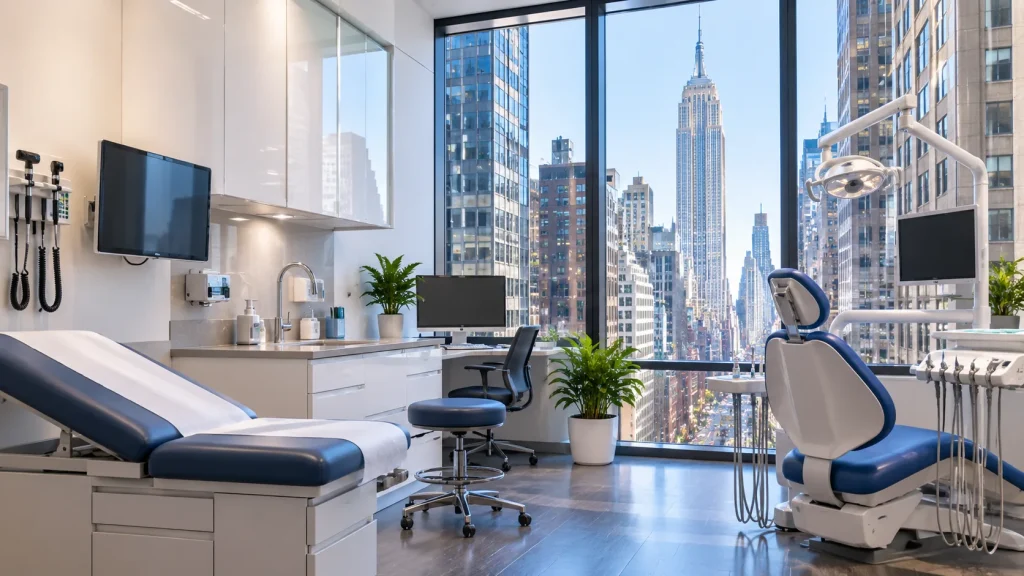
Medical office network installation in Manhattan looks very different from the suburbs. A Park Avenue practice might fit exam rooms, imaging, a front desk, and a sterilization area into 2,000 square feet. Every one of those spaces needs a reliable connection. And patient data has to stay protected the whole time. That’s a lot to ask of a small network closet.
We’ve built medical networks on Long Island and in Houston, and Manhattan adds its own twists. Many suites sit on the ground floor of residential buildings, with co-op rules and shared risers to work around. So this guide covers what a medical or dental suite actually needs, how the network supports HIPAA, and how to get the work done without upsetting the building.
What a Manhattan Medical Suite Network Has to Carry
A modern practice runs on more than email. Your EHR system, digital X-ray or imaging, practice management software, phones, and card readers all depend on the network. Patients in the waiting room want WiFi too. Then add security cameras at the entrance and the medication room.
The challenge is fitting all of that into a tight space without it slowing down. Imaging files are large, and nobody wants a provider waiting on a scan to load between patients. Because of that, we plan the switching and cabling around your heaviest workloads first. Dental offices with digital sensors and intraoral cameras are a good example of why that matters.
Building a HIPAA Network for a Medical Suite
HIPAA expects practices to protect patient data with safeguards like access controls and secure transmission. The network is a big part of that. The most important step is separation. Clinical systems, staff devices, guest WiFi, and cameras should each run on their own segment. That way a patient’s phone in the waiting room can never reach your EHR.
We also use strong WiFi encryption, require staff to sign in properly, and keep logs of what connects to the network. Our post on HIPAA-compliant WiFi goes deeper into each piece. One honest note: a network can support compliance, but it can’t make a practice compliant on its own. Your policies, training, and vendor agreements matter just as much.
Dental Office WiFi in NYC and Guest Access
Patients expect WiFi while they wait, and dental office WiFi in NYC is no exception. The key is keeping it completely separate from your clinical systems. A guest network gives patients internet access and nothing else. We can also limit its speed so a waiting-room video never slows down your imaging.
Staff WiFi is a different story. Providers move between rooms with tablets and laptops, so the signal has to follow them without dropping. In a small suite with thick prewar walls, that often means an access point in more rooms than you’d expect. A healthcare WiFi site survey shows exactly where they belong.
Medical Office Network Installation in Manhattan Residential Buildings
Here’s the part that’s unique to the city. Many Manhattan practices sit on the ground floor of co-op or condo buildings. That means the board and managing agent often have rules about any work in the building. Drilling, cable runs, and work hours may all need approval first.
Shared risers add another layer. Your internet line may travel through the same vertical shafts as the building’s other systems. So we coordinate with the super early, confirm where cable can run, and handle insurance certificates before work starts. As a result, medical office network installation in Manhattan stays on schedule instead of stalling on paperwork.
Cameras and Door Access for Park Avenue Medical Office IT
Security cameras help protect staff, patients, and controlled medications. We usually cover the entrance, reception, and any medication or supply rooms. UniFi Protect records to a recorder you own on site, so footage stays in your control. We avoid pointing cameras into exam rooms, since patient privacy comes first.
Door access works the same way. Staff use a card or phone to enter, and every entry gets logged. You can lock the medication room to specific people and change access the day someone leaves. For Park Avenue medical office IT, having WiFi, cameras, and doors on one system keeps management simple for a small team.
Planning Your Medical Office Network Installation in Manhattan
The smoothest projects start with a plan. We walk the suite, review your equipment list, and check what the building allows. Our medical office network checklist is a good place to start if you want to prepare before that visit.
From there, we schedule the work around your patient hours. Many practices prefer evenings or weekends so appointments aren’t affected. You can see how we approach projects across the borough on our Manhattan network installation page, and our Houston medical office guide shows the same approach in a different city.
FAQs About Medical Office Network Installation in Manhattan
Will this make my practice HIPAA compliant?
The network supports compliance with segmentation, encryption, and access controls. Full compliance also depends on your policies, training, and vendor agreements, so we recommend reviewing those with your compliance advisor.
Can patients use WiFi safely?
Yes. A separate guest network gives patients internet access only. It can never reach your EHR, imaging, or staff devices.
Do we need building approval for the work?
Often, yes, especially in co-op and condo buildings. We coordinate with the managing agent and super and handle insurance paperwork before starting.
Can the install happen outside patient hours?
Yes. Many practices choose evenings or weekends. We plan the schedule so appointments aren’t interrupted.
Final Thoughts
A Manhattan practice packs a lot into a small space, and the network has to keep up without putting patient data at risk. Separate your clinical, staff, and guest traffic. Plan around imaging and EHR first. Then work with the building, not against it. Done right, medical office network installation in Manhattan gives your team a network they never have to think about, so they can focus on patients.
Free HIPAA Network Assessment
Running a medical or dental practice in Manhattan? We’ll review your suite, your systems and your building’s rules, and show you how to build a secure, HIPAA-ready network.
Call: 833-469-6373 or 516-606-3774
Text: 516-606-3774 or 772-200-2600
Email: hello@unifinerds.com | Visit: unifinerds.com
Free consultations • Phased implementation • Budget-friendly • Expert support