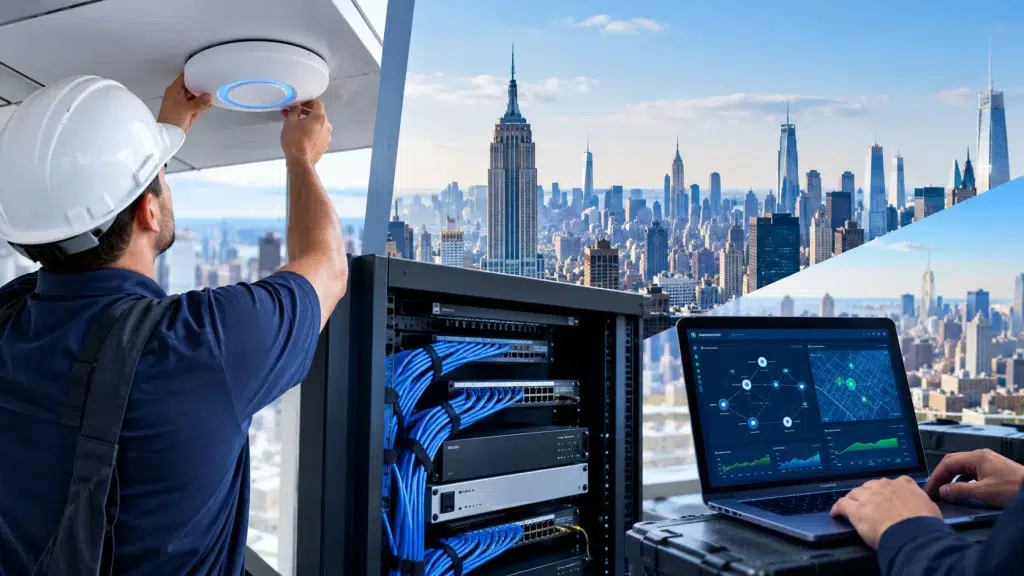
Most people have no idea what happens between signing off on a network project and the day the WiFi finally works. It feels like a black box. You approve a quote, some people show up with ladders, and eventually everything connects. A Manhattan network installation is actually a clear sequence of stages, each one building on the last. When you understand that flow, the whole project stops feeling mysterious.
We run these installs across the city every week, from small offices to full floors. So we want to pull back the curtain. This is the real journey, from the first walk-through to the moment everything switches on. Along the way, you will see why each step matters and what it saves you down the line.
Stage 1: The Site Survey
Everything starts with a survey. We come to your space and study it in person, because no two Manhattan buildings behave the same way. Thick pre-war walls, steel beams, and neighboring networks all shape how WiFi travels. A blueprint never tells the full story, so we measure the real conditions on site.
During the walk-through, we map coverage, note dead spots, and spot sources of interference. Our wireless site survey in NYC turns that into a concrete plan. As a result, every later decision rests on real data, not a guess. This stage is where a good install is won or lost.
Stage 2: Design and Planning
Next, the survey data becomes a design. We decide how many access points you need and exactly where they go. We plan the switching, the cabling routes, and any segmentation for guests or payments. In short, this is the blueprint for the whole network.
Good planning here prevents expensive surprises later. We account for your growth, so the network has room to expand. We also flag anything that needs building management approval, which matters a lot in a Manhattan high-rise. Because we sort this out early, the install itself goes smoothly.
Stage 3: Cabling and Infrastructure
Now the physical work begins. Cabling is the backbone of the whole system, and it is the part most people never see. We run certified cable through walls, ceilings, and risers to every access point and device location. Done right, it stays invisible and reliable for years.
This stage demands skill, especially in older buildings. Our structured cabling in Manhattan follows strict standards, because sloppy cable causes problems that are a nightmare to fix later. You can see the kind of work this takes in our NYC cabling case studies. A clean backbone is what lets everything above it perform.
Stage 4: Hardware Installation
With cabling in place, we mount the gear. Access points go up where the design calls for them, and switches and gateways land in the server closet. Cameras and door access hardware get installed too, if they are part of the project. Each piece connects back to the cabling we just ran.
Placement is precise, not approximate. An access point a few feet off can leave a dead spot, so we follow the survey map closely. Our guide to access point installation in NYC shows why those inches matter. Once the hardware is up, the network is ready to come alive.
Stage 5: Configuration and Switch-On
This is where it all comes together. We configure the whole system: the WiFi networks, the security settings, the guest access, and any VLANs that keep traffic separated. Then we test every corner of the space. Only when it all checks out do we flip the switch for real.
Switch-on is not the end, though. We walk your team through the setup and show you how to manage it. Because the system lives in one dashboard, day-to-day control stays simple. From there, your network just works, and you barely think about it again.
How Long Does It All Take?
Timelines vary with the size of the job. A small office might go from survey to switch-on in a week or two. A full floor with cameras and access control takes longer, often several weeks. The cabling stage usually drives the schedule, since it is the most labor-heavy part.
Building rules can add time too. Many Manhattan towers limit work hours or require insurance paperwork before anyone starts. We handle that coordination for you, so it rarely derails the plan. Because we have done it so often across the NYC, Long Island, and New Jersey region, we can give you a realistic timeline up front.
Frequently Asked Questions About Manhattan Network Installation
Why do you need a site survey first?
Because every Manhattan building is different. Walls, steel, and nearby networks all affect WiFi. A survey measures the real conditions, so the design is based on data instead of guesswork. It is the foundation of a reliable install.
How long does a typical install take?
A small office can be done in a week or two. A larger floor with cameras and access control takes several weeks. The cabling stage usually sets the pace, and building rules can add time.
Will the work disrupt my business?
We plan around your hours and often work in phases to limit disruption. Many Manhattan buildings also set work windows, which we coordinate for you. The goal is a smooth install with minimal impact on your day.
What happens after switch-on?
We test everything, then train your team on the dashboard. The system is simple to manage from there. We also offer ongoing support and monitoring if you want a hands-off setup.
Final Thoughts
A network install is not magic. It is a careful sequence: survey, design, cabling, hardware, and switch-on, each step setting up the next. When a company skips or rushes a stage, that is exactly where the problems show up later. So the real value is in doing each part properly, in order. Understand the flow, pick a team that respects it, and your Manhattan network will serve you quietly for years. That quiet reliability is the whole point.
Book Your Manhattan Site Survey
Ready to see what your space needs? It all starts with a survey. We’ll walk your Manhattan office, map the coverage, and lay out a clear plan from day one to switch-on.
Call: 833-469-6373 or 516-606-3774
Text: 516-606-3774 or 772-200-2600
Email: hello@unifinerds.com | Visit: unifinerds.com
Free consultations • Phased implementation • Budget-friendly • Expert support