We’ll review your space and come back with a real coverage plan — free.
"*" indicates required fields
Certified UniFi specialists
Our own crew, never subcontractors
24/7 support
Manhattan · Brooklyn · Nassau · North & Central NJ
Install 4 access points, the 5th one’s free. Every 5th, on every size job.
Minimum 4 access points installed at standard rates; the free unit matches the AP model deployed on your job and is placed per our coverage plan. Not combinable with other offers.
Qualifying installs also include a free UniFi Protect camera — G6 of your choice, mounted. Ask when you book.
Qualifying installations of $5,000+. G6 Bullet, Turret, or Dome; Pro line excluded. Standard mounting within project scope; cable run not included. Prefer no camera? Take a $200 invoice credit instead. Not combinable as a headline offer — the 5th-AP-free deal stays the star of this page.
Sound Familiar?
The WiFi’s great near the front, useless in the back.
Video calls die when people walk from their desk to the conference room.
Everything slows to a crawl between noon and two.
One bar in the office you actually sit in.
Someone added “one more access point” three times, and it’s somehow worse now.
The guest WiFi and your business systems are — you’re pretty sure? — the same network.
Every one of those has a specific, boring, fixable cause. Bad placement. Too few APs — or too many, interfering with each other. Factory-default settings in the most crowded airspace in America. Devices “sticking” to a far-away AP instead of roaming. We diagnose which one you’ve got, and then we fix it. Usually in a day.
Somebody put the access point where the outlet was, not where the people are. Or one AP is carrying forty devices while another carries three. We see it every week, and the fix follows the same honest sequence every time:
We figure out what you actually need
How many people, what devices, which apps can’t drop. Ten minutes of questions that save thousands in guesswork.
We plan placement before anyone drills
Coverage and capacity, mapped to your actual floor plan. The AP goes where the people are, not where the outlet was.
We mount, wire, and configure
Clean ceiling mounts, cabling coordinated (we’re also a cabling company — convenient), and the network setup that matters: separate lanes for staff, guests, and devices, so your POS never shares a road with a customer’s phone.
We prove it
Walk-test, tune, and hand you documentation. The job’s done when the WiFi’s proven, not when the boxes are empty.
What it costs:most installs land between $199 and $300 per access point — hardware, mounting, and configuration included. You’ll get a firm number at the assessment, before anything starts.
FOR THE COMPLICATED BUILDINGS
When Guessing Gets Expensive, We Map It
Manhattan and Brooklyn construction eats WiFi for breakfast — concrete, brick, steel, elevator cores, and two hundred neighboring networks all fighting for air. You can’t out-spend bad physics with a faster internet plan. You have to design around it.
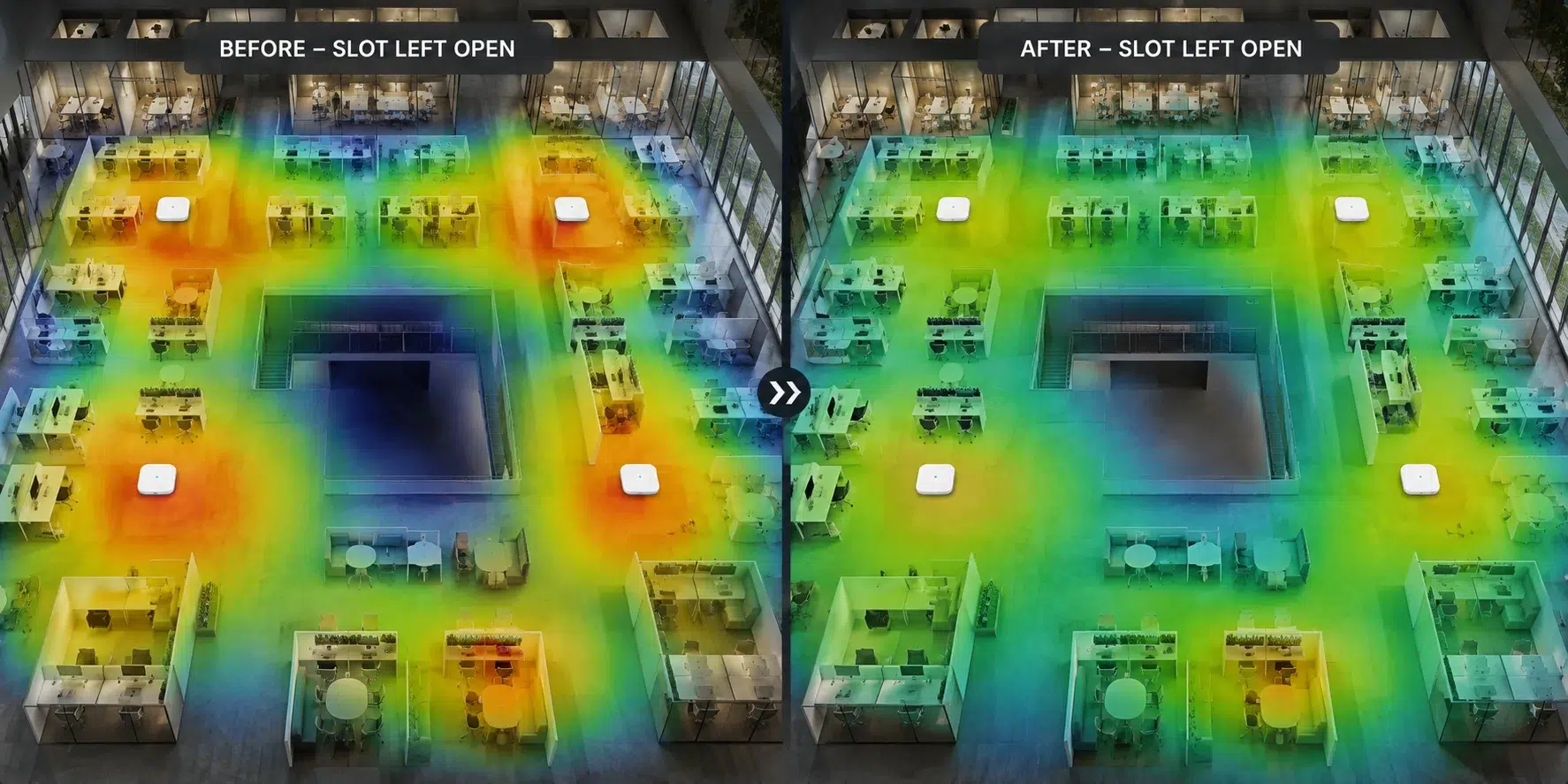
For multi-floor Manhattan offices, packed retail, Brooklyn warehouses full of metal racking, or outdoor spaces, we run a proper site survey and build a heatmap: a picture of your actual space showing where signal lives, where it dies, and exactly where each access point belongs. Red zones become green zones on paper first — before anyone drills a hole or buys hardware.
When a survey is worth it:
Multi-floor offices where people roam with laptops · retail at Saturday density · warehouses with racking that creates coverage shadows · outdoor areas needing weather-safe mounting · any space where “let’s try one more access point” has already failed twice.
When it isn’t:
Small, simple spaces. We’ll tell you at the assessment if your job doesn’t need one — the survey is a tool, not an upsell.
Conference rooms that hold a video call. Roaming that follows you from your desk to the meeting without a hiccup. Staff and guest traffic properly separated — better security, zero added hassle. In Manhattan offices and Brooklyn studios alike, we plan around how people actually move through the space, because that’s what roaming is.
Retail and restaurants.
Your POS gets priority and isolation — the register doesn’t wait behind someone’s Instagram upload. Guest WiFi gets speed limits and its own lane. And we plan for Saturday-afternoon busy, not Tuesday-morning quiet, because capacity problems only show up when it matters most.
Warehouses and industrial.
In Brooklyn warehouses, metal racking creates coverage shadows that swallow scanners whole, and inventory levels change the RF map week to week. We map the aisles, mount high and smart, and place APs so the signal holds from the dock to the last row — even when the shelves are full.
Medical and professional offices.
Patient WiFi, staff systems, and connected equipment on properly separated networks — with installs scheduled around the fact that you can’t just close.
OUTDOOR DEPLOYMENTS
Patios, Rooftops, Loading Docks
Outdoor WiFi fails when it’s an afterthought — wrong mounts, no weather planning, and a dead zone right at the door where indoor coverage hands off. We plan outdoor deployments around three things: weather exposure (hardware rated for New York winters, mounted to survive them), line of sight (what the signal can actually reach), and the indoor-outdoor handoff (so a tablet follows a waiter from the dining room to the patio without dropping the order).
Manhattan and Brooklyn restaurant patios and outdoor seating
Rooftop spaces
Courtyards between buildings
Loading docks and yards where scanners need coverage
Entry zones where the signal should greet people before the door does
TUNING + SUPPORT
We Don’t Disappear After the Last Screw
Even great hardware acts up on default settings in a city this crowded. After every install we tune channels and transmit power (so your APs cooperate instead of shouting over each other), fix “sticky” devices that cling to far-away APs, and stress-test the apps you actually live in — Zoom, Teams, your phones, your POS.
Then life happens: new hires, a new floor plan, thirty new devices, a neighbor with a screaming-loud network. WiFi that was perfect in January can wobble by June. That’s what the 24/7 support line is for — and if you’re on a support plan, our monitoring usually catches the wobble before your staff does. Every install includes 30 days of post-install support, so the handoff is never a cliff.
WE’VE DONE THIS AT SCALE
We Put 900+ Access Points in Citi Field
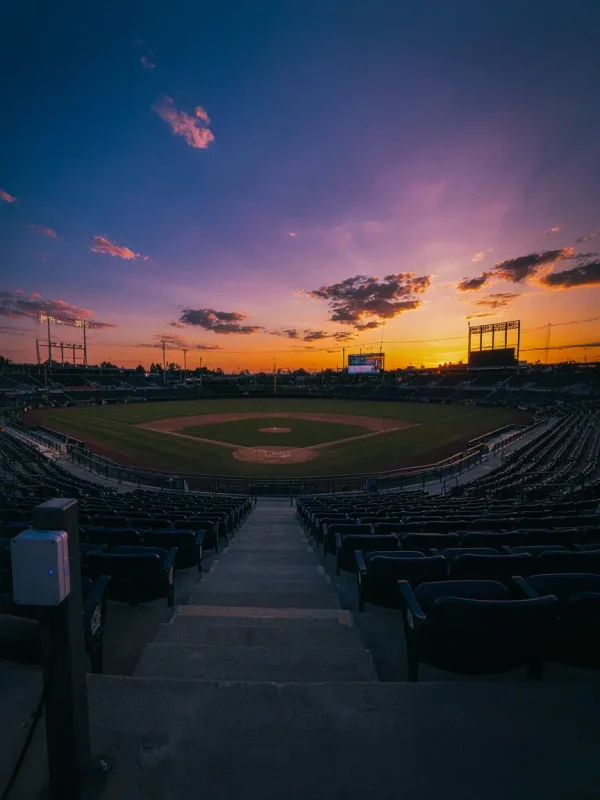
When the New York Mets needed WiFi that could survive 45,000 fans pulling out their phones at once, they called us. We deployed more than 700 long-range access points across the bowl, concourses, and outdoor zones, plus 220 in-wall units in the suites and offices — backed by 50+ enterprise switches and a gateway built for stadium-scale traffic. Fans stream, vendors ring up sales on rock-solid POS, and stadium operations run on their own protected lanes. All of it, one dashboard.
We also ran a couple hundred APs through a 500-room hotel. So when we say your office, restaurant, or warehouse is a size we’ve done — we mean it’s a size we’ve done hundreds of times over, in one building.
Same crew, whether it’s Citi Field or a dental office in Queens. Manhattan, Brooklyn, Queens, Nassau County, and Central & Northern New Jersey.
Most installs run $199–$300 per access point — hardware, mounting, and configuration included. Ceiling type and cable runs move the number, and the free assessment tells us how many APs you actually need (often fewer than you think). Firm quote before any work starts.
Depends on square footage, construction, headcount, and what runs on the network — a drywall office and a concrete loft of the same size need very different plans. That’s exactly what the free assessment answers, before you buy anything.
Where the people and devices are — which is rarely where the old ones got mounted. Ceiling-centered over work areas beats hallway placement almost every time. We’ll show you on your own floor plan.
Small offices: usually a day. Larger or multi-floor spaces: we’ll give you a real timeline at the assessment — and we work around your business hours either way.
Sometimes — APs need a wired run to perform. Good news: we’re also a cabling company, so it’s one crew and one schedule, not two contractors pointing at each other. Cabling details here.
Because APs on overlapping channels interfere with each other — more isn’t better, placed and tuned is better. This is one of the most common things we fix, and often the fix removes hardware.
If your hardware’s good, we keep it. Placement, configuration, and tuning fix more WiFi problems than new equipment does — and we’d rather earn the support relationship than sell you boxes. That’s a promise the assessment will prove.
Both, constantly. Manhattan usually means building access windows and crowded airspace. Brooklyn tends to mean larger floor plates, warehouses, and studios. Small offices are usually a day, and we work around your business hours either way.
Talk to a UniFi Expert
Still stuck? Call 833-469-6373 24/7, a person answers
x
If you are setting up a new UniFi system, adjusting Ubiquiti device settings, or integrating the tardy advancements from UniFi, the team at UniFi Nerds is available 24/7, every day of the year.
Phone
Call Us: 516-606-3774
Text us: 772.200.2600
Email/Text
Email: hello @ unifinerds.com
Text us: 516.606.3774