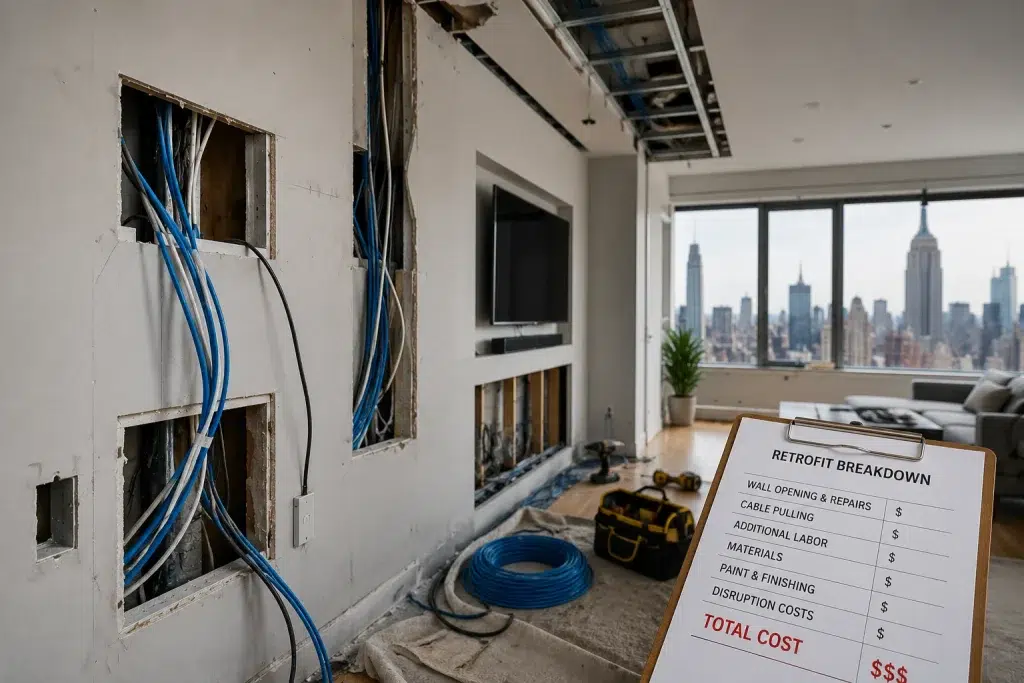
The Cost of Not Pre-Wiring Your New Home: A Breakdown for NYC Buyers
You found the right place. The layout works. The finishes look great. Then you move in and realize the WiFi is weak in the bedrooms, the doorbell camera lags, and your “home office” can’t handle video calls when someone streams Netflix. That’s when the cost of not pre-wiring home NYC becomes painfully real. In New York City, fixing wiring after the fact is rarely simple. Retrofit wiring cost NYC can climb fast because access is limited, walls are finished, and buildings have strict rules. Therefore, understanding home wiring ROI and the true post-construction wiring cost can save you thousands and prevent months of frustration.
Target audience: NYC condo and townhouse buyers, homeowners doing gut renovations, and developers who want a realistic cost-and-consequence breakdown of skipping pre-wire planning.
What “pre-wiring” means (and what it covers)
Pre-wiring is the low-voltage wiring plan installed before walls close. It usually includes Cat6 Ethernet runs, access point wiring, camera wiring, and a central network closet. Therefore, it’s the foundation that makes WiFi and smart home systems reliable.
Typical pre-wire scope in NYC homes
- Cat6 Ethernet drops to TV and desk locations
- Ceiling or high-wall drops for wired WiFi access points
- Camera and doorbell wiring (often PoE-ready)
- Central termination in a network closet (patch panel + switch)
- Labeling, documentation, and testing
However, many NYC buyers assume a “new” home automatically includes this. In reality, plenty of new builds include minimal wiring and expect WiFi to do the rest.
Why post-construction wiring cost is so high in NYC
In NYC, the cost is not just the cable. It’s access, labor time, and risk. Therefore, retrofit wiring cost NYC is often multiple times higher than doing it during construction.
NYC factors that drive retrofit wiring cost
- Finished surfaces: opening walls means patching, painting, and dust control
- Concrete and steel: common in condos and high-rises, harder to route cleanly
- Limited pathways: fewer accessible chases than suburban homes
- Building rules: work hours, permits, insurance requirements, and approvals
- Occupied space: furniture, residents, and daily life slow everything down
- Coordination overhead: scheduling supers, elevators, and access windows
Real-world scenario: A buyer moves into a renovated NYC condo and discovers the router is stuck in a closet where the ISP enters. The bedroom WiFi is weak. Adding a wired access point would solve it, but there’s no Cat6 to the ceiling. Now the options are surface raceway, opening walls, or living with inconsistent coverage.
Expert Insight: In NYC, the “real” cost of retrofit wiring is disruption. Even a small wiring upgrade can turn into multiple trades, multiple visits, and weeks of coordination if walls need to be opened.
The cost of not pre-wiring home NYC: the 5 buckets buyers forget
When people think about cost, they think about the invoice. However, the total cost includes performance loss, time, and rework. Therefore, use these five buckets to evaluate home wiring ROI.
1) Direct retrofit labor and materials
Post-construction wiring requires more labor hours because routing is harder and slower. In addition, materials often include surface raceway, patch supplies, and protective hardware.
2) Wall repair and finish work
Even “small” openings can require patching, sanding, painting, and cleanup. Therefore, you’re often paying a second trade to finish what the wiring trade had to open.
3) Building coordination and restrictions
NYC buildings may require COIs, approvals, limited work windows, and elevator scheduling. Therefore, the same job takes longer and costs more.
4) Compromises you wouldn’t accept in a new build
Retrofits often force compromises: visible raceway, awkward device placement, or fewer drops than you actually want. However, those compromises can reduce the value of the upgrade.
5) Ongoing performance “tax”
If you don’t retrofit, you still pay a cost: unstable WiFi, dropped calls, and unreliable cameras. Therefore, the cost can show up as daily frustration and lost productivity.
Tips: How NYC buyers can spot “underwired” homes before closing
- Ask where the internet enters and where the router will live.
- Look for ceiling access point wiring (not just a router shelf).
- Check for multiple Cat6 drops behind TVs and in office areas.
- Ask if cables are labeled and if there’s an as-built map.
- Confirm if any camera locations are wired (or only “WiFi-ready”).
Retrofit wiring cost NYC: what drives the price up (practical examples)
Exact pricing depends on layout and building type. However, the drivers are consistent. Therefore, focus on what makes the job easy or hard.
Example A: Adding one wired access point after move-in
- Best case: there is an accessible pathway from the network closet to the ceiling location
- Worst case: no pathway, concrete ceiling, finished walls, and strict building rules
In the best case, the job is straightforward. In the worst case, it becomes a multi-visit project with patching and coordination.
Example B: Adding Ethernet to a home office after the fact
- Best case: office shares a wall with an accessible chase
- Worst case: office is across the unit with no clean route, requiring surface raceway or wall openings
Real-world scenario: A buyer plans to work from home and assumes WiFi is enough. After move-in, video calls stutter during peak hours. A single wired drop would solve it, but routing it cleanly requires opening finished walls. That’s a classic post-construction wiring cost trap.
Home wiring ROI: what you actually get when you pre-wire
Pre-wiring isn’t about “more cables.” It’s about predictable performance and easier upgrades. Therefore, the ROI is both financial and practical.
High-ROI outcomes of pre-wiring
- Better WiFi: wired access points placed correctly
- Less WiFi congestion: TVs and offices can be wired
- More reliable security: wired cameras and stable recording
- Cleaner installs: no surface raceway or patchwork later
- Supportability: labeled cabling and documentation reduce service time
Expert Insight: The best ROI wiring is access point wiring. It’s the difference between “WiFi that sometimes works” and WiFi that feels consistent across the entire home.
Common mistakes NYC buyers and renovators make (and how to avoid them)
Most mistakes happen because people assume WiFi will cover for missing wiring. However, NYC layouts and building materials make that risky. Therefore, use this list as a pre-close or pre-drywall checklist.
Common Mistakes: Why NYC homes end up expensive to fix
Mistake 1: Router placed where the ISP enters. Utility closets are convenient, but they are rarely the best WiFi location.
Mistake 2: No wired access point locations. This forces mesh nodes in bad spots and creates dead zones.
Mistake 3: Too few drops at TVs and offices. Fixed devices go wireless, WiFi gets congested, and performance feels inconsistent.
Mistake 4: No labeling or documentation. Future troubleshooting becomes slow and expensive.
Mistake 5: Skipping testing. Bad terminations show up after walls are closed.
Best practices: how to reduce post-construction wiring cost (if you already missed pre-wire)
Sometimes you can’t pre-wire. Maybe you already bought the home. Maybe the building restricts work. Therefore, the goal becomes minimizing disruption and maximizing impact.
Step-by-step approach for NYC retrofits
- Step 1: Identify the top pain point (usually WiFi coverage or home office stability)
- Step 2: Check for existing pathways (closets, soffits, baseboards, risers)
- Step 3: Prioritize one or two high-impact drops (access point + office)
- Step 4: Use clean cable management if surface routing is required
- Step 5: Document and label everything you add
Industry standards (quick reference)
Professional wiring follows proven standards and guidance. In addition, standards help ensure consistent performance and documentation.
- IEEE 802.3: Ethernet (wired networking)
- IEEE 802.11: WiFi (wireless networking)
- ANSI/TIA structured cabling standards: cabling performance and administration guidance
FAQ: cost of not pre-wiring home NYC
Is it really worth pre-wiring if I can just buy a mesh WiFi system?
Mesh can help, however it often becomes a compromise in NYC layouts. Wired access points are usually more stable and predictable, especially with concrete, brick, and dense neighboring networks.
What is the biggest cost driver in retrofit wiring cost NYC?
Access and disruption. If there’s no clean pathway, you pay for time, wall openings, patching, and coordination.
What’s the highest ROI wiring upgrade in an NYC home?
Wiring one or two properly placed access points and wiring the home office area. Those two changes often solve the biggest daily pain points.
Can I add wiring without opening walls?
Sometimes. It depends on pathways and building type. However, clean retrofits often require at least some access work unless there are existing chases or conduit.
What should I ask a seller or developer about wiring before I buy?
Ask where the network closet is, how many Cat6 drops exist, whether access points are wired, and whether there is labeling, testing, and documentation.
Conclusion: in NYC, skipping pre-wire is rarely “saving money”
The cost of not pre-wiring isn’t just a future invoice. It’s the combination of higher retrofit labor, wall repair, building coordination, and daily performance issues. Therefore, for NYC buyers and renovators, pre-wiring is one of the clearest examples of home wiring ROI. If you can do it before walls close, you avoid the highest post-construction wiring cost and you get a home that feels modern, stable, and easy to support.
Buying or Renovating in NYC? Let’s Prevent the Expensive Retrofit Later.
We’ll help you plan access points, Cat6 drops, and a clean wiring layout so you avoid costly post-construction wiring and get reliable performance from day one.
Call: 833-469-6373 or 516-606-3774
Text: 516-606-3774 or 772-200-2600
Email: hello@unifinerds.com | Visit: unifinerds.com
Free consultations • Phased implementation • Budget-friendly • Expert support