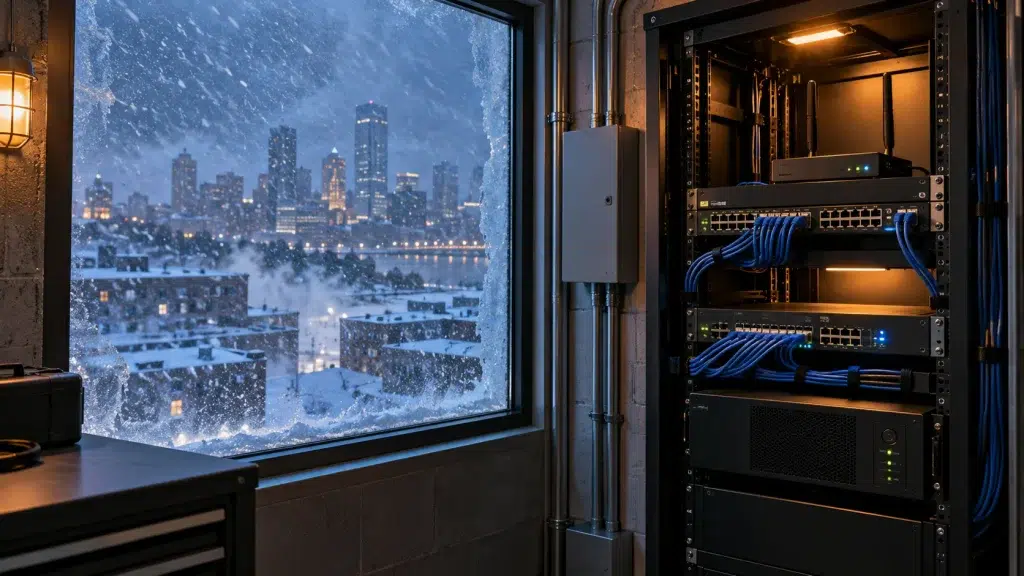
An ice storm rolls through overnight, a tree takes down a power line, and by 8 a.m. your office is dark, your registers are dead, and your phones are silent. It happens somewhere from Chicago to Boston every single winter. Good business network winter storm preparation is the difference between riding that out and losing a full day of business.
Most networks aren’t built for it. They assume steady power and a wired line that never blinks. This guide walks through how to keep a business online when winter has other plans.
What Winter Actually Does to a Network
Cold weather attacks a network from a few directions at once. Understanding them is the first step to preventing the outage.
Grid Failures Are Common: Ice and heavy snow bring down power lines all season. Because your gateway, switches, and access points all need power, a grid failure takes the whole network with it unless you’ve planned ahead.
Frozen and Unheated Closets: Network gear tucked into an unheated closet, attic, or outbuilding can drop below its operating range in a hard freeze. As a result, equipment that ran fine in October starts failing in January.
UPS Backup: Power Through the Outage
The first line of defense is battery backup. A ups backup network keeps the essentials running when the grid drops.
Size It for Real Runtime: A UPS that lasts five minutes isn’t much help in a multi-hour outage. Therefore, sizing matters — the battery has to carry your gateway, switch, and key access points long enough to bridge the gap or fail over cleanly.
Protect the Whole Chain: Backing up only the router does no good if the switch feeding your access points goes dark. Because every link in the chain needs power, a proper design puts the critical gear on battery together.
LTE Failover for When the Line Goes Down
Power isn’t the only thing winter takes out. A downed line can kill your internet even when the lights stay on, and that’s where network failover power outage planning earns its keep.
Automatic Cellular Backup: A gateway with LTE or 5G failover switches to cellular the instant the wired connection drops. As a result, payments, phones, and cloud tools keep working while the main line is down.
Seamless, Not Manual: Good failover happens on its own, without someone rushing to swap cables in a storm. Because the switch is automatic, staff may not even notice the primary line went down.
Remote Monitoring for Winter IT Outage Prevention
The best outage is the one you catch before it becomes one. Solid winter it outage prevention leans heavily on watching the network around the clock.
See Problems Early: Network monitoring remote sites means a team spots a failing UPS battery or a struggling connection before it takes the business down. Therefore, small issues get fixed before the next storm exposes them.
Eyes on Every Location: For businesses with several sites, one dashboard watches them all. Our managed monitoring guide covers how 24/7 oversight keeps remote locations protected.
Part of a Bigger Climate Picture
Winter is one climate extreme among several. Every region has its own version of a network killer, and the fixes rhyme.
Heat, Storms, and Cold: Phoenix bakes its equipment, the Gulf Coast floods and loses power to hurricanes, and the North freezes. Our Phoenix extreme-heat guide and Florida climate networking guide round out the picture.
The Common Thread: Backup power, automatic failover, and monitoring protect a network no matter what the weather throws at it. So the winter playbook is really just the resilience playbook, tuned for cold.
How UniFi Nerds Winter-Proofs Networks
We help businesses across the northern metros get ready before the first storm, not after it. The goal is a network that shrugs off an outage instead of surrendering to it.
How We Approach It: First, we assess your power, your internet, and where your gear actually lives. Then we size UPS backup, add LTE failover, relocate anything sitting in the cold, and set up monitoring so problems surface early.
Our teams cover the cold-weather markets, from Chicago and Minneapolis to Denver and Boston. Wherever winter hits hard, we design for it.
Frequently Asked Questions About Winter Network Readiness
How long should a UPS keep my network running?
Long enough to bridge a short outage or fail over cleanly. Because runtime depends on your gear’s power draw, proper sizing is what makes the battery actually useful.
Does LTE failover work if the power is out too?
It does, as long as the gateway and modem are on battery backup. That’s why UPS and cellular failover work best together, not alone.
Can cold really damage network equipment?
Yes. Gear in an unheated closet, attic, or outbuilding can drop below its operating range in a hard freeze, so placement matters in cold climates.
How does remote monitoring help before a storm?
It catches weak points early, like a failing battery or a shaky connection. Therefore, you fix them on a calm day instead of during the outage.
When should I prepare my network for winter?
Before the first storms, which often means October or early November. Waiting until an outage hits means fixing it the hard way.
Final Thoughts on Winter-Proofing
Winter outages feel like bad luck, but they’re usually just a lack of preparation. The businesses that stay open through an ice storm did the boring work in October — battery backup, failover, and monitoring, all in place before they were needed. That’s what business network winter storm preparation really comes down to.
So don’t wait for the forecast to scare you. A short readiness check now beats a scramble in the dark later.
Book a Winter Readiness Check Before the First Storm
We’ll assess your power, internet, and equipment placement, then size UPS backup, add LTE failover, and set up monitoring so your business stays online all winter.
Call: 833-469-6373 or 516-606-3774
Text: 516-606-3774 or 772-200-2600
Email: hello@unifinerds.com | Visit: unifinerds.com
Free consultations • Phased implementation • Budget-friendly • Expert support