
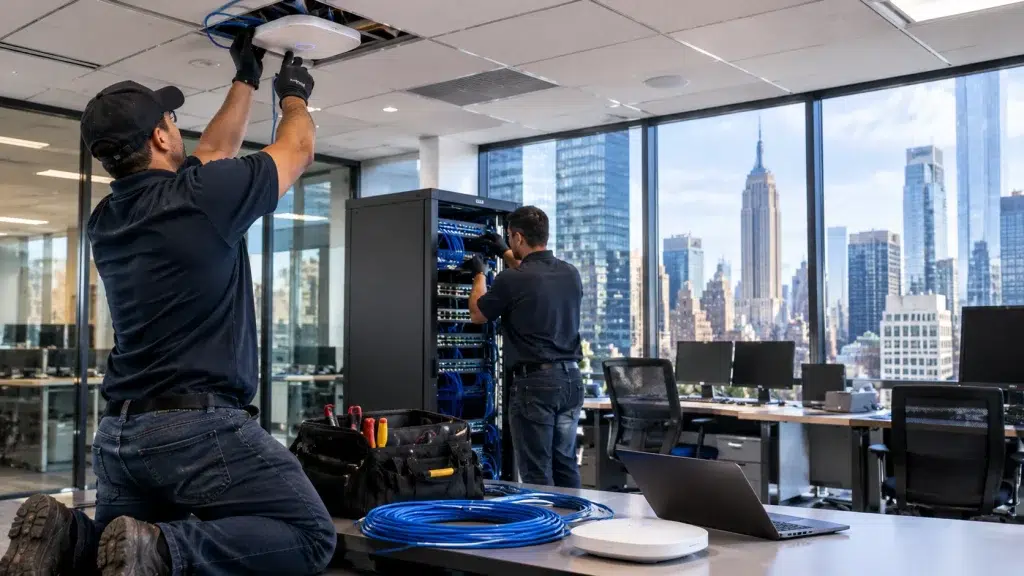
On a map, it’s a ten-minute ride over the bridge. In practice, business network installation in NYC can feel like two different trades depending on which side of the East River you’re on. A Midtown tower and a Bushwick warehouse need the same things in the end: fast WiFi, clean cabling, and a network that doesn’t go down. How you get there is another story.
We do this work in both boroughs every week, and the questions from tenants, brokers and office managers are always the same. What’s harder? What costs more? What should we plan for? Here’s an honest side-by-side.
The Buildings: Glass Towers vs Old Factories
Manhattan: a lot of office space sits in big managed towers, plus plenty of older prewar buildings with plaster walls. Most have drop ceilings, which makes hiding cable easy. The hard part is usually the building, not the floor itself. Brooklyn: much of the best space used to be something else. Factories in Williamsburg, warehouses in DUMBO, shipyard buildings at the Navy Yard, industrial lofts in Industry City. Thick masonry, exposed ceilings and huge floor plates are normal.
So in Manhattan we spend more time on paperwork and access. In Brooklyn we spend more time on cable paths, because when there’s no ceiling to hide behind, every run has to look intentional.
Building Rules: COIs and Unions vs the Landlord Walk-Through
This is the biggest practical difference. Many Manhattan towers have strict contractor rules. There’s a certificate of insurance with exact wording, booked freight elevator slots, after-hours-only drilling, and in some buildings union labor requirements. Miss one and the start date slips. We wrote a full guide to office building installation requirements in NYC because it trips up so many tenants.
Brooklyn is often more relaxed, though not always. Plenty of buildings are owner-run, and approval might be a walk-through with the landlord and a handshake on where cable can go. Large complexes like Industry City and the Navy Yard have their own procedures, so we always check. Either way, it pays to ask early.
Cabling: Drop Ceilings vs Exposed Brick
In a typical Manhattan office, cable runs above ceiling tiles and down to the desks. It’s quick, tidy work once you’re cleared to start. Older prewar floors add plaster and masonry to drill through, which slows things down. Our structured cabling in Manhattan page covers what that looks like.
Brooklyn’s converted spaces usually show everything. Cable goes in trays, raceway or painted conduit so it looks like part of the design. Long warehouse floors can also go past the 100-meter limit for copper, so a second network closet or a fiber link is common. That’s why structured cabling in Brooklyn gets its own page.
WiFi and Internet Across the Two Boroughs
WiFi: in a Midtown tower, the enemy is crowding. Hundreds of neighboring networks fight for the same airspace, so careful channel planning matters. In Brooklyn lofts, the enemy is usually the walls. Masonry eats signal, and access points need to sit closer to the people using them. Our guide to WiFi in old buildings with thick walls applies on both sides of the river.
Internet: in both boroughs, your building decides which carriers you can get. Big Manhattan towers often have several fiber providers already wired in. In Brooklyn, availability can vary a lot from one block to the next, especially in industrial pockets. Either way, a backup line is smart, as we explain in our post on internet redundancy.
What Stays the Same in Every Business Network Installation in NYC
For all the differences, the core of the job doesn’t change. Every project starts with a wireless site survey, because neither a tower floor plan nor a warehouse blueprint tells you how WiFi will actually behave. Network gets split into separate lanes for staff, guests and building systems. Every cable gets tested and labeled before we leave.
And the equipment is the same. UniFi runs WiFi, cameras and door access from one dashboard whether you’re on Park Avenue or in Greenpoint. If you want to see the full start-to-finish sequence, our walkthrough of the network installation process lays it out step by step.
Where to Go Next
If your office is in Manhattan, start with our network installation Manhattan page. Over the bridge, our UniFi installation in Brooklyn page covers the borough. Both explain what we do, how we work in local buildings, and how to book a survey.
Business Network Installation NYC: FAQs
Is it cheaper to install a network in Brooklyn than Manhattan?
Not automatically. Manhattan jobs can cost more in after-hours labor and building requirements, while Brooklyn jobs can cost more in visible cabling and long runs. The space matters more than the borough.
Which borough has more building paperwork?
Usually Manhattan, especially in large managed towers. Brooklyn buildings are often owner-run, though big complexes have their own rules.
Do the same crews work in both boroughs?
Yes. We work in both, with the same equipment, standards and testing.
What’s the first step either way?
A site survey. It shows how your specific building behaves, which matters more than which side of the river you’re on.
Final Thoughts
Manhattan makes you work harder before you start. Brooklyn makes you work harder once you’re inside. Both end in the same place: a network your team never has to think about. Whichever borough you’re in, the smartest move is to have someone walk the space before you sign off on a budget. The building will tell you more than any price list.
Start With a Free Site Survey
Office in Manhattan or Brooklyn? We’ll walk your space, check the building rules and carriers, and give you a clear plan for WiFi, cabling and security on either side of the bridge.
Call: 833-469-6373 or 516-606-3774
Text: 516-606-3774 or 772-200-2600
Email: hello@unifinerds.com | Visit: unifinerds.com
Free consultations • Phased implementation • Budget-friendly • Expert support