
If you sit on a Manhattan co-op or condo board, a coop building WiFi upgrade in NYC usually starts with resident complaints. The lobby WiFi doesn’t reach the gym. The intercom buzzes the wrong apartment. The old cameras record footage nobody can actually use. Sooner or later, someone suggests fixing it all. Then the real questions start: what will it cost, how disruptive will it be, and how do we get the rest of the board to agree?
This guide walks through the project from the board’s side of the table. We cover building-wide WiFi, intercoms, and cameras, plus the parts nobody talks about, like phased budgets and working with your super. For a real example, see our downtown Manhattan condo case study.
What a Coop Building WiFi Upgrade in NYC Covers
Residents usually have their own home internet. So a coop building WiFi upgrade in NYC is mostly about the shared spaces. Think lobbies, gyms, laundry rooms, roof decks, package rooms, and the management office. These are the places where residents notice dead zones and complain to the board.
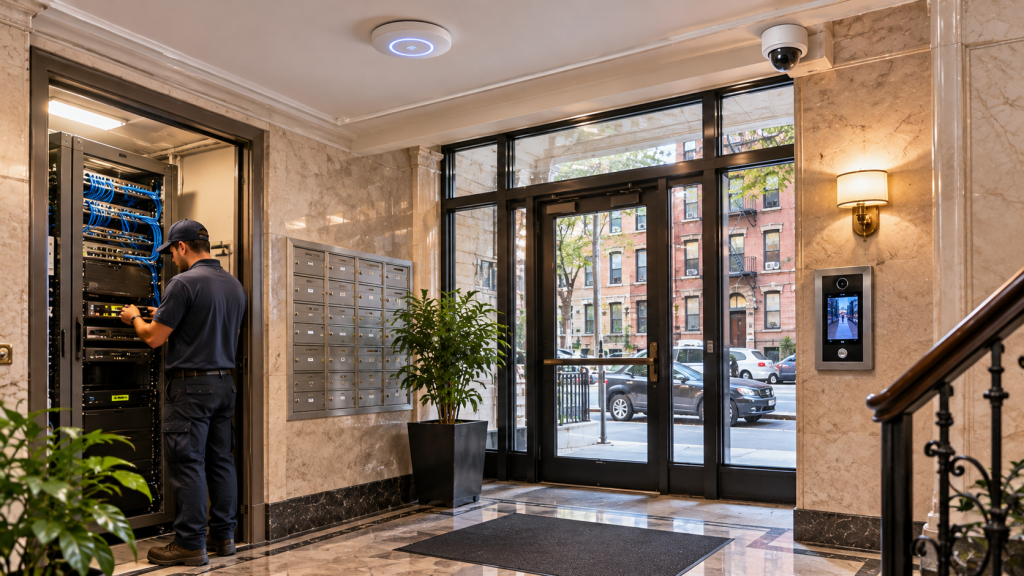
The same network also carries your building systems. Cameras, door readers, and the intercom all need a reliable connection. In older Manhattan buildings, concrete floors and thick walls make that harder, which we explain in our post on residential building WiFi coverage. Because of that, the network design matters as much as the gear itself.
Intercom Replacement in Manhattan Buildings
The intercom is often the first thing residents want fixed. Many buildings still run old wired systems with crackly audio and buttons that stick. Parts get harder to find every year. So boards end up paying for repair after repair on a system that’s past its prime.
A modern system works through the building network. Visitors press a button at the door, and residents can answer and buzz them in from a phone app. The front door, package room, and side entrances can all tie into one access system. That means the super can add or remove a resident’s access in seconds, rather than rekeying locks every time someone moves out. Our NYC apartments UniFi guide covers how this works day to day.
Apartment Building Cameras in NYC That Actually Help
A lot of buildings already have cameras. The trouble is the footage. It’s grainy, it’s hard to search, and only one person knows how to pull a clip. When a package goes missing, that’s not much help.
Modern apartment building cameras in NYC fix those problems. UniFi Protect records clear video to a recorder the building owns, with no monthly cloud fee per camera. The super or managing agent can find a clip by time or by camera in a minute or two. We usually cover the entrances, lobby, mailroom, package room, and service doors first. After that, the board can decide whether to add more.
Getting the Board to Approve a Coop Building WiFi Upgrade in NYC
Every board has a skeptic, and that’s healthy. The best way to win them over is a proposal that answers their questions before they ask. So we write board-ready proposals in plain language. Each one lists every cost, explains what each piece does, and shows what happens if the board does nothing.
We also split the work into phases. For example, phase one might replace the intercom and cover the entrances with cameras. Phase two could add WiFi to the gym and roof deck. That way the board can approve one piece at a time, fit it into the reserve fund or annual budget, and see results before committing to the next step. A condo board technology upgrade moves much faster when each vote is a smaller one.
Minimal Disruption for Residents
Residents care less about the technology than about the noise and the dust. Nobody wants contractors in the hallway for weeks. So we plan every coop building WiFi upgrade in NYC around the building’s rules, including work hours, elevator reservations, and any insurance certificates the managing agent needs.
We work closely with the super or resident manager from day one. They know which risers are open, where the old cable runs, and which residents need a heads-up. In practice, that partnership is what keeps the job quiet and on schedule. Most common-area work happens in short windows, and we give the board a schedule it can share with residents in advance.
One System Instead of Three Vendors
Many buildings end up with one company for the intercom, another for cameras, and a third for WiFi. Each has its own contract, its own app, and its own service calls. When something breaks, everyone points at someone else.
UniFi puts WiFi, cameras, and door access on one platform. The super gets one app, and the board gets one vendor to call. That simplicity is a big part of why boards choose it. You can see how we handle buildings across the borough on our Manhattan network installation page.
FAQs About a Coop Building WiFi Upgrade in NYC
Do residents lose their own internet service?
No. Building-wide WiFi usually covers common areas and building systems. Residents keep their own home internet unless the board decides otherwise.
Can we do a coop building WiFi upgrade in NYC in phases?
Yes, and most boards do. A common order is intercom and entrance cameras first, then common-area WiFi. Each phase is priced separately so it can be approved on its own.
How disruptive is the installation?
We work within the building’s rules and coordinate with the super. Most common-area work happens in short windows, and the board gets a schedule to share with residents ahead of time.
Are there monthly fees for the cameras?
UniFi Protect records to a recorder the building owns, so there’s no monthly cloud fee per camera. Ongoing support or monitoring is optional.
Final Thoughts
Upgrading a building is as much about people as technology. The board needs clear numbers, residents need a quiet install, and the super needs a system that’s easy to run. Get those three right, and a coop building WiFi upgrade in NYC almost sells itself. Start with the problem residents complain about most, prove it works, and build from there.
Request a Board-Ready Proposal
Sitting on a Manhattan co-op or condo board? We’ll walk the building with your super and give you a clear, phased proposal for WiFi, intercoms and cameras that’s ready for your next board meeting.
Call: 833-469-6373 or 516-606-3774
Text: 516-606-3774 or 772-200-2600
Email: hello@unifinerds.com | Visit: unifinerds.com
Free consultations • Phased implementation • Budget-friendly • Expert support