
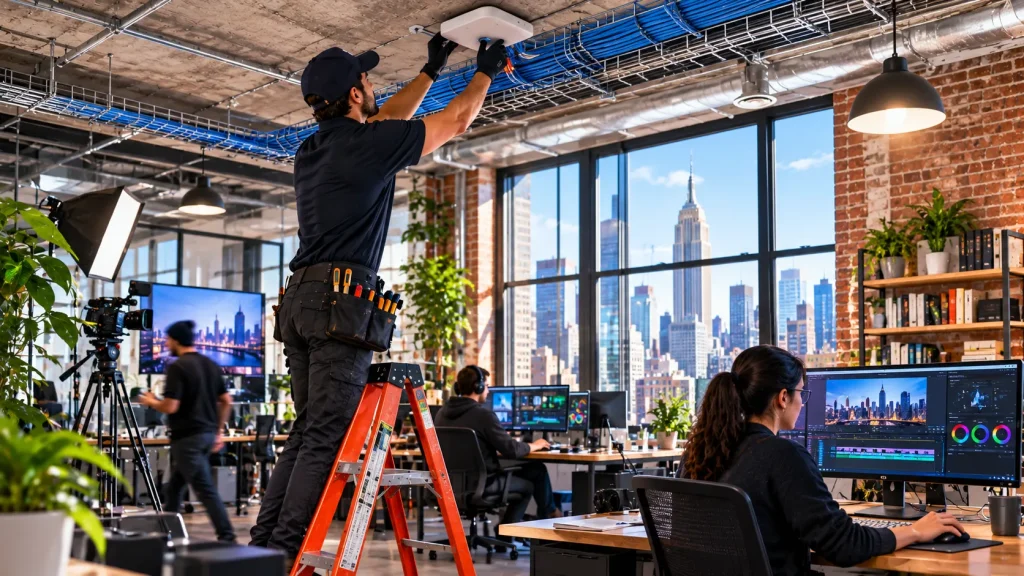
Walk through any agency in Chelsea or SoHo and you’ll see the same thing. Editors scrubbing through 4K footage, designers saving huge files, and someone waiting on a render to sync. When the network is slow, the whole studio feels it. A creative agency network setup has a different job than a normal office network. It has to move massive files all day without anyone noticing.
We built networks for production offices in Los Angeles, and Manhattan agencies run into the same problems in tighter spaces. So this guide covers what actually matters: a 10G backbone, fast storage access, the right cabling, and WiFi that holds up when the whole team is online. If you’ve read our LA production office guide, think of this as its East Coast twin.
Where a Normal Office Network Hits the Wall
Most offices run on 1 Gbps connections. That’s plenty for email and video calls. But 1 Gbps tops out at roughly 125 megabytes per second, and high-bitrate video can need more than that for a single stream. Put two editors on the same project and the network becomes the bottleneck.
You see it in small ways at first. Playback stutters. Files take minutes to open. People start copying footage to their own drives just to work, which creates version chaos. In short, the network quietly slows the creative work down, and nobody blames the cable in the wall.
Building a 10G Office Network
The fix is a 10G office network where it counts. That means 10 Gbps links between your storage, your core switch, and your heaviest workstations. It’s ten times the headroom of a standard connection. As a result, editors can work straight off shared storage instead of copying files around.
Not every desk needs 10G, though. Account managers and producers are fine on regular connections. So we usually design in tiers: 10G for edit bays, color suites, and the storage server, and standard speeds everywhere else. UniFi switching makes that mix simple to run from one dashboard, and it keeps the budget focused where the speed actually pays off.
Fast NAS Access for Edit Bays
Shared storage is the heart of a video editing office network. Most agencies keep active projects on a NAS so the whole team works from one source. But a NAS is only as fast as the connection feeding it. Plug a fast storage server into a slow network, and you’ve wasted the money.
We connect the NAS to the core switch over 10G or faster, then give each edit bay its own 10G link. That way several editors can pull footage at once without stepping on each other. We also put storage traffic on its own network segment. Because of that, a big guest download or a client screening never slows down an active edit.
Fiber and Cat6A: The Cabling Behind the Speed
A 10G network needs cabling that can carry it. Cat6A supports 10 Gbps over a full 100 meter run, which makes it the safe choice for edit bays. Older Cat6 can manage 10G only over shorter distances, so it’s risky to rely on. Our breakdown of Cat6 vs Cat6A for NYC offices explains the difference in detail.
For links between floors, or between your server room and the core switch, fiber is often the better fit. It handles long distances and higher speeds, and it leaves room to grow. We cover when it makes sense in our guide to fiber optic cabling in NYC. Getting the cabling right up front is what lets the network keep up as file sizes keep growing.
WiFi, Internet, and the Rest of Agency IT Infrastructure in Manhattan
The wired backbone gets the spotlight, but the rest still matters. Agencies are full of laptops, phones, and presentation screens. Open studio floors and loft spaces need enough access points to handle everyone at once. Client meeting rooms need a separate guest network that stays walled off from your project files.
Your internet connection matters too, especially upload speed. Sending final cuts to clients or syncing to the cloud is painful on a line built mainly for downloads. That’s why we look closely at what carriers serve your building. Our Manhattan network installation team handles all of it, from the cable in the walls to the WiFi in the ceiling, so the whole agency IT infrastructure works as one system.
FAQs About Creative Agency Network Setup
Does my whole agency need 10G?
No. Most agencies only need 10G for edit bays, color suites, and the storage server. Everyone else works fine on standard connections. A tiered design keeps costs down.
Why is editing off our NAS so slow?
Usually the network is the bottleneck, not the NAS. A standard 1 Gbps link can’t keep up with high-bitrate footage. Upgrading the storage and edit-bay links to 10G typically fixes it.
Can our existing cabling handle 10G?
It depends on the cable. Cat6A handles 10G over full-length runs. Older Cat6 only manages it over short distances, and anything older won’t. We test what’s in your walls before recommending changes.
Do you work in Chelsea and SoHo?
Yes. We work with agencies and production offices across Manhattan, including the Chelsea and SoHo corridors, and in older loft buildings with tricky layouts.
Final Thoughts
In a creative studio, time spent waiting on files is time not spent creating. The right network fixes that quietly. Put 10G where the heavy work happens, connect your storage properly, and run cabling that can carry the speed. Then add WiFi and internet that keep up with the rest of the team. Get those pieces right, and your editors stop thinking about the network at all.
Free Studio Network Assessment
Running an agency or production office in Manhattan? We’ll look at your edit bays, storage and cabling, and show you where a 10G upgrade will make the biggest difference.
Call: 833-469-6373 or 516-606-3774
Text: 516-606-3774 or 772-200-2600
Email: hello@unifinerds.com | Visit: unifinerds.com
Free consultations • Phased implementation • Budget-friendly • Expert support