WiFi 7 is the shiny new thing, and every vendor wants to sell it to you. But here is the truth most of them skip. Not every Manhattan office needs it in 2027. For some businesses, WiFi 7 for offices is a genuine leap forward. For others, it is money spent on speed they will never use. So this guide gives you the straight version, with no sales pitch.
We install both WiFi 6E and WiFi 7 systems across the city, so we have no reason to push you one way or the other. We just want you to spend wisely. Below, we break down who truly benefits from upgrading now, who should wait, and the one factor that decides it all. That factor surprises most people.
What WiFi 7 Actually Changes
First, the basics. WiFi 7 is faster, but speed is not the whole story. Its real strengths are capacity and consistency. It handles far more devices at once, and it cuts the lag that plagues busy networks. For a packed office, that steadiness matters more than raw megabits.
The headline trick is something called Multi-Link Operation. In plain terms, a device talks on several frequencies at the same time, so connections stay stable even in a crowded building. UniFi’s new gear, like the U7 Pro WiFi 7 access point, brings this to the business world. So the upgrade is about reliability under load, not just a bigger speed number.
Who Should Upgrade to WiFi 7 Now
Some offices will feel the difference right away. If you run a high-density space, WiFi 7 earns its keep. Think a trading floor, a crowded open-plan office, or a creative studio moving huge files all day. These places push a network hard, and the extra capacity pays off fast.
You should also look hard at WiFi 7 if you are building out a new space or doing a full refresh anyway. In that case, the extra cost is small, and you future-proof the whole setup. Our work on professional WiFi 7 installations is built for exactly these forward-looking offices. If that sounds like you, now is a smart time.
Who Should Wait
Now the part other installers won’t tell you. Plenty of offices should wait. If your current WiFi 6 or 6E setup works fine, there is no rush. A small team doing email, video calls, and normal cloud work will not notice the jump to WiFi 7. The money is better spent elsewhere.
There is also the device問題. Your laptops and phones need WiFi 7 chips to use WiFi 7, and most offices are still full of older gear. So you might buy the fancy network and see no benefit for a year or two. In that case, waiting is simply the smarter financial call.
The Factor Everyone Forgets: Your Cabling
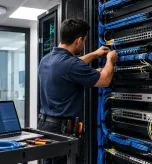
Here is the detail that decides everything. WiFi 7 is only as fast as the wire feeding it. A blazing access point on old cable is like a sports car stuck in traffic. To get the full benefit, each access point needs a wired backhaul that can keep up, and that usually means Cat6A cable or better.
This trips up a lot of Manhattan offices, because older buildings often have older cabling. So before you spend on WiFi 7, check what is in the walls. Our breakdown of Cat6 versus Cat6A in NYC offices explains why the backbone matters so much. If your cabling cannot carry the speed, the upgrade is wasted until you fix that first.
Weighing the Cost Against the Benefit
So how do you decide? Start by being honest about your needs. Count your devices, look at what your team actually does, and check whether your current network struggles at peak. If it holds up fine today, the case for WiFi 7 is weak right now.
Then factor in the cabling. If you need a backbone upgrade too, the total cost climbs, and that changes the math. Our guide to office network upgrade costs helps you budget the whole picture, not just the access points. Because we quote the full job honestly, you can make the call with real numbers in front of you.
Frequently Asked Questions About WiFi 7 for Offices
Is WiFi 7 worth it for a small office?
Usually not yet. A small team doing email, calls, and cloud work rarely pushes a modern network hard enough to notice. If your current WiFi 6 or 6E setup works well, you can wait and spend the budget elsewhere.
Do my devices need to support WiFi 7?
Yes. Only devices with WiFi 7 chips can use its features. Most offices still run older laptops and phones, so the full benefit may not arrive until you refresh those devices too.
Why does cabling matter for WiFi 7?
Because each access point needs a wired connection fast enough to carry the speed. That usually means Cat6A or better. Old cabling bottlenecks a WiFi 7 access point, so the backbone often decides whether an upgrade is worth it.
Who benefits most from upgrading now?
High-density offices, heavy file users, and anyone building a new space or doing a full refresh. In those cases the extra capacity pays off, and the added cost of WiFi 7 is small.
Final Thoughts
WiFi 7 is genuinely good technology, but good technology is not always the right purchase. The honest answer for most Manhattan offices in 2027 is: it depends on your density, your devices, and your cabling. A busy, growing office with a modern backbone should upgrade. A small team on a solid 6E network can wait. The smart move is to match the spend to the real need, not the hype. Figure that out first, and whatever you choose will be the right call.
Talk to Us About a WiFi 7 Upgrade
Not sure if WiFi 7 is right for your Manhattan office? We’ll look at your devices, your cabling, and your real usage, then tell you honestly whether to upgrade now or wait.
Call: 833-469-6373 or 516-606-3774
Text: 516-606-3774 or 772-200-2600
Email: hello@unifinerds.com | Visit: unifinerds.com
Free consultations • Phased implementation • Budget-friendly • Expert support