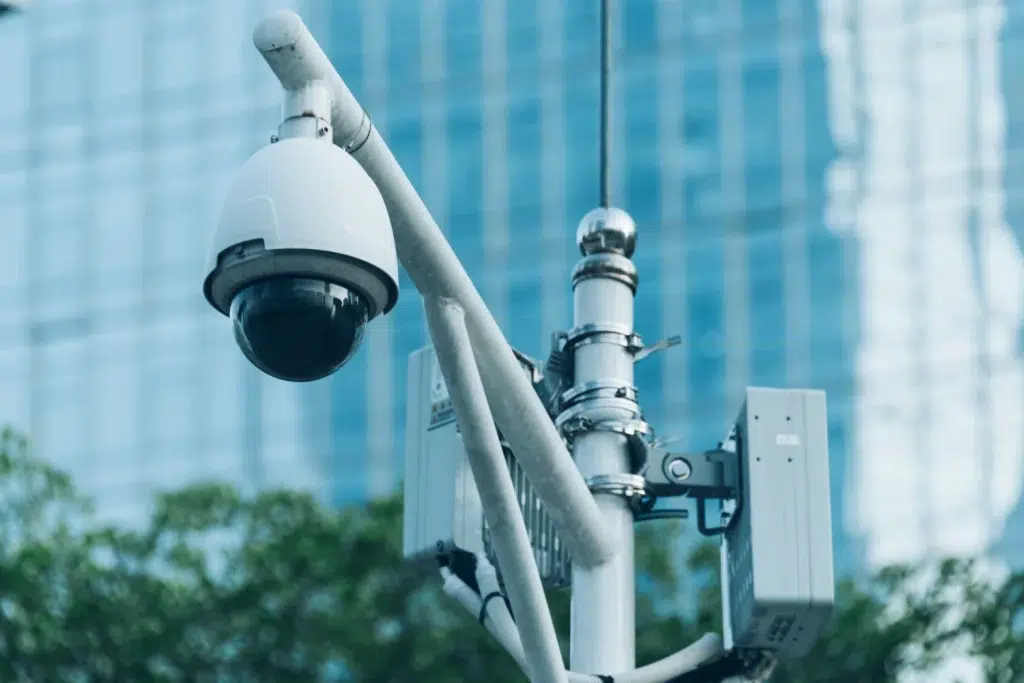
UniFi Cameras and Access Control for NYC Offices: Is It Worth It?
You’re upgrading your office security because something happened—or because you don’t want something to happen. Maybe a package went missing, a door was left propped open, or you need better visibility after hours. In NYC offices, security systems also have to work around building rules, shared entrances, and tight network closets. That’s why more teams are asking about UniFi cameras NYC and whether pairing them with UniFi access control is a smart move for office security systems NYC. This guide breaks down what you actually get, what to watch out for, and what a real Ubiquiti Protect installation looks like when it’s done right.
Target audience: NYC office managers, IT managers/directors, operations leaders, commercial property managers, and business owners who want modern cameras and door access control with predictable costs, clean network integration, and reliable support.
What UniFi Protect and UniFi Access are (in plain language)
UniFi security is not “just cameras.” It’s a platform. Therefore, it works best when your network and cabling are also planned correctly.
UniFi Protect (cameras)
- Manages video recording, live view, playback, and user access
- Uses PoE cameras connected to your network switches
- Stores footage on a UniFi recorder (NVR) or supported UniFi console
UniFi Access (door access control)
- Controls doors using readers, door controllers, and credentials
- Supports role-based access (who can enter, when, and where)
- Works best when installed with proper cabling, power, and door hardware planning
Real-world NYC scenario: A Midtown office wants cameras for the reception area and a controlled door to the back office. They don’t need a “big enterprise system,” but they do need reliable footage and a door that never fails during business hours. UniFi can be a strong fit when the network and cabling are designed to support it.
Expert Insight: The biggest mistake we see is treating cameras and access control as “separate from IT.” In reality, they are network systems. If the switching, VLANs, and cabling are sloppy, security becomes unreliable and harder to troubleshoot.
Is UniFi cameras NYC worth it for offices? The honest answer
UniFi cameras can be worth it when you want strong value, clean management, and predictable ownership costs. However, it is not the best fit for every building or compliance requirement.
UniFi Protect is often worth it when you want
- Modern camera quality without expensive per-camera licensing
- Centralized management and easy user permissions
- Good performance on a properly designed network
- Footage you control (local recording, not forced cloud-only)
UniFi Protect may not be the best fit when you need
- Complex enterprise compliance features that require a specific vendor ecosystem
- Deep third-party VMS integrations that are mandatory for your environment
- A building-mandated security vendor or proprietary system you must use
Therefore, “worth it” depends on your goals: cost control, ease of management, and supportability vs specialized enterprise requirements.
Office security systems NYC: what to plan before you buy cameras
In NYC offices, camera success depends on planning. In addition, building layouts and shared spaces create blind spots if you don’t map coverage intentionally.
Define what you actually need to see
- Main entrance and reception
- Package drop area / mail room
- Server/network closet entry
- Back office or restricted areas
- Emergency exits (where allowed and appropriate)
Decide what “good footage” means for your use case
- Face identification at entry points
- Clear view of hands at package areas
- Wide coverage for open office zones
- Low-light performance for after-hours
Plan retention and storage
Retention is how long you keep footage. Therefore, it affects NVR sizing and network load.
- Retention target: [7 / 14 / 30 / 60] days
- Camera count and resolution
- Motion vs continuous recording strategy
Tips: Quick camera planning checklist for NYC offices
- Start with entrances, reception, and restricted areas before “nice-to-have” coverage.
- Plan retention first, then size storage. Don’t guess.
- Make sure your network closet has space, power, and cooling for an NVR.
Ubiquiti Protect installation: what “done right” looks like
A clean Ubiquiti Protect installation is not just mounting cameras. It’s cabling, PoE power planning, segmentation, and validation. Therefore, the install should follow a repeatable workflow.
1) Cabling and PoE power planning
- Run dedicated cable drops to each camera location (avoid “temporary” wiring)
- Use proper pathways and supports (not loose cable above ceiling tiles)
- Confirm PoE budget on switches (cameras add up quickly)
- Label every camera drop and patch panel port
2) Network design for cameras (keep it stable)
- Use a dedicated camera VLAN when possible
- Restrict camera VLAN access to only what is needed
- Ensure uplinks are sized for camera traffic (especially multi-camera offices)
3) Recorder/NVR placement and protection
- Mount NVR in a secure closet or locked rack
- Put NVR and switches on a UPS for short power events
- Document admin access and user roles
4) Validation testing (don’t skip this)
- Confirm every camera angle meets the intended purpose
- Test playback and export (not just live view)
- Verify retention settings and storage behavior
- Test remote viewing permissions for the right stakeholders
Real-world NYC scenario: An office installs cameras, but playback is choppy and exports fail. The issue is not the camera. It is a saturated uplink and a flat network where guest WiFi competes with camera traffic. Segmentation and uplink planning fix the problem.
Expert Insight: Cameras are “always-on” traffic. Even if each camera seems small, the combined load can impact WiFi and business apps if you don’t segment and size uplinks correctly.
UniFi access control: when it makes sense for NYC offices
UniFi access control can be a great fit when you want to control internal doors, track access events, and reduce key management headaches. However, door hardware and building rules matter.
Good use cases
- Back office or inventory room access control
- IT/server room access control
- Employee-only areas in co-working or multi-tenant environments
- Replacing shared keys with managed credentials
What to plan before installing access control
- Door type and lock hardware compatibility
- Power and cabling to the door location
- Fail-safe vs fail-secure requirements (life safety matters)
- Who should have access, and on what schedule
Important note: For life safety and code compliance, access control should be planned carefully. Therefore, coordinate with building requirements and qualified installers for door hardware and egress rules.
Common Mistakes: Why office security installs fail
Skipping a coverage plan. Cameras get installed where it is easy, not where they are needed.
No VLAN segmentation. Camera traffic competes with business traffic and creates performance issues.
Underestimating PoE budgets. Switches run out of power and cameras drop offline.
Weak documentation. No labels, no port maps, and no clear admin access process.
Ignoring door hardware realities. Access control is not “plug and play” if the door and lock are not planned correctly.
Best practices: making UniFi cameras and access control supportable long-term
Security systems should not become “mystery systems” only one person understands. In addition, NYC offices often change layouts and staff, so supportability matters.
Best practices checklist
- Use structured cabling and label every run (camera and door controller drops)
- Use a camera VLAN and restrict access appropriately
- Document camera names by location (Floor-Room-Zone)
- Set role-based permissions for viewing and exports
- Schedule maintenance windows for firmware updates and validation
- Test playback and exports quarterly, not only on install day
Tips: How to get better results with UniFi Protect
- Prioritize entrances and high-risk areas first, then expand coverage in phases.
- Plan retention and storage before choosing camera resolution everywhere.
- Validate with real workflows: playback, export, and remote access permissions.
Industry standards and guidance (why it matters)
Security systems touch privacy, safety, and business risk. Therefore, good installs align with practical standards and best practices.
- NIST security guidance: segmentation, monitoring, and access control principles
- IEEE 802.3 (Ethernet/PoE concepts): stable wired connectivity for cameras and controllers
- Structured cabling standards (ANSI/TIA): reliable cabling, labeling, and administration
Internal linking opportunities (anchor text only)
- patch panel installation NYC: racks and cable management essentials
- structured cabling installation best practices: standards, labeling, testing
- infographic: anatomy of a high-performance NYC office network
- UniFi support: managed UniFi, monitoring, and 24/7 network support
- NYC office WiFi dead zones: causes, fixes, and prevention
FAQ: UniFi cameras NYC and UniFi access control
Are UniFi cameras good for NYC office security systems?
They can be, especially for offices that want modern camera quality, centralized management, and predictable ownership costs. The key is a proper network design, PoE planning, and correct camera placement.
What is included in a Ubiquiti Protect installation?
A proper install includes cabling, PoE switch planning, NVR setup, camera placement validation, segmentation (often a camera VLAN), and testing playback/export workflows.
Do I need a separate network for cameras?
It is strongly recommended to use a separate VLAN for cameras in most offices. This improves security and prevents camera traffic from impacting business applications.
Is UniFi access control reliable for office doors?
It can be reliable when door hardware, power, and cabling are planned correctly. Access control should also be designed with life safety and building requirements in mind.
How many days of footage should an office keep?
It depends on your risk profile and policies. Many offices target 14–30 days. Retention affects storage sizing, so it should be decided early in the planning process.
Conclusion: UniFi security is worth it when the network foundation is solid
UniFi cameras NYC deployments and UniFi access control can be absolutely worth it for offices that want modern security without enterprise licensing overhead. However, the outcome depends on planning: coverage goals, retention, PoE budgets, segmentation, and clean cabling. If you treat it like a real system—not a quick install—your office security systems NYC become easier to manage, easier to scale, and more reliable when you actually need them.
Want UniFi Cameras and Access Control Installed the Right Way?
We’ll design camera coverage, plan retention and PoE, segment your network, and deliver a clean Ubiquiti Protect installation—so your NYC office security is reliable and supportable.
Call: 833-469-6373 or 516-606-3774
Text: 516-606-3774 or 772-200-2600
Email: hello@unifinerds.com | Visit: unifinerds.com
Free consultations • Phased implementation • Budget-friendly • Expert support