Inside a Warehouse WiFi Upgrade: NYC Case Study
When warehouse WiFi fails, it doesn’t fail politely. It fails during peak waves, at the end of aisles, and right when a picker is trying to close out a pallet. That’s exactly what happened in this warehouse wifi upgrade NYC case study. The facility had “mostly working” WiFi, but daily operations were slowed by dead zones, roaming drops, and inconsistent scanner performance. The team needed a fix they could trust, not another round of guesswork. Therefore, we approached it like an operations system: measure real performance, design for aisles and movement paths, and validate the results with real devices.
This warehouse network case study walks through a realistic NYC industrial wifi project from symptoms to solution, including the mistakes that commonly derail a warehouse connectivity upgrade and the best practices that keep it stable long-term.
Target audience: warehouse managers, operations leaders, and IT managers in NYC and the surrounding region who rely on WiFi for scanners, tablets, forklifts, voice picking, cameras, and IoT devices.
Project snapshot: the warehouse and the business impact
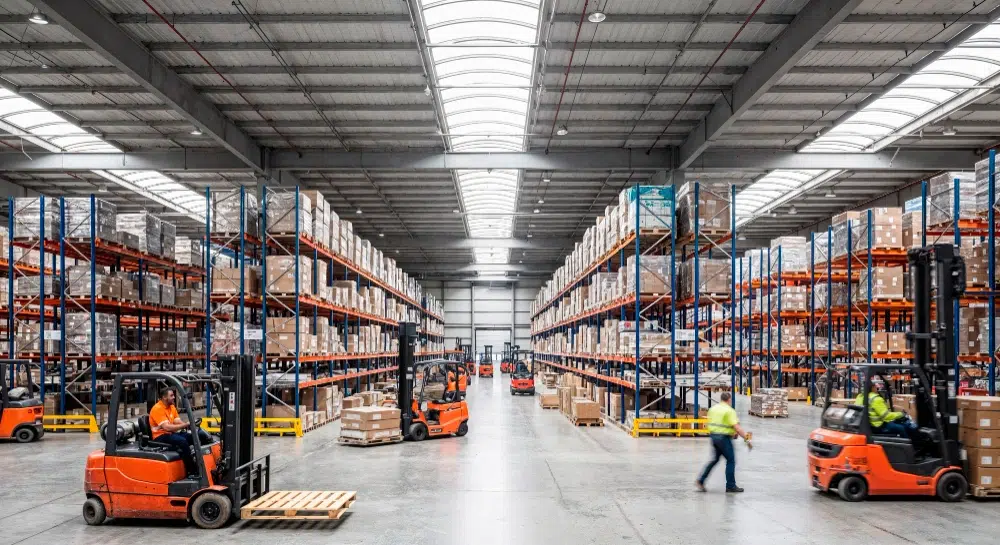
The facility was a busy NYC-area warehouse supporting daily pick/pack operations. The WiFi had been expanded over time, but it was never redesigned as one cohesive system. Therefore, performance became unpredictable as volume increased.
What the team was experiencing
- Scanner disconnects at aisle ends and cross-aisle intersections
- Slow WMS transactions in shipping and receiving during peak waves
- “Known bad spots” that supervisors avoided when staging pallets
- Frequent help desk tickets labeled as “WiFi is down” (even when it wasn’t)
Why it mattered operationally
- Pickers lost time reconnecting and re-scanning
- Supervisors spent time troubleshooting instead of managing throughput
- Shipping accuracy risk increased when devices lagged or dropped
- IT had no clear baseline to prove what changed after fixes
Expert Insight: In warehouses, WiFi is part of the production line. If you can’t trust connectivity in the aisles and staging zones, you’re not just dealing with “IT issues.” You’re dealing with throughput and labor cost issues.
What was wrong: the root causes we found
The warehouse had enough access points to show “good signal” in many areas. However, signal strength was not the real problem. Therefore, we focused on interference, roaming behavior, and workflow coverage.
AP placement optimized for convenience, not aisles
- Several APs were mounted too high for reliable aisle coverage
- Coverage was centered on open areas, not down long racking aisles
- Some APs were placed where cabling was easy, not where devices moved
Channel reuse and co-channel interference
- Too many APs were sharing the same channels in adjacent zones
- Channel widths were too wide for the density of APs and clients
- Busy times amplified airtime congestion and collision behavior
Roaming instability for scanners and forklift devices
- Devices “stuck” to distant APs while moving, then dropped suddenly
- Overlap patterns were inconsistent, so handoffs were unpredictable
- Transmit power was not balanced across the facility
No documented baseline or validation process
- No consistent test path through the warehouse
- No defined performance targets (latency, packet loss, roaming behavior)
- No post-change validation, so fixes were based on “feels better” feedback
Common Mistakes: Why warehouse WiFi upgrades fail
Adding APs without an RF plan. This often increases interference and makes roaming worse.
Testing with a laptop only. Scanners and voice devices behave differently and often have weaker radios.
Ignoring peak operations. A network can look fine after hours and fail during wave picking.
No documentation. Without a baseline, every future issue becomes guesswork.
The approach: how we ran this NYC industrial WiFi project
We treated the upgrade like a measurable engineering project. Therefore, we used a structured process that can be repeated in other facilities.
Discovery and workflow mapping
- Mapped “problem zones” to operational workflows (pick paths, staging, docks)
- Identified device types and critical applications (WMS, voice, forklift terminals)
- Documented peak usage times and high-density zones
Professional WiFi assessment and RF validation
- Reviewed existing AP placement and mounting heights
- Validated performance along real movement paths (aisles and intersections)
- Identified interference patterns and channel conflicts
- Focused on roaming behavior, not just signal strength
Design and implementation plan
- Created an aisle-focused AP placement plan
- Built a channel and power strategy for predictable coverage cells
- Defined a phased rollout to reduce operational disruption
- Aligned cabling needs and PoE requirements for new AP locations
Tips: What made this warehouse connectivity upgrade smoother
- We tested during real operating hours to capture true congestion and interference.
- We validated with the actual scanners and forklift devices, not just a phone.
- We phased changes by zone so operations could keep moving.
The fix: what we changed to stabilize warehouse WiFi
The goal was not “maximum speed.” The goal was predictable connectivity down every aisle and stable roaming through the facility. Therefore, we focused on placement, interference control, and validation.
Improved warehouse access point placement for aisle coverage
- Repositioned APs to better align with long aisles and movement paths
- Reduced “too high” placements that created weak aisle penetration
- Standardized placement patterns so overlap was consistent
Cleaned up channel planning and reduced self-interference
- Adjusted channel widths to fit the environment and AP density
- Reduced co-channel interference in adjacent zones
- Created a repeatable channel reuse pattern for expansion
Balanced transmit power to improve roaming stability
- Reduced “shouting APs” that caused sticky client behavior
- Improved handoffs at aisle ends and intersections
- Validated roaming with moving devices (forklifts and pickers)
Strengthened the wired foundation where needed
- Confirmed PoE budgets for APs and future growth
- Verified cabling quality for critical AP drops
- Checked uplinks between network closets to prevent bottlenecks
Expert Insight: The best warehouse WiFi upgrades usually involve fewer “hero” changes and more disciplined consistency: consistent AP placement, consistent channel strategy, consistent power tuning, and consistent validation.
Results: what improved after the warehouse WiFi upgrade NYC
After implementation, the biggest change was operational confidence. The warehouse team stopped working around WiFi and started trusting it again. Therefore, the improvements showed up in both IT tickets and daily workflow stability.
Observed improvements (practical outcomes)
- Fewer disconnect complaints in previously “known bad” aisles
- More stable scanner performance during peak waves
- Reduced roaming dropouts at aisle ends and intersections
- Faster troubleshooting because AP locations and intent were documented
What we delivered for long-term support
- Documented AP placement plan tied to warehouse zones
- Channel and power strategy notes for future expansion
- Validation checklist that can be reused after layout changes
- Recommendations for phased device refresh to unlock newer WiFi standards
Best practices you can copy from this warehouse network case study
If you’re planning your own upgrade, these are the repeatable lessons. Therefore, use them as a checklist before you buy hardware.
- Design for aisles and movement paths: not just open areas and office corners.
- Validate with real devices: scanners and forklifts behave differently than laptops.
- Control interference: more APs without a plan can reduce performance.
- Prioritize roaming stability: warehouses are mobile environments.
- Document everything: AP intent, placement, and baseline test paths.
- Plan the wired side: PoE budgets, uplinks, and cabling quality matter.
Industry standards and guidance (high-level, practical)
Warehouse WiFi design is grounded in standards and best practices. In addition, referencing standards helps you build a defensible plan.
- IEEE 802.11: the WiFi standard family that governs WiFi behavior and capabilities.
- RF planning principles: channel reuse, noise floor awareness, and airtime efficiency.
- Structured cabling standards (ANSI/TIA): reliable cabling and labeling for access point drops.
FAQ: warehouse connectivity upgrade
How do I know if I need a warehouse WiFi upgrade or just tuning?
If you have dead zones, roaming drops, and peak-time slowdowns, you may need both. Start with a professional assessment to identify whether placement, interference, capacity, or wired bottlenecks are the real cause.
Why do warehouse WiFi upgrades fail even after adding new access points?
Because the main issue is often interference and roaming behavior. Without a channel plan and power balancing, more APs can create more contention and less stability.
What’s the most important part of a NYC industrial WiFi project?
Validation under real conditions. Test during operating hours, along real pick paths, with the actual scanners and forklift devices. That’s how you prove the design works.
Should I use mesh WiFi for warehouse upgrades?
Mesh can help in limited cases, but it often becomes a bottleneck in warehouses. For operational reliability, wired APs are usually the best practice.
How often should I re-check WiFi after an upgrade?
Re-validate after major layout changes, racking changes, or device fleet changes. Warehouses evolve, so WiFi should be treated as a living system.
Conclusion: the best warehouse WiFi upgrades are measured, not guessed
This warehouse wifi upgrade NYC succeeded because it was built on measurement, not assumptions. By focusing on aisle coverage, interference control, roaming stability, and real device validation, the facility regained reliable connectivity where it mattered most. If you’re planning a warehouse connectivity upgrade, the same approach can help you reduce downtime, improve throughput, and make your network easier to support as the warehouse changes.
Want a Warehouse WiFi Upgrade Plan You Can Defend?
We’ll assess your RF conditions, validate roaming with real devices, and deliver a phased upgrade plan with clean AP placement, cabling guidance, and supportable documentation.
Call: 833-469-6373 or 516-606-3774
Text: 516-606-3774 or 772-200-2600
Email: hello@unifinerds.com | Visit: unifinerds.com
Free consultations • Phased implementation • Budget-friendly • Expert support