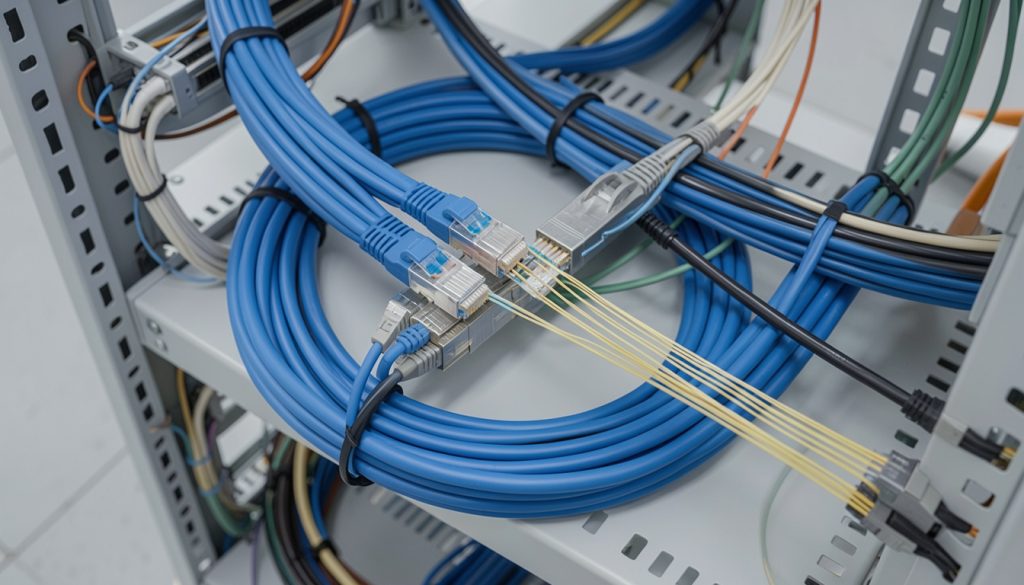
Structured Cabling for Business: Cat6 vs Cat6A vs Fiber (Decision Guide)
You’re upgrading a network, building a new office, or expanding a warehouse, and the same question comes up every time: should you run Cat6, Cat6A, or fiber? The wrong choice can hurt you in two ways. You can overspend on cabling you do not need, or you can underbuild and get stuck with bottlenecks later. This guide explains structured cabling in plain terms, with a practical decision framework for structured cabling installation, cat6 vs cat6a, fiber vs ethernet, and commercial network cabling.
If you want reliable performance today and a clean upgrade path tomorrow, the goal is to match cable type to speed, distance, environment, and budget.
What “structured cabling” really means (and why it matters)
Structured cabling is a standardized way to design and install network cabling so it is organized, labeled, testable, and easy to maintain. It is not just “pulling cable.” It is the foundation that supports switching, WiFi, VoIP, cameras, access control, and future upgrades.
What a proper structured cabling installation includes
- Clear cable pathways (tray, conduit, J-hooks) and safe routing
- Correct cable type for the environment (plenum vs riser, indoor vs outdoor)
- Termination to standards (patch panels, keystones, proper bend radius)
- Labeling on both ends and a documented port map
- Testing and certification where required
Expert Insight: Most “network problems” blamed on switches or WiFi are actually cabling problems. Bad terminations, mixed standards, and untested runs create intermittent PoE drops, packet loss, and mystery outages that waste hours of troubleshooting.
Cat6 vs Cat6A vs fiber: what each option is best for
Think of cabling as a set of tools. Each one has a sweet spot. Therefore, the best choice depends on distance, speed targets, and how long you want the install to last before a refresh.
Cat6 (copper Ethernet)
Cat6 is a common choice for general office drops and many commercial networks. It is cost-effective and supports typical business needs when distances are reasonable.
- Best for: standard office workstations, printers, VoIP phones, many cameras
- Why teams choose it: lower material cost and easier handling
- Watch-outs: higher speeds can be distance-sensitive, and quality varies by brand and install
Cat6A (copper Ethernet, higher headroom)
Cat6A is often the “future-proof” copper option for commercial network cabling. It is thicker and usually more expensive to install, but it provides more performance headroom and better noise resistance.
- Best for: higher-performance work areas, dense PoE deployments, longer-term builds
- Why teams choose it: better margin for higher speeds and reduced crosstalk
- Watch-outs: larger cable diameter means tighter pathways and higher labor time
Fiber (single-mode or multi-mode)
Fiber is the right answer when distance is long, speeds are high, or electrical isolation matters. In the fiber vs ethernet debate, fiber usually wins for backbone links between closets, floors, and buildings.
- Best for: MDF-to-IDF uplinks, multi-floor risers, warehouse backbones, campus links
- Why teams choose it: long distance, high bandwidth, and strong upgrade path
- Watch-outs: requires correct optics, clean termination, and good fiber management
A practical decision framework (choose the right cabling fast)
If you are deciding between Cat6, Cat6A, and fiber, use this step-by-step approach. It keeps the decision grounded in real requirements.
Step 1: Identify the link type (edge drop vs backbone)
- Edge drops: desk ports, APs, cameras, phones, access control
- Backbone links: MDF to IDF, IDF to IDF, floor-to-floor, building-to-building
In most commercial designs, copper is used for edge drops, and fiber is used for backbone links.
Step 2: Set your speed targets (now and later)
- Today: 1G is common at the edge, with faster uplinks in closets
- Next refresh: higher speeds become realistic as WiFi and switching evolve
If you know you will push higher speeds to the edge, Cat6A is often the safer choice. If you need high speeds across long distances, fiber is the safer choice.
Step 3: Check distance and pathways
- Long runs and complex pathways increase risk of signal and install issues.
- Backbone distances often favor fiber because it handles distance better.
- Tight pathways may make Cat6A harder to pull and manage.
Step 4: Consider PoE and device density
- WiFi access points and cameras often rely on PoE.
- Higher PoE loads increase the need for clean terminations and quality cable.
- Dense bundles can create heat and performance issues if poorly designed.
Tips: A simple “default” cabling strategy that works for many businesses
- Use fiber for MDF-to-IDF and floor-to-floor backbone links.
- Use Cat6A for WiFi APs and high-value drops where you want extra headroom.
- Use Cat6 for standard desk drops when budgets are tight and distances are reasonable.
Real-world scenarios: what to choose in common business environments
Office buildout (single floor)
Most offices do well with Cat6 or Cat6A for edge drops. If there is only one closet, fiber may be minimal. However, if you have multiple closets or future expansion, fiber uplinks are a smart move.
- Common choice: Cat6 for desks, Cat6A for APs, fiber for any closet uplinks
Retail store (POS + cameras + guest WiFi)
Retail networks often fail because of messy cabling and poor labeling, not because of “slow internet.” Therefore, prioritize clean structured cabling installation and reliable PoE delivery.
- Common choice: Cat6A for APs and cameras, Cat6 for standard drops
Warehouse (long aisles, high ceilings, multiple IDFs)
Warehouses usually benefit from fiber backbones because distances are longer and IDFs are common. In addition, AP drops often need strong PoE reliability and clean terminations.
- Common choice: fiber between closets, Cat6A to AP locations, Cat6A or Cat6 for cameras depending on distance and pathway
Data center or enterprise core
Fiber is typically the backbone standard due to density, speed, and scalability. Copper is used where it makes sense for short runs and specific device needs.
- Common choice: fiber for backbone and high-speed links, copper for select edge connections
Common mistakes that cause overspending or underperformance
Common Mistakes: Why cabling projects go sideways
Choosing cable based on marketing instead of requirements. Teams buy “the best” without defining speed, distance, and lifecycle goals.
Skipping testing and certification. Unverified runs create intermittent issues that look like switch or ISP problems.
Poor labeling and documentation. Moves, adds, and changes become slow and risky.
Ignoring pathways and bend radius. Tight pulls and sharp bends damage performance and reliability.
Underbuilding the backbone. A fast edge with a weak uplink creates hidden bottlenecks.
Best practices for commercial network cabling (what to require)
If you are hiring a vendor for commercial network cabling, these requirements protect you. They also make future troubleshooting faster.
Best practice checklist
- Use the correct cable rating for the space (plenum/riser) and local requirements.
- Maintain proper bend radius and avoid over-tightening cable ties.
- Terminate consistently (same standard everywhere) and keep pairs intact.
- Label both ends and deliver a port map that matches reality.
- Test each run and document results, especially for PoE and critical links.
- Design backbone capacity so uplinks do not become the bottleneck.
Industry standards that guide quality structured cabling
- ANSI/TIA structured cabling standards: design and installation practices for commercial cabling systems
- IEEE Ethernet standards: defines link behavior and speed negotiation for Ethernet networks
- Building code requirements (site-specific): pathway, firestopping, and plenum/riser rules
Expert Insight: If you want “future-proof,” focus on the backbone first. Upgrading edge drops is manageable. Upgrading risers and inter-closet pathways after walls are closed is where costs explode.
FAQ: structured cabling and choosing Cat6, Cat6A, or fiber
What is structured cabling?
Structured cabling is a standardized approach to installing network cabling with proper pathways, terminations, labeling, and testing. It makes the network easier to manage and more reliable over time.
Cat6 vs Cat6A: which one should my business choose?
For many standard office drops, Cat6 can be enough. If you want more headroom, better noise resistance, and a stronger long-term build, Cat6A is often the better choice. The right answer depends on distance, density, and upgrade plans.
Fiber vs Ethernet: when should I choose fiber?
In the fiber vs ethernet decision, fiber is usually best for backbone links between closets, floors, or buildings. It supports long distances and high speeds with a strong upgrade path.
Is fiber overkill for a small business?
Not always. Even small businesses benefit from fiber if they have multiple closets, long runs, or plans to scale. However, for a single-closet office with short runs, copper may be more cost-effective.
What should I ask for in a structured cabling installation quote?
Ask for cable type and rating, pathway approach, labeling standards, testing method, documentation deliverables, and how backbone links will be designed to avoid bottlenecks.
Conclusion: choose cabling based on distance, speed, and lifecycle
The best structured cabling decision is not about picking the “best cable.” It is about matching the cable to the job. Cat6 can be a smart value for standard drops. Cat6A adds headroom for higher-performance areas and dense PoE. Fiber is often the right backbone choice for distance, scalability, and long-term flexibility.
If you plan the backbone correctly, document everything, and test your runs, you get a network that is easier to support and cheaper to upgrade.
Need Help Choosing Cat6, Cat6A, or Fiber for Your Business?
We’ll review your layout, distance, and growth plans, then recommend a structured cabling approach that balances performance, scalability, and budget.
Call: 833-469-6373 or 516-606-3774
Text: 516-606-3774 or 772-200-2600
Email: hello@unifinerds.com | Visit: unifinerds.com
Free consultations • Phased implementation • Budget-friendly • Expert support