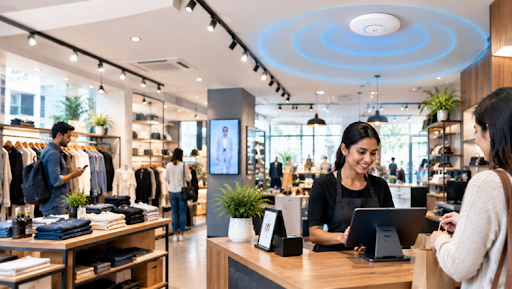
The checkout line is moving until the payment terminals slow down. Staff are checking stock on tablets, cameras are recording, and customers are streaming on guest WiFi, all at the same moment. A store connection has to carry every one of those activities without letting one disrupt another. That is the real job behind retail wireless network solutions. The design should start from how the store operates and when it gets busy, not from how many square feet need covering. This guide walks through the decisions in the order a retailer should make them, from what must keep working to how to test the finished setup before opening day.
Start With What the Store Cannot Afford to Lose
Not all wireless traffic carries the same weight. If a customer’s video stalls, they shrug. If a payment terminal hangs, a queue forms and sales walk out the door. So the first step is ranking what matters, because WiFi in retail stores has to serve several very different users at once.
Typical priorities, from most to least critical, look like this: payment terminals and POS systems, stock and inventory tools, staff tablets and scanners, security systems, digital signage, and finally guest devices. Guest access is valuable, but it should never be the reason checkout slows down.
The principle to carry through the whole project is simple: checkout and operational systems drive the design first, and guest convenience is fitted in around them.
Map the Different Types of Traffic in the Store
Once priorities are clear, list who and what actually connects. Good retail WiFi solutions treat each group as its own role:
- POS and payment systems: Need steady access and protection from customer traffic.
- Staff devices: Tablets, handheld scanners and phones that move around the store.
- Security cameras: Need consistent capacity and should not depend on guests behaving well.
- Guest WiFi: Internet access only, with no route to internal systems.
- Digital signage: Needs dependable connectivity, but with different priorities from checkout.
- Inventory devices: Often used in stockrooms customers never enter.
- Back-office equipment: Printers, desktops, and management systems.
Treating these as separate roles is the idea that matters here. The technical side is covered in the guide to network segmentation.
Keep Guest WiFi Separate From Store Operations
A customer should be able to browse online without sharing the same path as the register. That is the heart of secure guest WiFi for retail. Guest devices should not be able to reach POS systems, staff computers, cameras, printers or internal management tools. The goal is not to make guest access hard to use. It is to make sure public connections and operational systems live in different lanes, so a crowded guest network cannot affect payments and a curious visitor cannot reach anything inside the store.
You do not need to master firewall rules to apply this principle. It is enough to insist, when planning or hiring, that guest traffic is isolated from everything else. For the practical side of keeping visitors away from sensitive systems, see this guide on guest WiFi security. From here on, this article simply refers to isolated guest traffic without repeating the reasoning.
Design Coverage Around the Store Layout, Not Just Floor Area
Strong wireless reach in the middle of the sales floor says little about the stockroom or the loading door. Good WiFi coverage for retail stores follows where devices actually work. Think through each zone:
- Checkout areas: Many active devices packed into a small space.
- Sales floor: Large and open, yet still capable of high device density.
- Fitting rooms: Small enclosed spaces that can behave differently from the floor.
- Stockroom: Dense shelving and materials that interfere with the connection.
- Entrances: Handheld devices and customer phones connect as people arrive.
- Back office and loading areas: Often forgotten until something fails.
- Seating and pickup areas: Relevant where customers wait or collect orders.
Shelving can change how the connection behaves, stockrooms often hold dense materials, and checkout zones carry heavy activity. Coverage planning should follow where devices work, not just where customers stand.
Plan Access Point Placement Around Real Store Activity
Placing access points evenly across the ceiling looks tidy on a drawing, but stores rarely behave evenly. Sound retail wireless network design considers where checkout activity concentrates, how shelving breaks up open space, where staff carry devices, and where guests gather. Units mounted purely where cabling is easy, copied from an old layout, or positioned only to please customers will usually leave an operational gap somewhere.
A stockroom handheld that drops behind a row of racking is a classic example. The sales floor looks fine, so nobody notices until stock counts start failing. Placement should reflect actual store activity from the start. For the detailed method, existing guidance on access point placement and site surveys covers it, so this article stays on the retail context.
Protect Point-of-Sale Connectivity From Busy Store Traffic
This is the section that protects revenue. Reliable wireless connectivity for point-of-sale systems comes down to a few practical principles:
- Keep POS traffic separate from guest traffic.
- Avoid relying on one crowded wireless path for everything.
- Test checkout speed during realistic busy conditions, not an empty store.
- Keep payment devices on stable, documented connections.
- Make sure guest or back-office activity cannot use up what checkout needs.
- Plan backup internet if a lost connection would stop transactions.
Eight payment terminals may work normally until the Saturday rush fills the store with customer phones. That is exactly the moment the design is meant to survive. Focus on isolation and reliability here rather than making compliance claims you cannot support.
Design for the Busiest Hour, Not the Quietest One
A setup that feels fine at 10 a.m. with five shoppers can behave very differently during the lunch rush, a Saturday afternoon, a holiday sale or a product launch. Peak periods bring more customer phones, more POS activity, more staff devices, heavier camera traffic and more app usage, all at once.
This is where coverage and capacity part ways. Coverage asks whether the connection reaches an area. Capacity asks whether it can serve everyone in that area at the same time. A store can score well on the first and still struggle on the second. The design should account for simultaneous demand, not just maximum reach. When in doubt, plan around the busiest hour you realistically expect and treat the quiet hours as a bonus.
Build in a Plan for Internet Failure
Even a well-designed setup depends on an outside connection, so decide in advance what happens when it drops:
- Add a secondary internet connection.
- Consider cellular failover as a backup path.
- Prioritise the functions the store cannot stop, such as payments.
- Test failover before a real outage, not during one.
- Document what still works if the primary connection fails.
- Avoid depending on one connection for every store function.
The aim is resilience, not choosing a provider. If checkout keeps running during an outage while less critical services wait, the plan has done its job. For related thinking, see this piece on retail network readiness.
How Many Access Points Does a Retail Store Need?
There is no universal number, and anyone offering one per square foot is oversimplifying. The count depends on store size, wall and shelving layout, device density, checkout concentration, stockroom coverage, customer areas, neighbouring wireless activity and the access point model itself. A small crowded store can need a different design from a larger open one.
A compact boutique with a busy counter and many customer phones may need more capacity than a spacious showroom with few connected devices. The right answer comes from understanding the space and how it is used, ideally confirmed with a survey, not from a rule of thumb. Treat any quote that skips that step with caution.
Plan Cameras and Other Connected Systems Without Overloading the Network
Cameras, signage, scanners and printers all share the same infrastructure, and the goal is shared infrastructure without mixed traffic:
- Identify which systems need constant bandwidth.
- Keep cameras from competing unnecessarily with guest traffic.
- Use wired connections where they make more sense than wireless.
- Separate operational devices by purpose.
- Size switching and uplinks for the combined load, not each device alone.
- Check performance during busy periods.
Not everything needs to be wireless. A fixed display or a camera on a long cable run is often more stable on a wired connection, which also frees wireless capacity for the devices that actually move.
Think Differently If You Operate Multiple Stores
Retailers with several locations gain a lot from consistency in network naming, access policies, guest WiFi approach, hardware families, documentation, monitoring, and troubleshooting steps. Store number twelve should not need a completely different troubleshooting process from store number three.
But standardisation should not mean copying the same access point count and placement into every building. Each site has its own layout, shelving, and traffic. The structure stays the same while the physical design adapts to the space. A multi-location retail network works best when the rules are shared and the placement is local.
What to Check Before Retail Network Installation Begins
Before retail network installation starts, gather the following:
- Floor plan with checkout locations marked
- Stockroom layout
- Expected device count
- Guest WiFi requirements
- Camera locations
- Current internet connection
- Backup connectivity plan
- Cable routes and access point mounting locations
- Future expansion plans
- Multi-site standards, if they apply
A short readiness check like this prevents the most common surprise: discovering a missing cable route or an unplanned device group after the ceilings are already closed.
Test the Network Like the Store Is Actually Open
Validation should look like a normal trading day. Process test transactions at every register. Walk the store with staff devices. Test stockroom coverage. Connect guest devices and confirm they stay separate. Verify cameras keep recording. Check the busy areas while they are busy, and test the backup connection.
A network should be validated around workflows, not by glancing at whether a phone shows full bars. If a scanner works behind the last shelf and a payment goes through during a simulated rush, the design is doing what it was built to do.
How Retail WiFi Design Turns Into a Reliable Store Network
A dependable retail store WiFi network is the result of decisions made in sequence: operational priorities, then traffic separation, then coverage, then capacity, then resilience, then validation. Skip one and the weakness tends to appear at the worst possible moment, usually during a rush. Each step answers a question the next one depends on, which is why the order matters as much as the content.
Conclusion
A reliable retail network is designed around what the store has to keep running, not around how many access points fit on a floor plan. The path runs from checkout to separation, coverage, peak capacity, resilience and testing, and each step protects the next. For retailers planning a new location, upgrading an existing store, or standardising networks across several sites,UniFi Nerds can help design UniFi infrastructure around real checkout, staff, guest and security requirements.
FAQs
What is the best WiFi setup for a retail store?
One with reliable coverage, protected POS, separate guest access, enough capacity for busy periods and backup connectivity where needed. No single hardware model suits every store.
How can retailers provide secure guest WiFi?
Keep guest traffic separate from operational systems, restrict access to internal resources and use sensible login controls. Details are in the guest WiFi security guide.
How many access points does a retail store need?
It depends on store size, shelving, device load, layout and busy zones. A crowded small store can need more than a larger open one.
How can a retail WiFi network support POS systems and security cameras?
Keep each traffic type separate and give the network enough capacity so cameras and guest devices never disrupt checkout.
How do I improve WiFi coverage in a large retail store?
Find the weak zones, review access point positions, account for shelving, test high-use areas and run a site survey where needed.