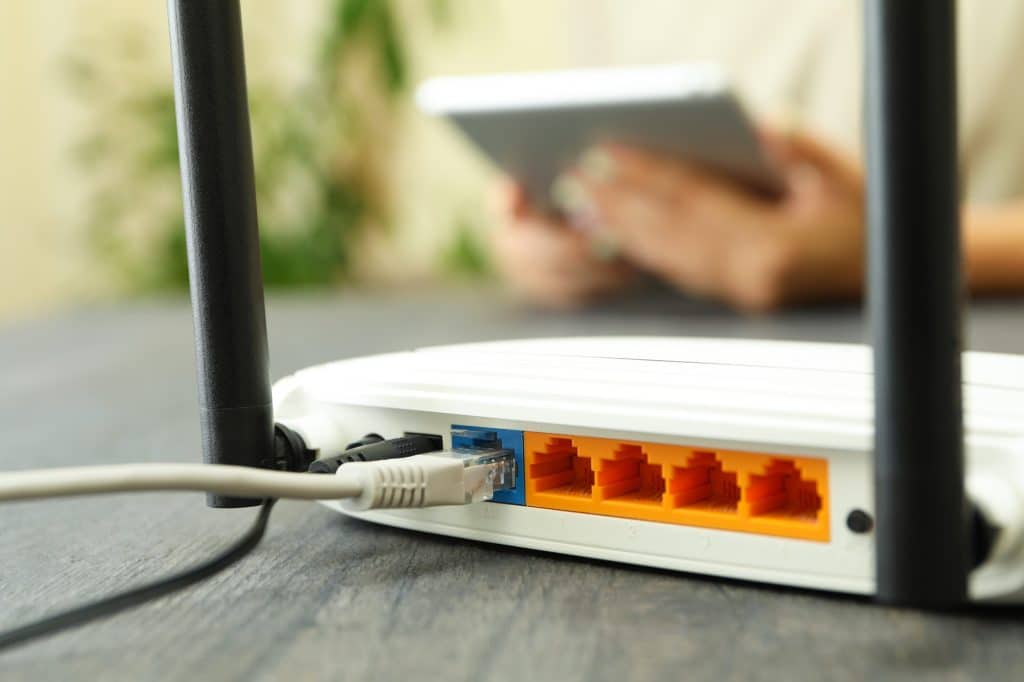
What Is a WiFi Router?
A common question is, what is a wireless router and what are WiFi routers used for? A WiFi router is a networking device that connects your local network to the internet while allowing devices to communicate wirelessly. To define WiFi router functionality, it acts as the central hub that directs data between your devices and online services.
The meaning of WiFi router is simple: it receives internet access from your modem or service provider and shares that connection with multiple devices. Understanding wireless router basics helps users improve performance, security, and overall connectivity.
Components of a Wireless WiFi Router
A standard wireless router includes several core components. Together, they manage connections, send signals, and route traffic between your devices and the internet.
- Radio transmitter: Sends and receives data using wireless radio signals.
- Antennas: Enhance the range and strength of the wireless signal.
- Processor: Handles traffic, security rules, and device connections.
- Ports: Provide Ethernet connections for wired devices (PCs, switches, VoIP phones, etc.).
- Firmware: The router’s operating software that controls features, updates, and security settings.
Because each component plays a role, a weak processor, outdated firmware, or poor antenna placement can reduce performance quickly.
How Does a Wireless WiFi Router Work?
Although routers can look complicated, the process is straightforward. Essentially, a router gets internet access, broadcasts WiFi, and then routes traffic to the right device. In other words, how does a wireless WiFi router work comes down to three steps: connect, broadcast, and route.
1. Connection to the Internet
First, the router connects to the internet through a modem or an ISP gateway. The modem receives data from your Internet Service Provider (ISP) and passes it to the router. Then the router shares that connection with your network.
2. Signal Transmission
Next, the router converts internet data into wireless radio signals. Using its antennas, it broadcasts WiFi so devices with wireless adapters can detect the network and connect. In addition, most routers also broadcast multiple networks (for example, a main network and a guest network).
3. Data Routing
When a device requests something online, the router processes the request and sends data packets to the correct destination. After that, the router receives the response and delivers it back to the device that asked for it. As a result, browsing and streaming feel seamless when everything is configured correctly.
What Is Wireless Radio on a Router?
Many users ask, what is wireless radio on router equipment? The wireless radio is the hardware component responsible for transmitting and receiving WiFi signals. It converts network data into radio frequencies that wireless devices can understand.
Modern routers often include multiple wireless radios that operate on different frequency bands such as 2.4 GHz and 5 GHz. These radios help improve coverage, speed, and reliability for connected devices.
Wireless Frequencies
Most wireless routers operate on two main frequency bands: 2.4 GHz and 5 GHz. Each band has strengths and trade-offs, so choosing the right one matters.
- 2.4 GHz: Offers longer range, but speeds are typically lower. However, it’s more likely to experience interference.
- 5 GHz: Provides faster speeds and higher capacity. On the other hand, range is shorter and walls reduce signal more quickly.
Because modern routers support dual-band (and sometimes tri-band), devices can connect to the best option based on distance, congestion, and performance needs.
WiFi Router Purpose and Functions
The purpose of WiFi router technology extends beyond providing internet access. A router manages network traffic, assigns IP addresses, secures connections, and ensures data reaches the correct device.
If you’re wondering what do WiFi routers do, they perform several important functions:
• Connect multiple devices to the internet.
• Manage data traffic efficiently.
• Provide wireless connectivity.
• Enhance network security.
• Support communication between devices.
Whether you’re researching how a WiFi router works, how the WiFi router works, or WiFi router how it works, understanding these functions makes it easier to optimize your network.
Optimizing the Performance of Your Wireless Router
If your WiFi feels slow or unreliable, a few changes can make a big difference. For best results, combine good placement with security and routine maintenance.
- Placement: Put the router in a central location, elevated, and away from thick walls or metal objects.
- Firmware updates: Update firmware regularly to improve security and stability.
- Security settings: Protect your network with strong passwords and WPA3 when available.
- Device management: Review connected devices and remove anything you don’t recognize.
In addition, if you have dead zones, you may need better placement, more access points, or a redesigned layout rather than “more power.”
FAQ
What is a WiFi router?
A WiFi router is a networking device that connects your local network to the internet and allows wireless devices to communicate without cables.
How do wireless routers work?
Wireless routers receive internet data from a modem or ISP gateway, convert it into wireless signals, and route data between connected devices and the internet.
What does a WiFi router do?
A WiFi router manages network traffic, provides wireless internet access, and directs data to the appropriate devices.
What are WiFi routers used for?
WiFi routers are used to connect multiple devices to the internet, manage wireless communications, and secure network access.
What is a router used for WiFi?
A router used for WiFi broadcasts wireless signals that allow compatible devices to access the internet without Ethernet cables.
Conclusion
In summary, how does a wireless WiFi router work? It connects your network to the internet, broadcasts WiFi, and routes traffic between your devices and online services. Once you understand the basics, it’s easier to improve performance, tighten security, and avoid common setup mistakes.
If you’re considering enhancing your home or office network, reach out for expert guidance. Book a free consultation with the UniFi Nerds today via
UniFi Nerds
to schedule your session. We’ll help you optimize your wireless networking experience.