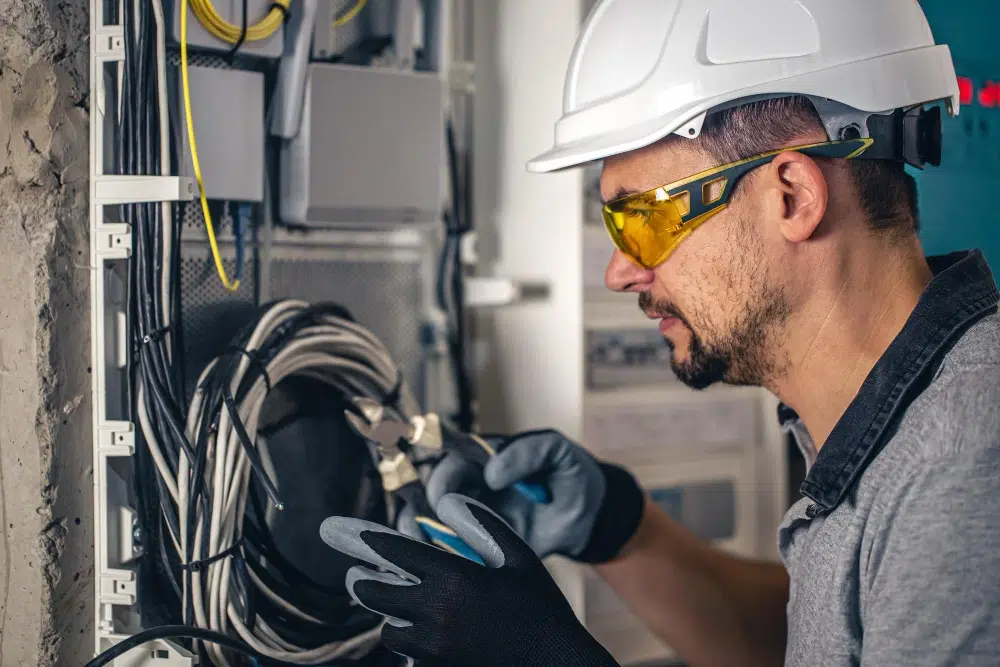
7 Wired Home Infrastructure Mistakes New Builders Make in California
A new home can look modern and still feel “behind” on day one if the wiring plan is weak. In California, buyers expect strong WiFi, reliable security, and work-from-home performance that does not fall apart when the house is full of devices. However, many new builds still repeat the same avoidable errors. This guide breaks down the most common home wiring mistakes California builders make, why these California new build errors happen, and how to avoid the most expensive structured wiring mistakes and pre-wire pitfalls CA before drywall goes up.
These issues show up in real life as dropped video calls, lagging cameras, dead zones in bedrooms, and messy retrofits after move-in. Therefore, the goal is simple: build wiring that supports today’s smart home needs and tomorrow’s upgrades.
Why wiring mistakes are so costly in California new construction
During framing, adding a cable run is usually straightforward. After drywall, every change becomes a patch, a paint match, and a scheduling headache. Therefore, wiring mistakes are not just technical problems. They become budget and reputation problems.
What homeowners complain about after move-in
- WiFi dead zones in bedrooms and offices
- Unstable smart home devices and frequent disconnects
- Security cameras that lag or drop offline
- No clean place for network gear and wiring
- “We should have added more drops” regret
Expert Insight: Most smart home problems are not device problems. They are infrastructure problems. If the home is wired for access points, cameras, and key rooms, the smart home becomes stable and easy to support.
Mistake #1: Treating WiFi like a substitute for wiring
This is the most common of all home wiring mistakes California builders make. A powerful router is not a whole-home network plan. However, many new builds still rely on “one router in a closet” and hope for the best.
Why it happens
- WiFi is seen as a product choice, not a design decision
- Builders assume mesh will solve coverage
- There is no pre-wire plan for access points
What it causes
- Dead zones in corners, upstairs rooms, and garages
- Unstable performance during peak household usage
- More support calls and unhappy homeowners
How to fix it (before drywall)
- Pre-wire ceiling access point locations (one per floor as a baseline)
- Home-run each access point cable to the network closet
- Plan outdoor and garage coverage if the home has those lifestyle zones
Tips: The fastest path to “great WiFi” in a new build
- Wire access points first, then choose the WiFi hardware.
- Keep access points on wired backhaul, not wireless mesh hops.
- Wire TVs and offices so WiFi is not overloaded by fixed devices.
Mistake #2: Putting the network “heart” in the worst possible location
Many California new build errors start with the network closet. Builders often place network gear where the ISP enters, which is convenient for the provider but not for performance or serviceability.
Why it happens
- ISP entry is planned late and becomes the default network location
- Closets are sized for a small panel, not real equipment
- Ventilation and power needs are underestimated
What it causes
- Overheating routers and PoE switches
- Messy wiring and hard-to-service terminations
- WiFi hardware forced into a bad coverage location
How to fix it
- Plan a dedicated network area with ventilation and access
- Provide enough wall space for a patch panel or small rack
- Include proper power and space for a UPS
Mistake #3: Under-wiring the rooms that matter most
Under-wiring is one of the most expensive pre-wire pitfalls CA because it forces homeowners to rely on WiFi for everything. Therefore, WiFi becomes congested and performance becomes inconsistent.
Rooms that are commonly under-wired
- Home offices
- TV walls and media rooms
- Bedrooms used for gaming or streaming
- Finished basements and ADUs
- Garages used as gyms or workshops
Practical drop counts that prevent regret
- Office: 2–4 drops
- TV wall: 2 drops
- Bedrooms: 1–2 drops
- Garage: 1–2 drops
Real-world scenario: A homeowner has one Ethernet jack behind the TV and none in the office. They add a switch and WiFi extenders later, but the network still feels inconsistent. Two extra drops during framing would have solved it cleanly.
Mistake #4: Skipping conduit and upgrade pathways
If you want a home that can evolve, you need pathways. However, many builders skip conduit because it feels optional. In reality, conduit is one of the best “future-proofing” investments you can make.
Why it happens
- Conduit is viewed as an extra cost with no immediate payoff
- There is no clear plan for future cable pulls
- Trades are not coordinated early enough
What it causes
- Expensive retrofits for new tech
- Surface-mounted raceways and visible patchwork
- Limited options for upgrades like fiber or new camera locations
How to fix it
- Add conduit from the network closet to attic and/or crawl/basement
- Consider conduit to key TV walls and office zones
- Leave pull strings and document pathways
Expert Insight: Conduit is what makes a home truly future-ready. You do not need to predict every device. You just need a clean path to add cable later without opening walls.
Mistake #5: Installing the wrong cable type or mixing standards without a plan
Some structured wiring mistakes are not about quantity. They are about consistency. Mixing cable types, using low-quality cable, or using the wrong cable for long runs can limit performance and create troubleshooting headaches.
Why it happens
- Material decisions are made by price, not performance needs
- No standard is set for the project
- Different crews use different materials over time
How to fix it
- Standardize cable type for the project (often Cat6 or Cat6A)
- Use Cat6A for longer runs and high-demand areas when practical
- Keep terminations consistent and professional
In addition, ensure the cable, connectors, and patch panels are compatible and installed correctly. A “good cable” with a bad termination still fails in the real world.
Mistake #6: No labeling, no documentation, and no as-built map
This is one of the most frustrating California new build errors because it turns a clean install into a mystery system. Therefore, future service becomes slow and expensive.
Why it happens
- Labeling is treated as optional cleanup work
- There is no standard naming format
- No one owns the final documentation task
What “good” looks like
- Label both ends of every cable run
- Use a consistent naming format (Floor-Room-Wall-Port)
- Provide a simple as-built map that matches labels
Mistake #7: Skipping cable certification testing (or only doing basic continuity tests)
Testing is what separates “we ran cable” from “this is a professional installation.” However, many builders skip certification testing because everything “seems fine” at rough-in. That is a risky assumption.
Why it happens
- Testing is seen as time-consuming
- Crews rely on basic testers that only check continuity
- Problems are assumed to be rare in new construction
What it causes
- Bad terminations discovered after move-in
- Intermittent performance issues that are hard to diagnose
- Costly rework when walls are finished
How to fix it
- Test every run before drywall
- Test again at trim-out
- Keep results by drop ID as part of the turnover package
Structured cabling installation: a simple best-practices baseline for builders
If you want to avoid the most common home wiring mistakes California homeowners complain about, set a repeatable baseline. Therefore, every project gets the same standard of wiring quality.
Structured cabling installation best practices
- Home-run every cable to a central network location
- Use patch panels for clean termination and serviceability
- Maintain bend radius and avoid cable damage
- Use proper supports and keep pathways clean
- Label both ends of every run
- Provide an as-built map and test results
Commercial network cabling habits that improve residential outcomes
- Centralized termination and clean patching
- Consistent labeling and documentation
- Cable certification testing for every run
- Planning PoE for cameras and access points
Tips: How builders can reduce callbacks and increase buyer satisfaction
- Include wired access point locations as a standard feature.
- Standardize drop counts for offices and TV walls.
- Deliver a simple turnover package: labels, as-builts, and test results.
FAQ: home wiring mistakes California
What is the #1 wiring mistake in California new builds?
Relying on WiFi instead of wiring access points and key rooms. WiFi improves when the home has wired infrastructure behind it.
How many Ethernet drops should a new build have?
It depends on lifestyle, however offices and TV walls should have multiple drops. In addition, wiring access points per floor prevents dead zones.
Is conduit really necessary for future-proofing?
Conduit is one of the best ways to avoid expensive retrofits. It provides a path for future cable pulls without opening walls.
What should homeowners ask for at handoff?
They should ask for labeling, an as-built map, and cable certification testing results. Therefore, future troubleshooting is faster and cheaper.
What standards should structured wiring follow?
Professional structured cabling commonly aligns with ANSI/TIA structured cabling standards for performance and administration. In addition, Ethernet aligns with IEEE 802.3.
Conclusion: Avoiding pre-wire pitfalls CA is easier than fixing them later
California buyers want smart homes that feel reliable, not fragile. However, reliability starts with infrastructure. If builders avoid these seven home wiring mistakes California projects often repeat, they reduce callbacks, improve buyer satisfaction, and deliver homes that are ready for modern life. The best time to fix wiring is before drywall. Therefore, plan access points, wire key rooms, add conduit pathways, label everything, and certify test every run.
Want to Avoid Wiring Regrets in Your California New Build?
We’ll help you design a clean, labeled, tested wiring plan with the right Ethernet drops, wired access points, and upgrade pathways so your smart home works reliably from day one.
Call: 833-469-6373 or 516-606-3774
Text: 516-606-3774 or 772-200-2600
Email: hello@unifinerds.com | Visit: unifinerds.com
Free consultations • Phased implementation • Budget-friendly • Expert support