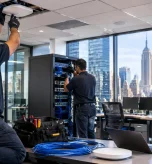

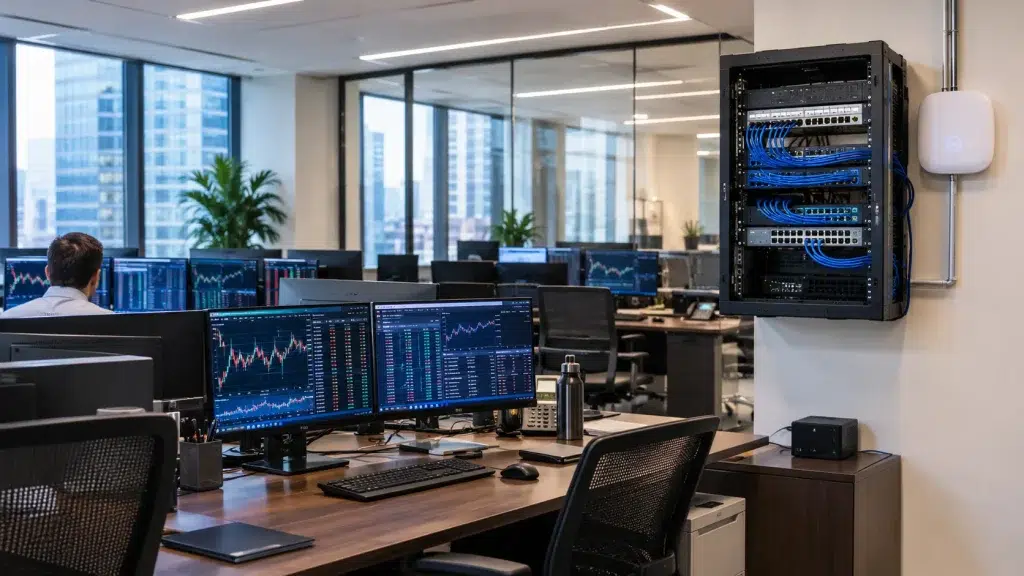
A hedge fund office network setup has an odd problem to solve. The firm might be fifteen or twenty people in a Midtown suite. Yet it handles investor data, deal documents, and market connections that a bank would guard with a whole security team. Most boutique funds don’t have that team. They have a COO who also owns IT, plus an outside vendor they call when something breaks.
Family offices land in the same spot. Small staff, high stakes, and very little tolerance for downtime or leaks. So the network has to be built right from day one and run with very little hands-on care. Here’s how we approach it for funds across Midtown, the Plaza District, and the Financial District.
Three Networks, Not One
The single biggest upgrade most small funds can make is segmentation. In plain terms, you split one office network into separate lanes that can’t see each other.
Trading and investment team: the desks, terminals, and research tools, kept on their own segment with tight rules. Operations and back office: accounting, investor relations, and file storage, separated from trading so a problem in one doesn’t spill into the other. Guests: visiting investors, auditors, and vendors get internet access and nothing more. Building systems: cameras, door readers, and printers sit apart too, since they’re common entry points for attackers.
Why bother? Because if a guest’s laptop or a smart TV gets compromised, the damage stops at its own lane. Our guide to network security with VLANs and monitoring walks through the setup in more detail.
Investment Firm Network Security Starts With Who Can Log In
A shared WiFi password taped under the reception desk is still more common than you’d think. For an investment firm, it’s a real risk. Anyone who ever had that password can still get on the network, including former employees.
Better investment firm network security ties network access to each person’s own account. When someone joins, they get access. When they leave, it’s gone that afternoon. Single sign-on makes this practical for a small team, because people use one login across their tools instead of a dozen passwords. Our post on SSO for small and mid-sized businesses explains how it works and whether it’s worth it. We pair that with a firewall that blocks known threats and alerts you to anything unusual, plus the basics covered in our ransomware protection guide.
Two Internet Lines and No Single Point of Failure
Let’s be clear about what a network can and can’t promise. We can’t make anyone’s investments perform better. What we can do is make sure the office stays connected when something outside the office goes wrong.
Most outages start with the internet provider, not the equipment inside. A cut fiber line on the block can take an entire floor offline. So every hedge fund office network setup we design includes a second connection, ideally from a different carrier on a different path into the building. A UniFi gateway switches to the backup automatically. We also check which carriers actually serve your building first, because many Manhattan towers limit the options.
Cameras and Door Access on the Same Screen
Physical security matters as much as digital. A small fund still needs to know who came through the door after hours and who walked into the server closet. Usually that means a separate camera system, a separate access system, and two more vendors to manage.
UniFi puts WiFi, cameras, and door access in one dashboard. The COO can pull up a door log, match it to camera footage, and revoke a badge from a phone. Footage records to equipment the firm owns, so it stays in-house. For a family office that also runs security at a principal’s residence, the same platform can cover both sites.
Is UniFi Enterprise Enough for a Fund?
It’s a fair question, and the honest answer is: for most boutique funds, yes. UniFi gives you segmentation, strong firewalls, single sign-on support, and central management without yearly license fees on every device. That fits a 20-person office very well.
That said, there are cases where a large enterprise platform makes more sense, such as firms with complex compliance tooling or a big in-house IT team that already runs one. We cover that tradeoff openly in our post on UniFi vs enterprise WiFi. If your fund falls into that category, we’ll tell you.
A Discreet Hedge Fund Office Network Setup Process
Funds value privacy, and that extends to their vendors. Our crews don’t talk about clients, don’t post project photos without permission, and stay out of the way. We schedule work around market hours and keep the office presentable for investor meetings.
The process is simple. A confidential walk-through first. Then a written design with clear costs. Installation happens after hours where possible, followed by testing and a handover with documentation your outside IT provider can use. You can see our broader Manhattan work on our network installation Manhattan page.
Hedge Fund Office Network Setup FAQs
Do we need a full-time IT person to run this?
No. The network is managed from one dashboard and can be monitored remotely. Many funds pair it with an outside IT provider or our managed monitoring.
Can guests and investors use our WiFi safely?
Yes. Guests get a separate network that only reaches the internet. It can’t see trading systems, file storage, or staff devices.
What happens if our internet provider goes down?
With a second connection in place, the network switches over automatically and keeps the office online while the main line is repaired.
Will the installation disrupt the trading day?
We schedule disruptive work outside market hours and keep crews out of client areas during the day.
Final Thoughts
A small fund doesn’t need a big IT department to be secure. It needs a network designed so the right people get in, the wrong people stay out, and the office stays online when the street outside has a bad day. Get the architecture right once, and the day-to-day becomes almost boring. For a hedge fund office network setup, boring is the goal.
Request a Confidential Consultation
Running a fund or family office in Manhattan? We’ll review your network privately and design segmented, redundant, secure infrastructure built for a small team with high stakes.
Call: 833-469-6373 or 516-606-3774
Text: 516-606-3774 or 772-200-2600
Email: hello@unifinerds.com | Visit: unifinerds.com
Free consultations • Phased implementation • Budget-friendly • Expert support