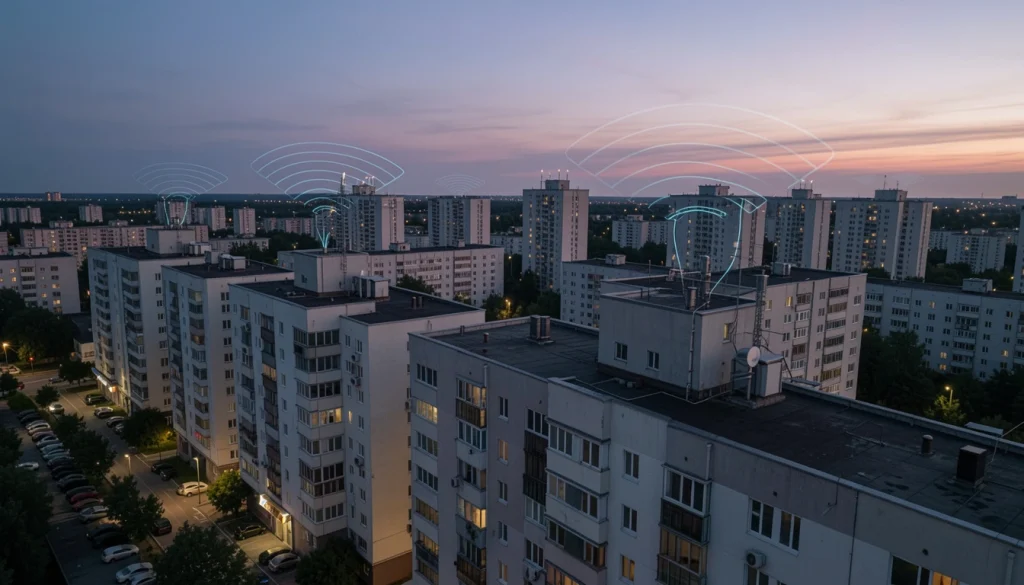
High-Rise & Multi-Unit Building WiFi: Concrete, Interference, and Roaming Done Right
If you manage a high-rise or multi-unit property, you have probably heard the same complaints: “WiFi is fine in the lobby but dead in the unit,” “it drops when I walk down the hall,” or “my neighbor’s network is stronger than mine.” That is the reality of apartment building wifi in dense buildings. High rise wifi and condo wifi fail for predictable reasons: concrete walls, stacked floors, crowded airwaves, and roaming that was never validated. This guide explains how to design multi dwelling unit wifi that works, including how to reduce wifi interference concrete walls problems and how to get stable roaming across floors, corridors, and shared spaces.
The goal is simple: reliable coverage, fewer dead zones, less interference, and a network that is supportable for property teams, ISPs, and MSPs.
Why apartment building WiFi is harder than office WiFi
Multi-unit buildings are high-density RF environments. In addition, the building materials and layouts often work against you.
Common building factors that break WiFi
- Concrete and rebar: attenuates signal and creates unpredictable reflections.
- Stacked floors: RF can bleed vertically, causing co-channel interference between floors.
- Long corridors: create “waveguide” effects where signal travels far, then collapses behind corners.
- Elevator shafts and mechanical rooms: add noise and multipath.
- Hundreds of neighbor networks: channel contention becomes the real bottleneck, not signal strength.
Expert Insight: In high-rise WiFi, “more signal” is not always better. If you crank transmit power to punch through concrete, you often create bigger cells, more overlap, and more contention. The result can be worse roaming and lower real throughput, even when the bars look strong.
Concrete walls and WiFi interference: what’s really happening
WiFi interference concrete walls is a common phrase, but the issue is usually a mix of attenuation and contention. Concrete reduces signal, so devices hang onto weak connections longer. Meanwhile, neighboring networks compete for airtime, so even strong signal can feel slow.
Two problems that look the same to residents
- Weak coverage: the device cannot maintain a usable signal through concrete or around corners.
- High contention: the device has signal, but the channel is busy and performance collapses.
Real-world scenario: A condo resident reports “WiFi drops in the bedroom.” A quick check shows decent signal. However, a survey reveals the channel is saturated by multiple neighboring APs. The fix is not another AP in the hallway. It is better channel planning, right-sized cell coverage, and sometimes moving devices to a cleaner band strategy.
Design options for multi dwelling unit WiFi (pick the right model)
There is no one-size-fits-all design for multi dwelling unit wifi. The best approach depends on ownership model, support expectations, and budget.
In-unit AP model (best for performance and privacy)
- Each unit gets its own AP (or gateway + AP) and its own network.
- Shared spaces get separate APs with a dedicated SSID.
- Pros: better coverage through concrete, less hallway dependence, clearer accountability.
- Cons: more devices to manage, needs consistent standards and documentation.
Corridor/hallway AP model (common, but higher risk)
- APs are placed in hallways to serve multiple units.
- Pros: fewer APs, simpler physical access.
- Cons: concrete walls reduce in-unit performance, roaming can be messy, higher contention.
Hybrid model (often the best compromise)
- In-unit APs for hard-to-penetrate units and high-value tiers.
- Hallway APs for common coverage and lighter-use zones.
- Dedicated design for amenities (gym, pool, lobby, conference rooms).
Tips: How to choose the right MDU WiFi model
- If concrete is heavy and units are deep, prioritize in-unit APs for reliable coverage.
- If you need predictable support outcomes, avoid “one hallway AP covers everything” assumptions.
- For amenities, design for capacity, not just coverage, especially in lobbies and gyms.
Roaming done right: why high-rise WiFi drops when people move
Roaming issues are one of the biggest complaints in high rise wifi. People experience it as “it disconnects in the hallway” or “calls drop in the elevator lobby.” The root cause is usually a mix of cell overlap, power levels, and client behavior.
What causes poor roaming in condos and apartments
- Cells are too large: devices stay attached to a far AP instead of moving to a closer one.
- Too much overlap: multiple APs compete, and clients make inconsistent decisions.
- Channel reuse is sloppy: neighboring APs on the same channel create contention.
- Band steering assumptions: clients do not always behave the way you expect.
Real-world scenario: A hotel has strong coverage everywhere, but guests complain about video calls dropping when walking from room to elevator. The issue is not “weak signal.” It is roaming timing under active traffic. The fix is adjusting AP placement, power, and channel reuse so clients roam earlier and more consistently.
Expert Insight: Roaming must be validated with active traffic while moving. “Standing still speed tests” do not reveal roaming failures. In addition, test the real paths people take: unit to hallway, hallway to elevator lobby, elevator lobby to amenity spaces.
How to reduce interference in apartment building WiFi (without overbuilding)
In dense buildings, interference is often really “too many networks sharing the same channels.” Therefore, your job is to control channel reuse and reduce unnecessary airtime usage.
Best practices to reduce interference and contention
- Use a channel plan: avoid random auto settings across floors and wings.
- Right-size channel width: wider is not always better in crowded RF.
- Control transmit power: reduce oversized cells that bleed into other floors.
- Limit SSID count: too many SSIDs increase management overhead and airtime use.
- Separate high-density areas: amenities need their own capacity plan.
Special note for concrete high-rises
Concrete reduces signal, so it is tempting to increase power. However, higher power can increase co-channel interference across floors and corridors. A better approach is often more precise AP placement and controlled power, not brute force.
WiFi site surveys for multi-unit buildings: what to measure
High-rise and MDU WiFi should be survey-driven. Otherwise, you are guessing. A proper survey includes predictive planning and on-site validation.
What a good survey workflow includes
- Predictive planning: model floors, wall types, and likely AP placement.
- Passive survey: measure existing RF, neighbor networks, and channel utilization.
- Active validation: test throughput, latency, and roaming in real paths.
- Device-based testing: test with phones, laptops, and any property-specific devices.
Industry guidance typically aligns with using structured methods and repeatable validation. In addition, cabling and pathway standards matter because poor cabling can look like “WiFi issues” when it is actually uplink instability.
Common Mistakes: Why MDU WiFi projects fail after “successful installs”
Designing from a single floor plan. Floors differ, and RF behaves differently near mechanical areas and shafts.
Over-relying on hallway APs. Concrete walls make hallway coverage unpredictable inside units.
No roaming validation. The network looks fine until people move during calls or streaming.
Ignoring neighbor networks. In dense buildings, contention is often the real limiter.
No documentation. Without port maps and AP placement records, troubleshooting becomes slow and expensive.
Best practices checklist: apartment building WiFi that stays stable
Use this checklist when planning apartment building wifi or auditing an existing deployment.
Coverage and placement
- Prioritize in-unit coverage where concrete blocks hallway signal.
- Design amenities for capacity and peak usage, not average usage.
- Account for vertical bleed-through and plan channel reuse by floor.
Roaming and performance
- Validate roaming with active traffic on real walking routes.
- Control power and overlap to encourage consistent roaming decisions.
- Use consistent SSID and security settings across the property where appropriate.
Operations and support
- Document AP locations, switch ports, VLANs, and SSIDs.
- Standardize configurations across floors and buildings.
- Plan maintenance windows and a change process to avoid resident disruption.
Standards and guidance to reference
- IEEE 802.11: WiFi behavior, roaming fundamentals, and client compatibility
- ANSI/TIA cabling standards: structured cabling practices that support reliable uplinks and PoE
- Security best practices: segmentation and guest isolation principles for shared environments
Expert Insight: In multi-unit buildings, the best long-term ROI comes from a design that is easy to operate. A slightly “less aggressive” design that is documented, standardized, and validated will outperform a complex design that nobody can support after handoff.
FAQ: high-rise WiFi and multi dwelling unit WiFi
Why does WiFi struggle in concrete apartment buildings?
Concrete and rebar absorb and reflect RF, which reduces signal strength and creates multipath. In addition, dense neighbor networks increase channel contention, so performance can drop even when signal looks strong.
Is hallway WiFi enough for condo WiFi?
Sometimes, but it is risky in heavy concrete buildings. Hallway APs often cannot deliver consistent in-unit performance. Therefore, many properties use a hybrid model or in-unit APs for reliable coverage.
How do you reduce WiFi interference in a high-rise?
Use a channel plan, control transmit power, right-size channel width, and keep SSID count low. In dense buildings, reducing contention is often more important than increasing signal.
What is the best way to validate roaming in multi-unit buildings?
Run active tests with real traffic while walking real routes (unit to hallway to elevator lobby to amenities). Standing still tests do not reveal roaming failures.
What should property managers ask for in an MDU WiFi proposal?
Ask for a survey-driven design, a channel and power strategy, roaming validation steps, documentation deliverables, and a support plan that fits resident expectations.
Conclusion: reliable apartment building WiFi is engineered, not guessed
Strong apartment building wifi is not about buying more access points. It is about designing for concrete, planning for interference, and validating roaming in real movement paths. When you choose the right deployment model, control channel reuse, and document the network, you get stable condo wifi and high rise wifi that residents and staff can rely on.
If your building is dealing with dead zones, interference, or roaming complaints, start with a proper survey and a supportable design. The fixes are usually straightforward once you measure the right things.
Need High-Rise WiFi That Works Through Concrete and Roams Cleanly?
We’ll assess interference, validate roaming, and design a multi-unit WiFi plan that delivers reliable coverage across floors, corridors, and amenities.
Call: 833-469-6373 or 516-606-3774
Text: 516-606-3774 or 772-200-2600
Email: hello@unifinerds.com | Visit: unifinerds.com
Free consultations • Phased implementation • Budget-friendly • Expert support