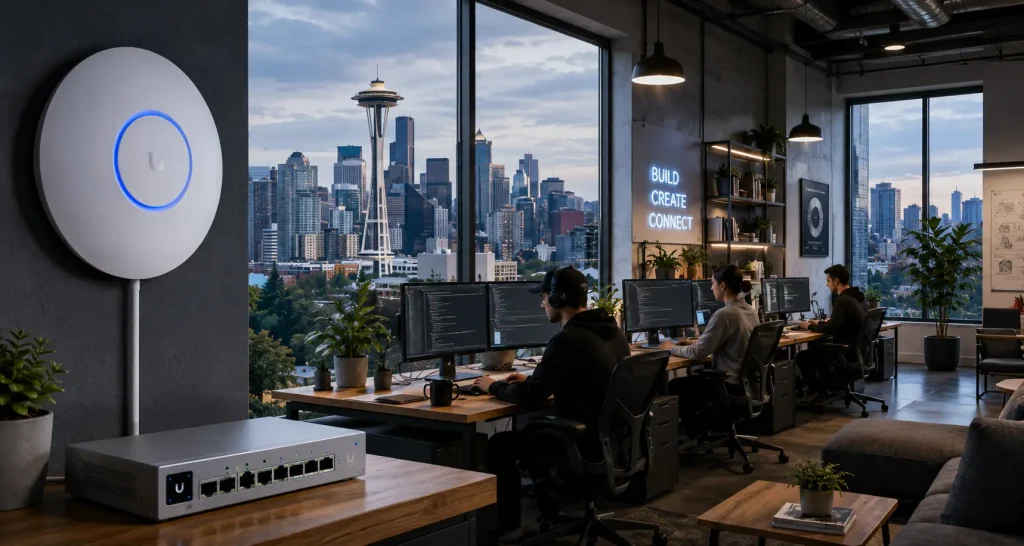
Most startup office network setup Seattle teams inherit looks the same. Someone bought a consumer router at a big box store. It worked fine for eight people. Then the team grew to thirty, added a design studio next door, and started running daily video calls with investors. Now the WiFi drops mid-pitch.
You don’t need an enterprise network built for a Fortune 500 company. You also can’t run on consumer gear forever. UniFi sits in the middle, and that’s exactly where most Seattle tech offices need to be.
Why Seattle Tech Offices Outgrow Basic WiFi Fast
Seattle’s startup scene is dense and it’s growing. South Lake Union, Bellevue, and Fremont all have the same pattern. A small team moves into a shared office or a converted warehouse space. The network that came with the lease was never built for a real tech team.
Device Density Sneaks Up on You: A ten-person team might run twenty or thirty connected devices once you count laptops, phones, monitors, and smart displays in conference rooms. Consumer routers choke well before that number.
Video Calls Expose Weak Networks Fast: Nothing reveals a bad network faster than a frozen video call with an investor watching. Tech office wifi needs to prioritize video traffic, not just handle it as an afterthought.
UniFi vs Enterprise: The Budget Reality for Startups
Enterprise networking vendors like Cisco and Aruba build excellent hardware. They also build enterprise price tags. A comparable enterprise deployment can run two to three times what UniFi costs for the same coverage and device count.
Enterprise Features, Startup Pricing: UniFi delivers VLAN segmentation, centralized management, and enterprise-grade security without the enterprise licensing fees. Most startups don’t need the extra headroom that enterprise platforms build in for 10,000-employee companies.
No Ongoing License Costs: UniFi’s controller software is free. Enterprise platforms often charge annual licensing per device or per user. That difference compounds fast as your headcount grows.
Our UniFi vs enterprise WiFi tradeoffs breakdown covers this comparison in more depth if you’re weighing both options.
Designing Office WiFi for Hybrid Work
Hybrid work changes what an office network actually needs to do. It’s not just about covering desks anymore.
Conference Rooms Carry More Weight: When half your team works remote, every conference room becomes a video studio. Office wifi for hybrid work needs dedicated bandwidth planning for these rooms, not just blanket coverage.
Guest and Contractor Access: Startups bring in contractors, investors, and partners constantly. A separate guest network keeps outside devices off your core infrastructure without slowing anyone down.
Flexible Seating Needs Even Coverage: Hot-desking and open studio layouts mean people sit in different spots every day. Even coverage across the whole floor matters more than it did with assigned desks.
Security Considerations for Startup Networks
Startups handle sensitive data early. Customer information, product code, and investor materials all sit on the same network as everyone’s personal phone.
Network Segmentation: VLANs separate your engineering team’s traffic from your guest WiFi and your office IoT devices. A compromised smart thermostat shouldn’t put your codebase at risk.
Centralized Visibility: UniFi’s dashboard shows every connected device in one place. For a startup ops manager wearing five hats, that visibility matters more than a longer feature list you’ll never touch.
What a Startup Office Network Setup Actually Includes
A proper business network installation Seattle startups need usually includes a handful of core pieces, sized to your actual headcount and layout.
Access Points Sized to Your Space: Open studio layouts need different coverage than a floor of small offices. The right count depends on square footage and how many devices each room needs to support.
A Gateway That Handles Real Traffic: Your router needs to route video calls, cloud app traffic, and internal file transfers without choking during your busiest hour of the day.
Room to Grow: Startups scale unevenly. A network that works for fifteen people should extend cleanly to fifty without a full rebuild. Our office WiFi planning guide walks through how to size a network for growth instead of just today’s headcount.
How UniFi Nerds Helps Seattle Startups
We’ve built this exact playbook before. Our NYC startup case study shows how a fast-growing team got enterprise-grade WiFi running in two weeks without a large upfront cost. We bring that same approach to Seattle’s tech corridor.
Our Process: We start with a walkthrough of your space, not a generic quote. From there, we design a network sized to your team today and your growth plans for next year.
Whether you’re setting up a new office in South Lake Union or upgrading a growing team in Bellevue or Fremont, our Seattle UniFi installation team handles the full build. If you already have a network that’s underperforming, our Seattle UniFi support team can audit and fix it.
Frequently Asked Questions About Startup Office Networks in Seattle
Do Seattle startups really need UniFi instead of a consumer router?
Past about ten to fifteen people, yes. Consumer routers weren’t built for the device density or video call demands of a growing tech office.
Is UniFi enough for a startup, or does it need to be enterprise-grade?
For most startups, UniFi covers everything an enterprise platform does at a fraction of the cost. Enterprise gear makes sense at a much larger scale than most startups operate at.
How fast can a startup office network setup happen in Seattle?
Most single-floor office installs take a few days once the design is finalized. Larger multi-floor buildouts take longer depending on cabling needs.
Can the network handle both office staff and hybrid remote workers?
Yes. The network itself handles in-office traffic, while your cloud tools and VPN handle remote access. The two work together, not against each other.
What happens as our team grows past our current office?
A well-designed UniFi network extends cleanly. Adding access points or a second location doesn’t require rebuilding what you already have.
Final Thoughts on Startup Office Networks in Seattle
Startup office network setup Seattle teams need doesn’t require an enterprise budget or an enterprise headache. It requires a network sized correctly for real device density, real video call demands, and real growth plans.
If your team has outgrown the router that came with your lease, that’s the sign it’s time for a proper assessment.
Ready for a Free Office Network Assessment in Seattle?
We’ll walk your space, map out what your team actually needs for video calls, device density, and security, and show you where UniFi beats an enterprise price tag without cutting corners.
Call: 833-469-6373 or 516-606-3774
Text: 516-606-3774 or 772-200-2600
Email: hello@unifinerds.com | Visit: unifinerds.com
Free consultations • Phased implementation • Budget-friendly • Expert support