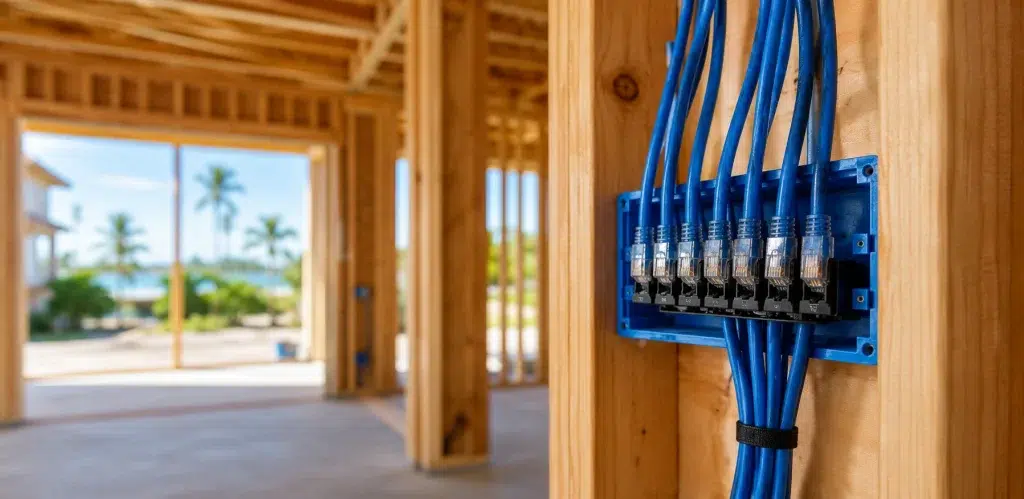
Why Florida New Home Builders Are Prioritizing Ethernet Over WiFi in 2026
Florida homeowners love smart homes, outdoor living, and fast internet. However, many new builds still end up with the same complaint after move-in: “The WiFi is great near the router, but it falls apart everywhere else.” That’s why ethernet wiring new home Florida is becoming a priority in 2026. Builders are learning that strong WiFi is usually the result of strong wiring. When Florida new construction wiring includes the right Cat6 runs, access point locations, and a clean network closet, the home performs better and generates fewer callbacks. In this guide, we’ll explain why Cat6 Florida home planning is winning over “WiFi-only” builds, and what a wired network Florida homebuilder scope should include.
Target audience: Florida homebuilders, general contractors, and homeowners building a new home (or doing a major renovation) who want a reliable, future-proof network plan that supports work-from-home, streaming, cameras, and smart home systems.
Why the “WiFi-only” approach is failing in Florida homes
WiFi is essential, but it is not magic. It is shared airtime, and it is affected by layout, materials, interference, and device count. Therefore, relying on a single router or a basic mesh kit often creates inconsistent performance.
Florida-specific reasons WiFi struggles in new builds
- Larger floor plans: long layouts and open areas need planned access point placement
- Outdoor coverage needs: patios, pools, lanais, and garages often require dedicated WiFi zones
- More smart devices: cameras, doorbells, TVs, speakers, thermostats, and automation hubs
- Concrete block construction: common in Florida and tougher on WiFi than people expect
- Garage and utility room ISP entry points: convenient for wiring, but terrible for WiFi origin
Real-world scenario: A new Florida home has the router in the laundry room because that’s where the ISP line enters. The living room is okay, but the back patio and upstairs bedrooms are inconsistent. The homeowner adds mesh nodes, but performance still varies. The real fix is wiring: Cat6 to ceiling access points and a planned outdoor access point location.
Expert Insight: If you want “fast WiFi,” you usually need Ethernet. Wired access points give you predictable coverage, and wiring fixed devices reduces WiFi congestion for phones and tablets.
Ethernet wiring new home Florida: what builders are optimizing for in 2026
Builders are prioritizing Ethernet because it solves the problems that create callbacks: inconsistent WiFi, unreliable cameras, and unhappy work-from-home homeowners. Therefore, Ethernet is becoming a quality feature, not an upgrade.
What Ethernet does better than WiFi (in daily life)
- Consistency: stable performance for streaming, gaming, and video calls
- Low latency: better responsiveness for work and real-time apps
- Less interference: not affected by neighboring networks or household devices
- Better security control: easier to segment cameras and smart home devices
- Better WiFi: enables wired access points and wired backhaul
What builders gain by wiring homes correctly
- Fewer “my WiFi is bad” post-close complaints
- Cleaner installs with less patchwork later
- A repeatable scope that trades can execute consistently
- Higher perceived quality and easier upgrades
Tips: The fastest way to improve WiFi in a Florida new build
- Pre-wire ceiling access point locations (at least one per floor).
- Wire TVs and home offices so WiFi stays free for mobile devices.
- Plan outdoor WiFi zones early (patio/pool/lanai) with a dedicated drop.
Cat6 Florida home planning: the “wired foundation” that makes WiFi work
Cat6 is still the practical baseline for most new homes. It supports strong wired connections and wired access points. Therefore, it’s the foundation that makes the rest of the smart home reliable.
Where Cat6 wiring should go in a Florida new build
1) Network closet (the home base)
Every cable should home-run to a central location. Therefore, the network closet needs space, power, and ventilation.
- Room for router, switch, and patch panel
- Dedicated power and surge protection (UPS optional but recommended)
- Ventilation to prevent heat-related instability
2) WiFi access points (wired backhaul)
Access points should be placed for coverage, not convenience. In addition, wired backhaul is the key to consistent performance.
- At least one wired access point per floor
- Extra access points for long layouts or dense construction
- PoE-ready cabling so no outlet is needed at the access point
3) Home office and desk zones
- Two Cat6 drops at desk walls (PC + dock/phone/printer)
- Optional extra drop for future expansion
4) Living room and media walls
- Two Cat6 drops behind each TV location
- One Cat6 drop near any AV cabinet or media shelf
5) Security camera locations (PoE-ready)
Florida homes often prioritize exterior coverage. Therefore, wiring cameras is a reliability upgrade.
- Cat6 to front door, driveway, backyard, and side access points
- Plan coverage first, then place drops where cameras should actually live
6) Garage and outdoor living areas
- Cat6 to garage for future camera, access point, or controller
- Cat6 to patio/pool/lanai WiFi location if outdoor coverage is needed
Wired network Florida homebuilder scope: what “done right” looks like
Builders who standardize their low-voltage scope get better outcomes. Therefore, a wired network Florida homebuilder package should include quality controls, not just cable counts.
Best practices that protect performance and reduce callbacks
- Home-run cabling: every run goes back to the network closet
- Clean terminations: patch panel or structured panel, not loose ends
- Labeling: label both ends of every cable with a consistent ID
- Documentation: as-built map showing drop locations and labels
- Testing: test every run before drywall and again at trim-out
Expert Insight: The difference between a “wired home” and a “supportable wired home” is labeling and testing. Without those, even good wiring becomes a troubleshooting nightmare later.
Florida new construction wiring: common mistakes (and why they happen)
Most wiring mistakes come from late decisions and unclear scope. Therefore, the fix is a repeatable checklist and a clear handoff process.
Common Mistakes: Why new Florida homes still have “bad WiFi”
Mistake 1: No wired access point locations. This forces mesh nodes in bad spots and creates dead zones.
Mistake 2: Router placed where the ISP enters. Utility rooms and garages are convenient for the ISP, but not for coverage.
Mistake 3: Too few drops at TVs and offices. Fixed devices go wireless, WiFi gets congested, and performance feels inconsistent.
Mistake 4: No labeling or documentation. Service calls take longer and cost more.
Mistake 5: Skipping testing. Bad terminations show up after move-in when fixes are hardest.
Structured cabling installation: the quality rules builders should require
Even in residential builds, structured cabling installation discipline matters. Therefore, installers should follow consistent workmanship, labeling, and testing.
Structured cabling installation best practices
- Use home-run cabling to a central location (no daisy chaining)
- Avoid tight bends, kinks, and crushed cable
- Keep separation from electrical power where practical
- Use correct terminations and pinouts
- Protect cables at studs and penetrations
Cable labeling standards (simple and professional)
- Label both ends of every cable with the same ID
- Use a consistent naming format (Floor-Room-Wall-Port)
- Provide an as-built map that matches the labels
Cable certification testing (what “tested” should mean)
- Test every run before insulation and drywall
- Test again at trim-out
- Record results and keep them with homeowner documentation
Industry standards (quick reference)
Professional installations follow proven standards and guidance. In addition, standards help ensure consistent performance and documentation.
- IEEE 802.3: Ethernet (wired networking)
- IEEE 802.11: WiFi (wireless networking)
- ANSI/TIA structured cabling standards: cabling performance and administration guidance
FAQ: ethernet wiring new home Florida
Is Ethernet still worth it if I’m installing the latest WiFi system?
Yes. Ethernet makes WiFi better by enabling wired access points and wired backhaul. In addition, wiring fixed devices reduces WiFi congestion.
How many Ethernet drops should a Florida new build have?
It depends on lifestyle. However, a practical baseline is two drops behind TVs and in offices, at least one per bedroom, plus access points and camera locations.
Should I wire outdoor areas in Florida?
If the homeowner uses the patio, pool, or lanai, yes. Outdoor WiFi is much more reliable when you plan a dedicated access point location and run Cat6 to it.
Do I need Cat6A instead of Cat6?
Not always. Cat6 is a practical baseline for most homes. Cat6A can be useful for specific long runs or higher-performance goals, but it should be planned intentionally.
What should builders provide at handoff?
Labeling, an as-built map, and testing results. In addition, confirm access point and camera locations before drywall so the final system is predictable.
Conclusion: Florida builders are prioritizing Ethernet because it prevents problems
In 2026, homeowners expect stable WiFi, smooth streaming, reliable security, and smart home features that just work. However, those outcomes depend on the wiring plan. That’s why ethernet wiring new home Florida is becoming a standard priority. When Florida new construction wiring includes Cat6 drops, wired access points, labeling, and testing, the home performs better and is easier to support. Therefore, Ethernet isn’t “old school.” It’s the foundation that makes modern homes feel modern.
Building a New Home in Florida? Pre-Wire It Right Before Drywall.
We’ll help you plan Cat6 drops, wired access points, and camera wiring so your new build has clean, labeled, tested infrastructure and predictable WiFi from day one.
Call: 833-469-6373 or 516-606-3774
Text: 516-606-3774 or 772-200-2600
Email: hello@unifinerds.com | Visit: unifinerds.com
Free consultations • Phased implementation • Budget-friendly • Expert support