Structured Cabling for WiFi: Why AP Placement Fails Without It
Most people blame WiFi problems on access points. They assume the fix is a better AP or more APs. However, in many offices, the real failure starts before WiFi even turns on. It starts with structured cabling.
If your cabling is outdated, poorly routed, or not certified, your access point placement plan will fail. As a result, you get random disconnects, PoE power issues, slow speeds, and “dead zones” that are not really RF problems at all.
In this guide, we’ll explain why structured cabling is the foundation of reliable WiFi. You’ll learn how Cat6A supports modern UniFi deployments, what cabling mistakes break AP performance, and how UniFi Nerds designs WiFi the right way—starting with the wire.
Why AP Placement Depends on the Cable, Not Just the Signal
A WiFi design can look perfect on paper. The access points are spaced well. The heatmap looks great. However, if you can’t run a cable to the right location, the design breaks. Consequently, installers place APs where cables already exist, not where users need coverage.
This is the most common reason access point placement fails in real buildings. Therefore, structured cabling is not a “separate project.” It is part of wireless network design.
What structured cabling enables
- APs mounted in the correct spots for coverage and roaming
- Stable PoE power delivery for WiFi 6/6E access points
- Consistent performance across floors and suites
- Clean troubleshooting and documentation for IT teams
- Easy expansion when the office grows
What “Structured Cabling” Actually Means (In Plain Language)
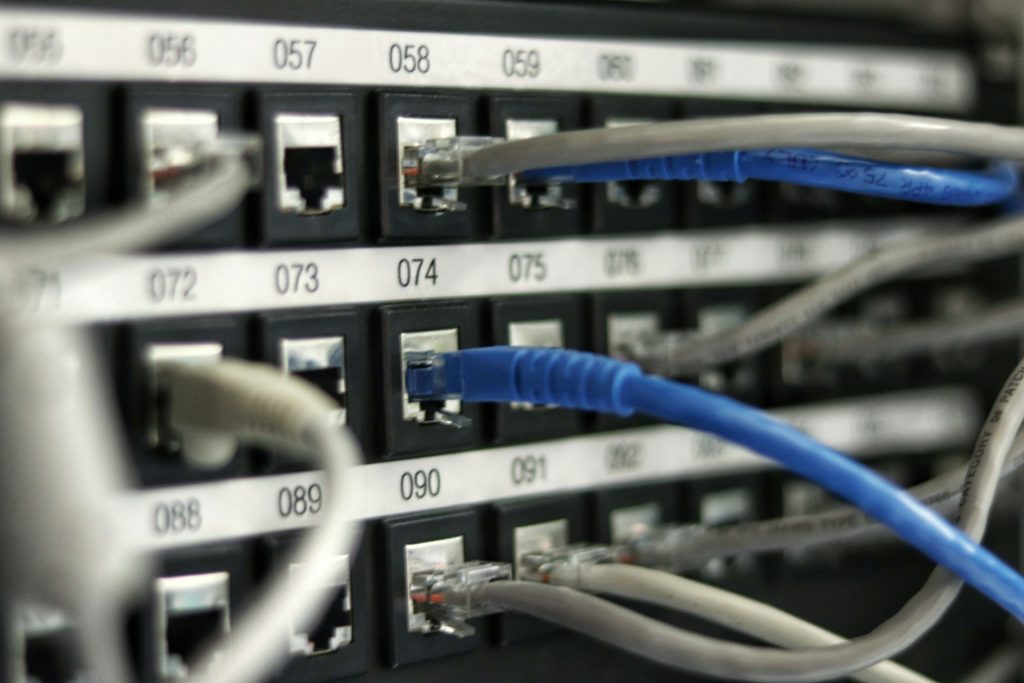
Structured cabling is a standardized way to wire a building. Instead of random cables running everywhere, you have a clean system: a telecom room, patch panels, labeled runs, and consistent cable types. Therefore, changes and troubleshooting become much easier.
Core parts of a structured cabling system
- Telecom room (IDF/MDF): where switches and patch panels live
- Patch panels: organized termination points for each cable run
- Horizontal runs: permanent cables from telecom room to each outlet/AP
- Work area outlets: jacks for APs, phones, cameras, and desks
- Labeling and documentation: so every run is known and traceable
As a result, your WiFi becomes easier to deploy, easier to support, and easier to scale.
Why Cat6A Is the Sweet Spot for Modern Office WiFi
Many older offices still have Cat5e or mixed cabling. That can work for basic needs. However, modern WiFi access points demand more. They need stable PoE power and higher throughput to the switch. Therefore, Cat6A is often the best choice for new WiFi-focused cabling.
Cat6A benefits for WiFi deployments
- Supports higher speeds over longer distances than Cat6
- Handles PoE better due to improved construction and lower heat issues
- Reduces crosstalk and improves signal integrity
- Future-proofs for multi-gig switching and newer APs
In addition, Cat6A makes it easier to standardize your infrastructure. Consequently, your network stays consistent across expansions.
How Bad Cabling Creates “WiFi Problems” That Aren’t RF Problems
Some issues look like WiFi interference, but they are actually wiring failures. Therefore, if you only troubleshoot RF, you can waste weeks. Here are common cabling-driven symptoms:
Symptom: Random drops and reconnects
If an access point loses power or link for even a second, clients disconnect. This can happen due to poor terminations, damaged cable, or unstable PoE delivery. As a result, users blame WiFi.
Symptom: Slow speeds even with strong signal
If a cable run is failing or negotiating at a lower speed, the AP becomes a bottleneck. Consequently, the WiFi feels slow even though RF looks fine.
Symptom: Certain APs always “act up”
When only one or two APs have constant issues, the cabling run is often the culprit. Therefore, cable testing and certification should be part of the troubleshooting process.
Why Cable Testing and Certification Matters for WiFi
Structured cabling is only as good as its installation. Therefore, professional testing and certification is critical. It confirms the cable meets performance standards, not just that it “works today.”
What certification catches
- Bad terminations and split pairs
- Excessive crosstalk and signal loss
- Length issues and poor routing
- PoE risk factors like heat and resistance problems
- Hidden damage from kinks, staples, or tight bends
As a result, you reduce downtime and avoid expensive rework later.
Best Practices: Cabling That Supports Great Access Point Placement
If you want WiFi that works, your cabling must support the design. Therefore, these best practices matter:
- Run cables to the best AP locations, not just existing closets
- Use Cat6A for new AP runs where possible
- Keep cable runs within standard distance limits
- Label every run and document it for future changes
- Plan PoE budgets on switches before installing APs
- Test and certify every run after installation
Consequently, your WiFi design becomes installable, supportable, and scalable.
How UniFi Nerds Approaches WiFi + Cabling as One System
UniFi Nerds treats WiFi and cabling as one project. Therefore, we start with a WiFi site survey, then confirm cabling feasibility, PoE needs, and switching capacity. As a result, the final design is realistic and reliable.
What you get with a combined approach
- Survey-based access point placement that can actually be cabled
- Cat6A recommendations where it matters most
- PoE and switching plans that prevent power-related drops
- Documentation that makes future upgrades easier
- Phased implementation options to match budgets and timelines
Conclusion: Great WiFi Starts With Great Cabling
Access points matter. Surveys matter. However, none of it works without a solid foundation. Structured cabling is what makes correct access point placement possible. It also supports PoE stability, consistent throughput, and long-term scalability.
If your office WiFi is unreliable, don’t just add APs. Start with a survey and a cabling review. UniFi Nerds can help you build a network that works the first time—and keeps working as you grow.
Schedule Your Free Site Survey
Contact UniFi Nerds for your comprehensive network assessment
Call: 833-469-6373 or 516-606-3774 | Text: 516-606-3774 or 772-200-2600
Email: hello@unifinerds.com | Visit: unifinerds.com
Free consultations • Phased implementation • Budget-friendly • Office-friendly upgrades