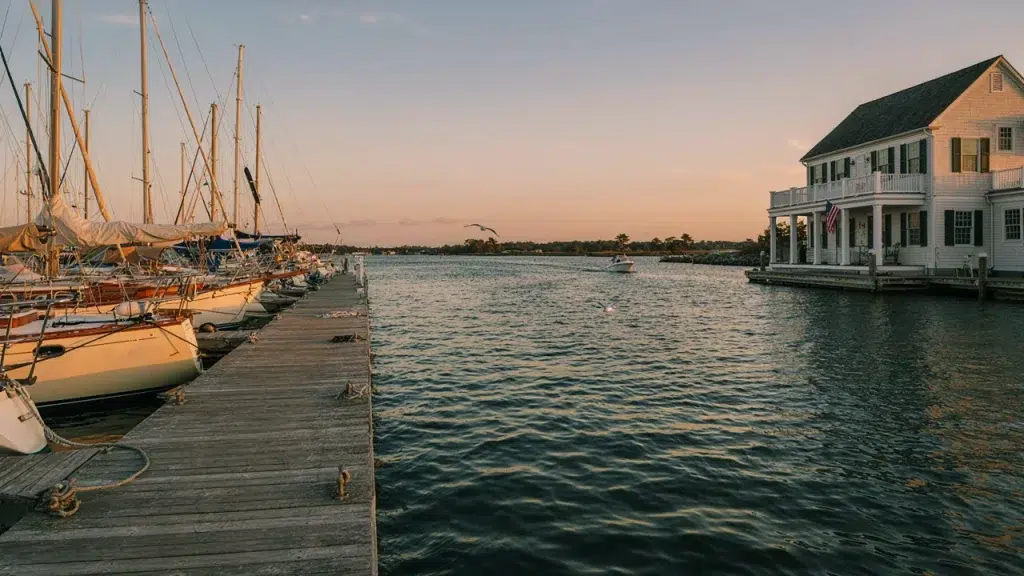
Bolt a home router to a dock post on the Great South Bay and give it one summer. It won’t make it. The salt air eats the electronics, condensation creeps in, and the signal never reaches the far slips anyway. That’s the reality behind marina wifi installation long island operators face, and it’s why generic IT shops usually get it wrong.
Long Island’s coastline is packed with marinas and yacht clubs, from the North Shore harbors to the South Shore bays. So this guide covers how these waterfront businesses get real, shore-to-slip coverage that actually survives the season.
Why Waterfront WiFi Is a Different Beast
A marina isn’t a parking lot with boats. Instead, it’s one of the harshest places you can put a network, and standard gear simply wasn’t built for it.
Salt Air Corrodes Everything: Salt spray works into connectors, housings, and mounts fast. Therefore, marine deployments need corrosion-resistant, outdoor-rated hardware, not indoor gear pushed outside.
Water Scatters the Signal: Open water behaves differently than solid ground for wireless. As a result, covering a marina takes directional planning that a typical land install never requires.
Dock WiFi System: Coverage From Shore to Slip
A proper dock wifi system has to reach every slip, sometimes hundreds of feet out over the water. So the design starts at the shore and works outward.
Directional Coverage Down Each Dock: Instead of blanketing an area, marina coverage often uses directional access points aimed down each dock finger. As a result, signal reaches distant slips without wasting coverage over open water.
Weatherproof Mounting: Access points on docks and pilings need marine-grade enclosures. Otherwise, sun, salt, and spray degrade the equipment within a season or two.
Point-to-Point Links Across the Water
Marinas spread out. The clubhouse, the fuel dock, the harbormaster’s office, and the far docks might sit hundreds of yards apart, and trenching cable across a waterfront isn’t always realistic.
Wireless Links Between Structures: Point-to-point wireless carries the network from building to building without digging. In fact, our point-to-multipoint guide shows how one hub can feed several docks and buildings at once.
Reaching the Far Docks: Even a floating dock well offshore can join the same network through a wireless link. Therefore, boaters and staff stay connected wherever they are on the property.
Guest Portals for Yacht Club WiFi
A yacht club wifi network is about member experience as much as raw coverage. So the guest side deserves as much thought as the docks.
Branded Member & Guest Access: Clubs often want a branded login for members and visiting boaters. As a result, a custom guest portal adds a professional touch while keeping the network organized.
Kept Safely Separate: Guest devices should never touch the club’s POS, cameras, or office systems. Therefore, a dedicated guest network keeps visitors contained to internet access only.
Onboard Networks & UniFi for Boats
The dock is only part of the story. Many boaters want the network to follow them right onto the vessel, and larger boats often need their own onboard setup.
Coverage Onboard: Steel and fiberglass hulls block signal, so onboard access points fill the gaps a single router can’t reach across decks and cabins.
Shore-to-Boat Handoff: While docked, a vessel connects to the marina WiFi; underway, it can switch to a cellular uplink. For the full onboard picture, our UniFi for boats guide covers vessel network design.
How UniFi Nerds Helps Long Island Marinas
We work with marinas, yacht clubs, and waterfront businesses across Nassau and Suffolk, each with its own dock layout and coverage challenge.
How We Approach It: First, we survey the property with dock length, slip layout, and the marine environment all in mind. Then we spec corrosion-resistant, outdoor-rated gear built to survive Long Island’s salt and weather.
We bring the same marine expertise to every coastline we serve. In fact, our San Diego marina work shows the shore-to-slip approach we apply here on Long Island too.
Frequently Asked Questions About Marina WiFi on Long Island
How far out over the water can marina WiFi reach?
With directional antennas and proper placement, coverage can reach the full length of most dock systems. However, exact range depends on layout and line of sight.
Does marina equipment really need to be marine-rated?
Yes. Because salt air corrodes standard gear quickly, corrosion-resistant, outdoor-rated hardware is essential to avoid replacing equipment every season.
Can you connect separate docks and buildings without trenching?
Yes. Point-to-point wireless links carry the network between structures, which is often the only practical option across a waterfront property.
Can you set up WiFi on the boat itself, not just the dock?
Absolutely. Onboard access points extend coverage across decks and cabins, and the network can hand off between marina WiFi and a cellular uplink.
How long does a marina WiFi installation take?
It depends on dock length and slip count. A smaller marina might take a few days, while a large multi-dock facility takes longer, especially with power runs to remote docks.
Final Thoughts on Marina WiFi Installation on Long Island
Waterfront networking punishes shortcuts. A setup thrown together with consumer gear won’t survive the first salt-heavy summer, and when it fails, so does the member experience you’re selling. That’s why marina wifi installation long island clubs trust is a specialty, not a standard job.
So get the marine-rated gear, the directional coverage, and the dock-to-dock links right, and the network fades into the background — exactly where it belongs while members enjoy the water.
Request a Marina Site Survey on Long Island
We’ll walk your docks, map coverage from shore to slip, and spec marine-rated UniFi gear that survives salt, sun, and spray season after season.
Call: 833-469-6373 or 516-606-3774
Text: 516-606-3774 or 772-200-2600
Email: hello@unifinerds.com | Visit: unifinerds.com
Free consultations • Phased implementation • Budget-friendly • Expert support