Church WiFi That Works: Streaming, Guest Access, and Full-Campus Coverage
If your livestream drops during the sermon, it is not just a “tech issue.” It is a trust issue for online members and a stress multiplier for volunteers. At the same time, guests expect easy internet access, staff need reliable connectivity for operations, and classrooms need stable WiFi for events and training. Strong church wifi is possible, but it requires planning for real usage patterns, not just “signal bars.” This guide explains how to build wifi for sanctuary spaces, stabilize streaming church wifi, extend coverage with outdoor wifi access points, and set up simple, secure guest wifi for churches.
The goal is reliable, full-campus WiFi that supports streaming, staff devices, and guest connectivity without constant troubleshooting.
Why church WiFi is harder than “normal” WiFi
Church campuses have unique patterns. They are quiet most days, then suddenly packed on weekends. Therefore, a network that feels fine on Tuesday can fail on Sunday.
Common church WiFi challenges
- High density in short bursts: hundreds of phones connect at once.
- Large open rooms: sanctuaries create coverage and capacity challenges.
- Old building materials: thick walls, stone, and metal can block signal.
- Multiple buildings: classrooms, offices, fellowship halls, and outdoor areas.
- Volunteer-run support: the network must be simple to operate.
- Streaming sensitivity: livestreaming needs stable uplink and low jitter.
Expert Insight: Most church WiFi problems are not “coverage” problems. They are capacity and contention problems. When 200 devices join at once, the airwaves get busy. The fix is usually better design and segmentation, not just turning up transmit power.
Start with the “who uses WiFi” map (staff, guests, streaming, and events)
Before you buy access points, map the real users and workflows. In addition, decide what must work even during peak attendance.
Typical church device groups
- Streaming team: encoder, production laptop, cameras, audio gear (often wired)
- Staff: office laptops, printers, VoIP, internal systems
- Volunteers: check-in tablets, event devices, kiosks
- Guests and congregation: phones, tablets, social media, messaging
- Facilities/IoT: TVs, signage, thermostats, security cameras
Real-world scenario: A church upgrades WiFi because “the livestream keeps buffering.” The streaming laptop is actually on the same WiFi network as guest devices. On Sunday, guest traffic spikes and the stream becomes unstable. After moving streaming gear to wired connections and isolating guest WiFi, the stream stabilizes immediately.
Church WiFi design rule #1: segment the network (it prevents Sunday surprises)
Segmentation means separating traffic types into different networks (often VLANs). This is one of the highest-impact improvements for church wifi because it protects critical systems from guest usage spikes.
A simple segmentation model for churches
- Staff network: office devices and internal systems
- Production/Streaming network: streaming gear and production devices
- Guest network: congregation and visitors (internet-only)
- IoT/Facilities network: TVs, signage, cameras, building devices
What segmentation should enforce
- Guest WiFi cannot access staff devices, printers, or internal systems.
- Streaming devices are protected from guest congestion and unnecessary traffic.
- IoT devices cannot “see” staff systems unless explicitly allowed.
Tips: How to keep church WiFi simple for volunteers
- Use 2 SSIDs max for most campuses: Staff (secured) and Guest (internet-only). Add a third only if streaming needs it.
- Name SSIDs clearly (example: Church-Staff, Church-Guest).
- Document “what goes where” in a one-page cheat sheet for volunteers.
WiFi for sanctuary: coverage and capacity done right
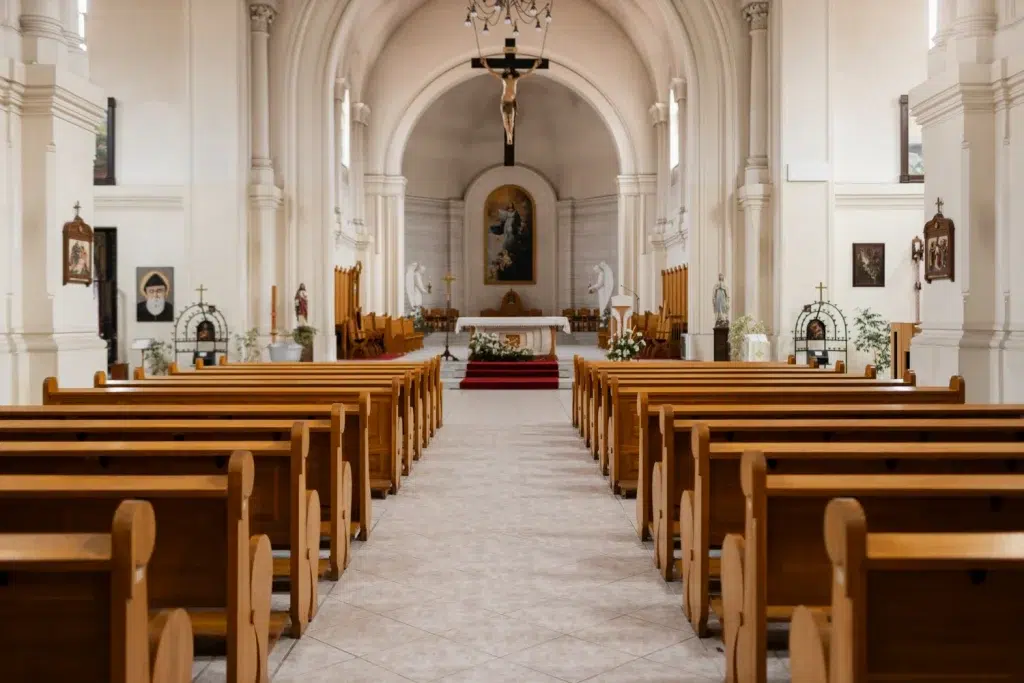
WiFi for sanctuary spaces is tricky because sanctuaries are large, open, and high-density during services. Therefore, you need both coverage and capacity planning.
Sanctuary best practices
- Design for peak attendance: assume most people have phones connected.
- Use multiple APs when needed: one AP rarely handles a full sanctuary well.
- Plan AP placement for seating areas: not just near the stage or booth.
- Control transmit power: avoid oversized cells that cause sticky clients.
- Validate during a real event: testing in an empty room is misleading.
Real-world scenario: A sanctuary has strong signal everywhere, but guest WiFi is slow during services. The issue is not signal. It is airtime contention. Adding properly placed APs and tuning channel reuse improves real performance without changing the internet plan.
Expert Insight: In large sanctuaries, the goal is smaller, consistent cells with good channel reuse. If one AP is trying to cover the entire room, clients fight for airtime and performance collapses under load.
Streaming church WiFi: how to stop buffering and dropped frames
Streaming church wifi fails most often because streaming is sensitive to uplink stability, jitter, and congestion. Therefore, the best practice is to avoid WiFi for critical streaming links when possible.
Best practices for reliable church streaming
- Wire the encoder and production PC: Ethernet is more stable than WiFi.
- Use a dedicated streaming network: keep it separate from guest traffic.
- Protect uplink capacity: confirm your internet upload speed and stability.
- Keep streaming gear close to the switch: reduce complexity and failure points.
- Test end-to-end: validate stream health during rehearsal and peak usage.
Streaming symptoms and likely causes
- Buffering during services only: guest congestion and contention
- Random drops: unstable uplink, weak cabling, or WiFi roaming issues
- Good speed tests but bad stream: jitter and packet loss, not raw bandwidth
Common Mistakes: Why church streaming fails on Sunday
Streaming over the same guest WiFi network. When the room fills, the stream competes with hundreds of devices.
Testing only with speed tests. Streaming fails from jitter and packet loss, not just low bandwidth.
No wired backbone. If your core links are WiFi, you are stacking risk on top of risk.
Outdoor WiFi access points: covering courtyards, parking, and overflow areas
Outdoor coverage is often needed for events, overflow seating, and check-in. Outdoor wifi access points can work well, but they must be planned for weather, mounting, and backhaul.
Outdoor WiFi best practices
- Use outdoor-rated APs: weather and heat matter.
- Plan mounting and cable pathways: clean cabling prevents long-term failures.
- Cover the right zones: entrances, courtyards, and overflow seating first.
- Do not “blast” power: outdoor power can cause interference back into indoor spaces.
- Validate roaming: test walking paths from indoor to outdoor areas.
Real-world scenario: A church adds an outdoor AP for the courtyard. It improves outdoor signal, but indoor WiFi gets worse near the lobby. The outdoor AP power was too high and created overlap and contention. After tuning power and channel planning, both indoor and outdoor performance improve.
Guest WiFi for churches: easy access without security risk
Guest wifi for churches should be simple to join and safe by default. Therefore, guest WiFi should be internet-only and isolated from staff systems.
Guest WiFi design goals
- Internet-only access: block access to internal networks and devices.
- Simple password or portal: keep it easy for visitors and volunteers.
- Optional bandwidth limits: prevent a few heavy users from dominating.
- Clear signage: reduce “what’s the WiFi?” questions at the welcome desk.
Best practices checklist: full-campus church WiFi that stays reliable
- Segment staff, guest, streaming, and IoT traffic.
- Wire streaming gear and core uplinks whenever possible.
- Design sanctuary WiFi for peak attendance and capacity.
- Use a site survey to plan AP placement and channel reuse.
- Use outdoor-rated APs for courtyards and parking areas.
- Keep SSIDs minimal and documentation simple for volunteers.
Industry standards and guidance to reference
- IEEE 802.11: WiFi behavior, roaming fundamentals, and client compatibility
- ANSI/TIA cabling standards: strong structured cabling practices for reliable uplinks and PoE
- Security best practices: strong segmentation and least-privilege access for guest networks
Expert Insight: The best church networks are designed for “easy Sundays.” If volunteers can run services without touching WiFi settings, you built it right. Simplicity is a feature, not a limitation.
FAQ: church WiFi, streaming, and guest access
How many access points does a church need?
It depends on sanctuary size, building materials, number of buildings, and peak attendance. A site survey is the best way to estimate AP count. Large sanctuaries often need multiple APs for capacity, not just coverage.
Should we stream over WiFi or wired Ethernet?
Wired Ethernet is strongly recommended for streaming gear. Streaming church wifi can work, but it is more sensitive to congestion and interference. Wiring the encoder and production PC is usually the fastest way to reduce buffering.
How do we make guest WiFi easy but secure?
Use a dedicated guest network with internet-only access and clear signage. Keep the login simple. In addition, isolate guest traffic from staff and IoT networks with firewall rules.
Why does WiFi work during the week but fail on Sunday?
Sunday adds high client density and higher channel utilization. Therefore, the network needs capacity planning, proper channel reuse, and segmentation so critical systems do not compete with guest traffic.
Do outdoor WiFi access points interfere with indoor WiFi?
They can if power and channels are not planned. Outdoor APs should be tuned and validated so they cover outdoor zones without creating excessive overlap inside.
Conclusion: church WiFi that works is designed for peak services and simple operations
Reliable church wifi is built around real Sunday conditions: high density, streaming sensitivity, and multi-building coverage. When you segment traffic, wire streaming gear, design the sanctuary for capacity, and extend coverage with properly planned outdoor wifi access points, you get stable connectivity for staff, volunteers, and guests. Most importantly, you reduce the stress that comes from “WiFi surprises” during services.
If your campus struggles with spotty coverage, buffering streams, or guest WiFi confusion, start with a survey and a simple segmentation plan. The improvements are usually faster than you think once the design is clear.
Want Church WiFi That Streams Smoothly and Covers the Whole Campus?
We’ll design a church WiFi plan for sanctuary capacity, reliable streaming, simple guest access, and outdoor coverage—so your services run without network stress.
Call: 833-469-6373 or 516-606-3774
Text: 516-606-3774 or 772-200-2600
Email: hello@unifinerds.com | Visit: unifinerds.com
Free consultations • Phased implementation • Budget-friendly • Expert support